Google Workspace Marketplace
Bulk copy entire folders in Google Drive™. Subfolders, files, and permissions included. Runs in the background. Email notification when done.
By:
Listing updated:November 21, 2026
Works with:
659K+
Overview
Copy entire folders in Google Drive™ in one click - including all 
subfolders, files, and permissions. The fastest folder copying app 
on the Marketplace. Runs in the background while you keep working. 
You'll get an email when it's done.

Step 1: Select the folders and files you want to copy
Step 2: Choose a destination folder in Google Drive™
Step 3: Wait for your email - Awesome Files handles the rest

Key Features:
➤ Copy any folder or file including all subfolders and contents
➤ The fastest file copying app on the Google Workspace Marketplace

➤ Select files directly from the Google Drive™ interface
➤ Choose any Google Drive™ destination folder
➤ Keep or remove permissions on the copied folder
➤ Runs in the background - no waiting, no tab-watching

Use Cases:
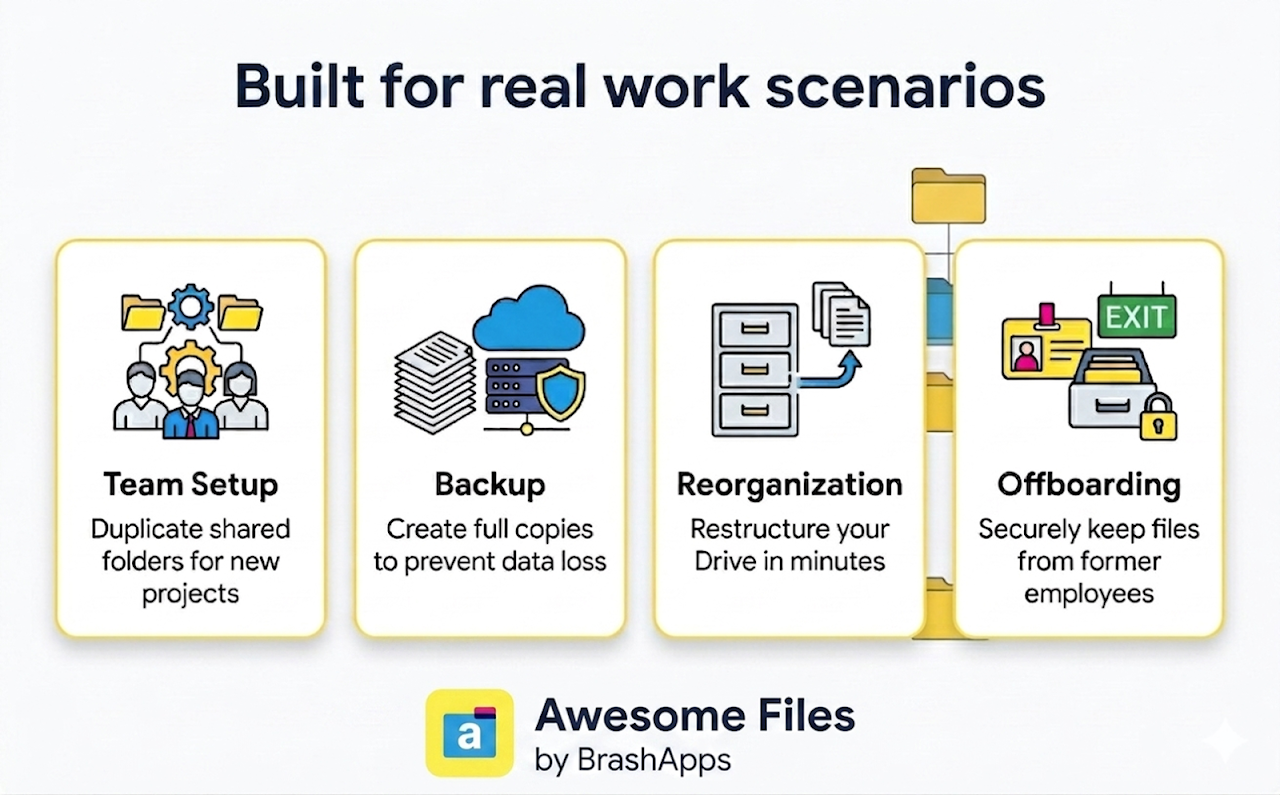
➤ Copy shared folders across teams or projects
➤ Create full folder backups for data recovery
➤ Reorganize and restructure your Drive layout
➤ Preserve files and access from departing employees
➤ Copy a template folder for every new project or client onboarding

Why Choose Us:
➤ 5+ years building and scaling products on Google Workspace Marketplace
➤ 3M+ installs across our add-on portfolio
➤ Multiple Editor's Choice selections on the Marketplace

Need help? 
support@lincolnapps.co

#copy folder #copy a folder in Google Drive #copy shared folder 
#make a copy of a folder #bulk copy #bulk transfer #duplicate folder 
#clone folder #copy folder with permissions #folder backup 
#template folder #copy files #move folders
Additional information
PricingFree of charge with paid features
Developer
Support
Privacy policy
Terms of service
Copy folder in Google Drive ™ will ask for the permissions shown below. Learn more
Copy folder in Google Drive ™ will need access to your Google account
This will allow Copy folder in Google Drive ™ to :
See, edit, create, and delete all of your Google Drive files
View basic data about the Google Drive folders or files you select
Connect to an external service
See your primary Google Account email address
See your personal info, including any personal info you've made publicly available
Reviews
Language:
Sort by:
Google doesn't verify reviews or ratings. Learn more about reviews
Profile Picture
Colleen Sauer
October 26, 2026
Where do you even access this? It says its installed but I cant find it in the apps or anywhere.
Is this review helpful?
Yes
No
Profile Picture
Randy Seidler
January 15, 2026
Hi everyone, if you need to cancel your subscription, just email the team. The customer service is outstanding. They're quick, polite, and helpful. Thank you Awesome Files Team!
Is this review helpful?
Yes
No
Profile Picture
Mikael
June 16, 2026
A ripoff plugin with ripoff prices. None of the plans offer unlimited data transfers and the prices are steep for what the plugin does and how it was made. What this plugin does, anyone can do but literally for free just by asking AI to write them their own script. If you delete this review I'm gonna put in the effort to release it as a standalone plugin on the marketplace, but for free.
Is this review helpful?
Yes
No
Profile Picture
Velonty Solutions
October 17, 2026
It was very hard for me to cancel my subscription. Yet to find how cancel the subscription
Is this review helpful?
Yes
No
Profile Picture
Marc Stress
August 4, 2025
Looks good on the tin, but does not work as advertised. Was not able to copy folder. I'm tired of these apps that offer a free or trial tier with a drastically reduced feature set. Better still, why do we need a third-party solution to move/copy folders around in Google? That should be built in to the tool. Nonsense.
Is this review helpful?
Yes
No
Profile Picture
Mike Fieldhouse
May 5, 2026
Been using this app for a couple of years. Does exactly what it says on the tin. It copies folders really easily without any fuss. Saved us tons of time when creating new 'jobs' on Google Drive.
Is this review helpful?
Yes
No
Profile Picture
Benjie Burford
February 16, 2026
Paid For Pro...It worked twice and then failed miserably. Won't copy the files I need. Tried different files and reinstalling still no luck.
Is this review helpful?
Yes
No
Profile Picture
Keith | Deoworkz.com
May 21, 2025
For someone who constantly needs to duplicate project templates and archive folders, Google Drive's native limitations were a huge headache. This app solves that problem perfectly. It's incredibly straightforward to use – I just select the folder, choose the destination, and it handles everything, including all subfolders and files. The process is surprisingly fast, even for folders containing hundreds of items. I haven't encountered any issues with missing files or corrupted data, which is crucial for my work. It has genuinely saved me hours of tedious manual copying and reorganizing. If you're a heavy Google Drive user, this app is an indispensable tool for efficient folder management. Highly, highly recommend!"
Is this review helpful?
Yes
No
Profile Picture
Richard Visco
June 11, 2026
It was useful up until I realized that I was only using this on a trial basis, and was one day met with a list of subscription plans to keep this extension. Why anyone would pay up to $300/yr for this extremely simple and basic tool, beyond me. I can't imagine why anyone would pay even the lowest price at $5/mo for this. It was nice while it lasted. Had you simply offered a one-time payment, could have been a different story, but I guess greedy subscriptions are the business model these days.
Is this review helpful?
Yes
No
Profile Picture
Kevin Sullivan
November 4, 2025
This app makes it incredibly easy to copy folders in google drive. In the past, I would have to download folders to my desktop, then upload them to create new ones. It was a long, clunky process. Plus, it didn't copy everything in the folder (like shortcuts). The team is also very responsive, answering my questions right away!
Is this review helpful?
Yes
No
1-10 of 49
Search
Clear search
Close search
Google apps
Main menu