
Google Workspace Marketplace


Calendar Schedule
Appointment Booking System for Google Calendar™.
Get your calendar booking page ready in 2 minutes.
Eintrag aktualisiert:17. Februar 2026
232



Überblick
CalendarSchedule is a simple, fast scheduling app built for users who want a Calendly-like experience directly on top of Google Calendar™. Share a booking link, let invitees pick a time that works, and CalendarSchedule instantly creates the event on your calendar. No manual coordination required.

Whether you’re running interviews, client calls, tutoring sessions, sales demos, team meetings, or office hours, CalendarSchedule helps you schedule more efficiently, look more professional, and stay in control of your time.

⚫️ Why CalendarSchedule

Stop wasting time on “What works for you?” threads. CalendarSchedule turns your real-time Google Calendar™ availability into bookable slots, so people can schedule themselves in seconds.

► No back-and-forth emails
► No double-bookings
► No awkward timezone mistakes
► No extra tools to manage

⚫️ Key Features

✅ Instant Google Calendar™ sync
Events are created automatically on your calendar as soon as someone books.

✅ Smart availability & conflict protection
CalendarSchedule checks your existing events and only shows free slots.

✅ Timezone-aware scheduling
Invitees see times in their local timezone—no conversions needed.

✅ Custom booking pages
Create a clean, branded scheduling page and share a link anywhere.

✅ Reminders & notifications
Reduce no-shows with automated confirmations and reminders.

✅ Private by design
Your calendar details stay private—invitees only see available times.

✅ Built for every workflow
Perfect for educators, recruiters, consultants, founders, coaches, sales teams, agencies, and anyone booking recurring meetings.

⚫️ How It Works

1️⃣ Install CalendarSchedule from Google Workspace Marketplace™.
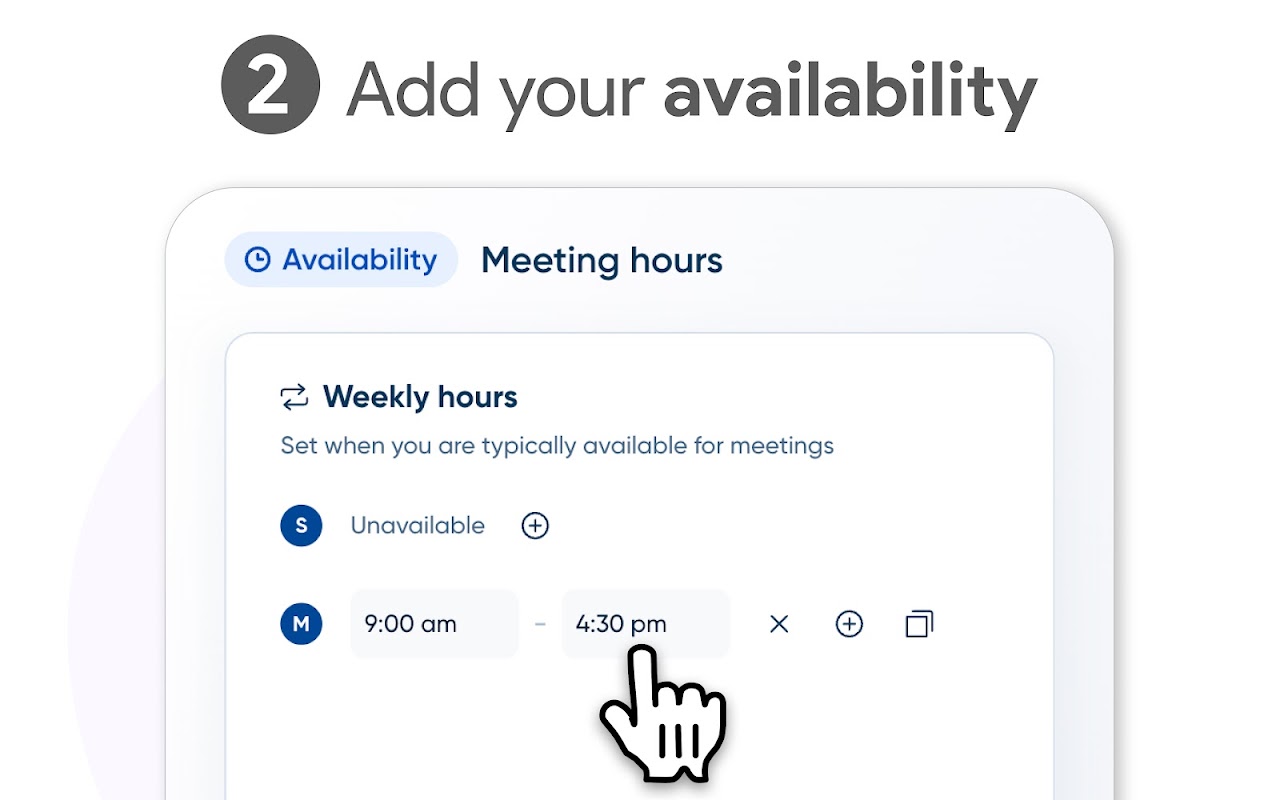
2️⃣ Connect your Google Calendar™ and set your preferred availability.
3️⃣ Create your booking link and share it by email, chat, or website.
4️⃣ Invitees choose a time → CalendarSchedule books it instantly.

⚫️ Use Cases

► Recruiting & interviews
► Sales demos & discovery calls
► Tutoring, coaching, and lessons
► Consulting sessions
► Customer success & onboarding
► Team office hours and internal scheduling

⚫️ Pricing

CalendarSchedule offers a free plan to get started, with optional upgrades for advanced customization and scheduling controls.

⚫️ Support

Questions or feature requests? We’re here to help.
Contact support anytime and we’ll respond quickly.
Weitere Informationen
sell
PreiseKostenlos
code
Entwickler
Kein Händler
email
lock
Datenschutzerklärung
description
Nutzungsbedingungen
flag
MeldenAls unangemessen melden



Suche
Suche löschen
Suche schließen
Google-Apps
Hauptmenü