
Google Workspace Marketplace


3D Viewer for Drive™
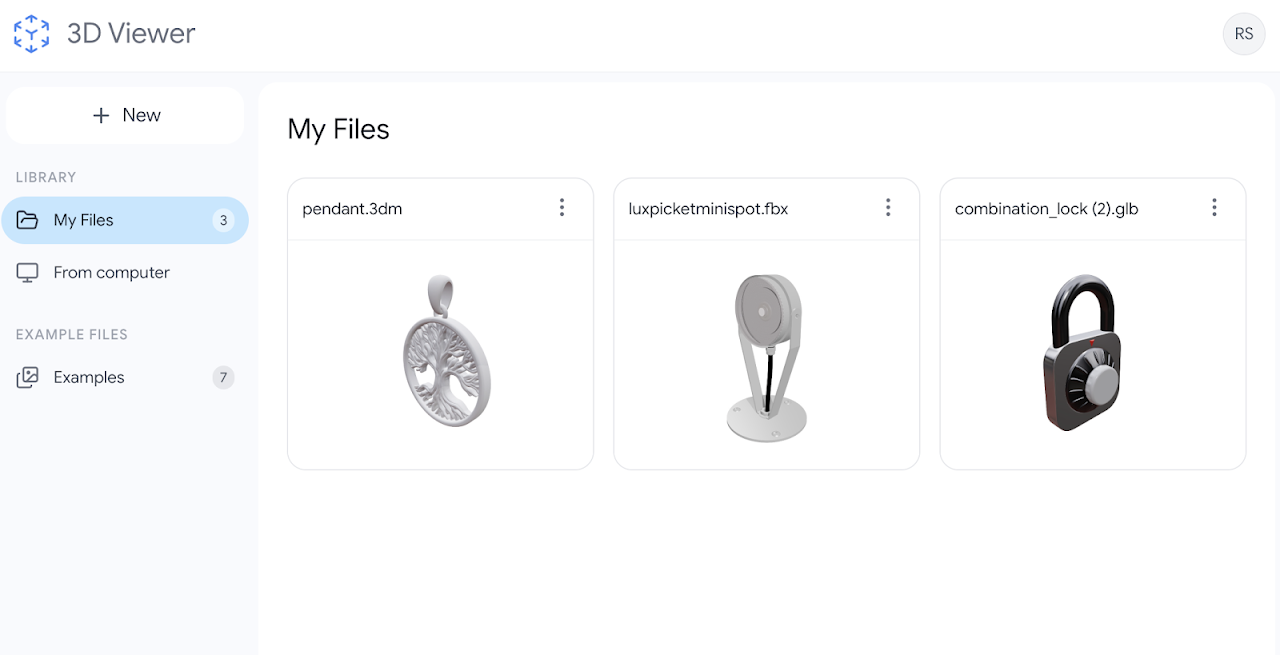
A powerful 3D viewer for Google Drive™ handling STL, OBJ, FBX, Rhino 3DM, GLB, STEP and PLY files natively.
Listing updated:21 Ιανουαρίου 2026
Works with:
12 χιλ.+



Επισκόπηση
3D Viewer is a professional-grade visualization agent designed specifically for Google Drive™.

✓ No heavy software installation. ✓ Native Google Drive™ integration. ✓ High-fidelity rendering.

It is built on a high-performance WebGL engine, allowing you to visualize, inspect, and analyze 3D assets directly within your browser.

Say goodbye to downloading huge files just to view them

3D Viewer renders your CAD and mesh files instantly.

ℹ Learn more on https://3dviewer.co

FEATURES

🧊 Universal 3D File Support

Seamlessly view the most popular 3D formats used in engineering, gaming, architecture, and 3D printing directly from your cloud storage.

- Supported Formats: STL, OBJ, FBX, GLB, PLY, Rhino 3DM, STEP and more.

- Auto-Detection: Automatically recognizes 3D file types stored in your Google Drive™.

- Large File Handling: Optimized to load heavy models and complex geometries without lagging.

🛠 Advanced Visualization Tools

Turn your browser into a 3D inspection workshop.

Inspect & Analyze: Rotate, pan, and zoom with precision control.
View Modes: Toggle between Solid, Wireframe, and Point Cloud views to check topology.

Lighting & Textures: Adjust lighting environments and view PBR materials and textures in high detail.

Exploded Views: Analyze assembly parts (for supported formats).

📏 Measurement & Data

Dimensions: Check bounding box dimensions to verify scale.

Distance Measurement: Measure distances between points on your model directly in the viewer.

Model Stats: View vertex counts, face counts, and mesh hierarchy data.

☁️ For Google Drive™ Integration

"Open With" functionality: Right-click any 3D file in Drive and open it instantly

Secure Preview: View proprietary models without downloading them to a local machine, enhancing security.

Shareable Links: Generate view-only links for clients or colleagues.

● QUICK TUTORIAL
1️⃣ Upload a 3D file (e.g., .STL or .OBJ) to Google Drive.
2️⃣ Right-click the file and select "Open with" > "3D Viewer".
3️⃣ Use the toolbar to rotate, inspect, and measure your model.

● PRICING
3D Viewer offers a robust Free version for standard viewing and a Pro plan for advanced measurement tools and larger file limits.

● OUR USERS ARE
3D Printing Enthusiasts: Verify STL mesh integrity before slicing.
Architects & Engineers: Review CAD exports (OBJ/FBX) quickly in the cloud.
Game Developers: Preview assets and GLB files without opening a game engine.
Students & Educators: Share and view 3D projects for class without complex software.

This add-on was developed by Rhovium.com
Additional information
sell
PricingFree of charge with paid features
code
Developer
Μη έμπορος
email
Υποστήριξη
lock
Πολιτική απορρήτου
description
Όροι παροχής υπηρεσιών
flag
ΑναφοράFlag as inappropriate



Αναζήτηση
Διαγραφή αναζητήσεων
Κλείσιμο αναζήτησης
Εφαρμογές google
Κύριο μενού