
Google Workspace Marketplace


Add a Date
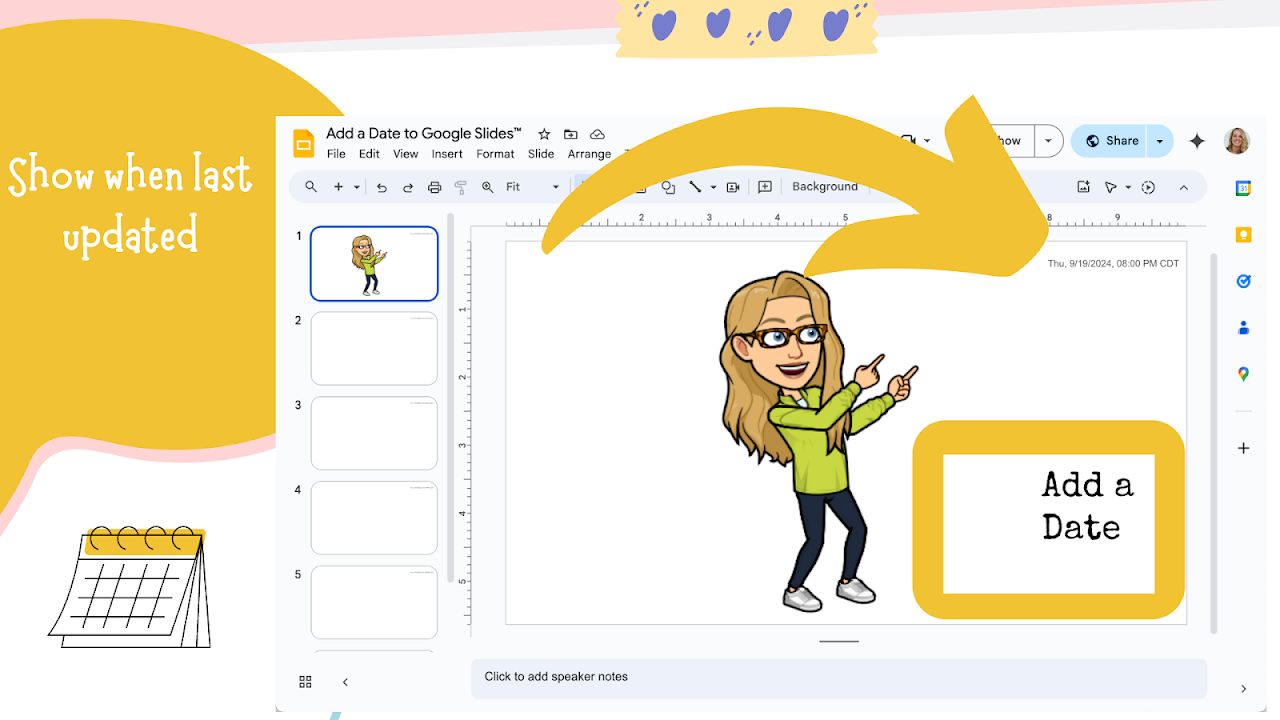
To the current slide, add the date stamp. Other features.
Fiche mise à jour le :16 décembre 2025
Compatible avec :
675 k+



Présentation
When was this slide updated? Keep your students and audience informed with the Add a Date Add-on. Developed by Google Certified Innovator and Google Developer Expert Alice Keeler.

BASE FEATURE

The core function of this Add-on allows you to instantly timestamp your slides. With a single click, add the current date and time to the first slide or your currently selected slide. The tool uses smart detection, so if you run it again, it automatically updates the existing timestamp instead of creating a duplicate text box. It also includes specific support for Spanish date formatting (Espanol).

ADDITIONAL FEATURES

Add Tomorrow: Automatically calculates the date for the next day and inserts it onto the slide, perfect for prepping "Next Class" slides.

Progress Bar: Automatically draws a progress bar at the bottom of every slide in your deck so your audience sees how far along the presentation is.

Draft Watermark: Instantly marks the current slide with a large, professional "DRAFT" watermark.

💎 PREMIUM FEATURES

All Slides Date: Apply a timestamp to every single slide in the presentation at once.

Custom Note to All Slides: Type a specific note, such as "Homework Due Friday" or "Module 4," and have it appear in the top corner of every slide.

Insert Date Slide Above: Instantly inserts a new slide above your current position with a large, centered date text box. This is ideal for creating agenda slides or separating daily lessons.

Date to Speaker Notes: Log timestamps directly into the Speaker Notes section of the current slide. This allows you to track your edit history or lesson timing without cluttering the visible slide face.

Clean Up Tools: Quickly remove date stamps from the current slide or the entire presentation with one click.

PREMIUM MEMBERSHIP

Becoming a premium member supports the development of free tools for teachers. A single membership grants you access to the Premium Features across ALL AliceKeeler Add-ons, not just this one. Premium members also receive technical support for the Add-ons. Join at alicekeeler.com/membership

PRIVACY AND SAFETY

This Add-on is free and collects NO user data. No PII (Personally Identifiable Information) is tracked or stored.

Check out my other Add-ons at http://alicekeeler.com/codedebyalice
Informations supplémentaires
sell
TarifsSans frais
code
Développeur
Non-professionnel
email
Assistance
lock
Règles de confidentialité
description
Conditions d'utilisation
flag
SignalerSignaler comme inappropriée


Recherche
Effacer la recherche
Fermer le champ de recherche
Applications Google
Menu principal