
Google Workspace Marketplace


AI Email Writer & Draft Agent for Gmail™
Use an AI-powered email writer to instantly draft smart replies in Gmail™ and improve your response time.
Fiche mise à jour le :25 août 2025
Compatible avec :
538



Présentation
Automate Replies and Organize Gmail™ with a Personal AI Agent

AI Email Writer & Draft Agent for Gmail™ is an AI-powered assistant that transforms how you manage and respond to emails. From auto-drafting replies and labeling conversations to learning from your communication style and your knowledge base, it’s the smarter way to stay organized, responsive, and productive — all directly within Gmail™.

Key features
📥 AI-generated draft replies: AI Email Writer & Draft Agent for Gmail™ automatically generates reply drafts for incoming emails, saving time and effort.
🧠 Trained on your knowledge base: The agent learns from your sent emails and knowledge base to write context-aware responses.
🏷️ Auto-labeling & organization: Categorize emails with AI-generated labels like “Needs Reply” or “Waiting for Response” to streamline inbox management.
🤖 Context-aware responses: AI Email Writer & Draft Agent for Gmail™ understands incoming messages and suggests accurate, relevant replies automatically.
💬 Personalized greeting messages: Set personalized opening lines for each reply to reflect your tone and enhance user engagement.
⚙️ Custom rules & filters: Set conditions to decide when to label, archive, or prioritize messages.
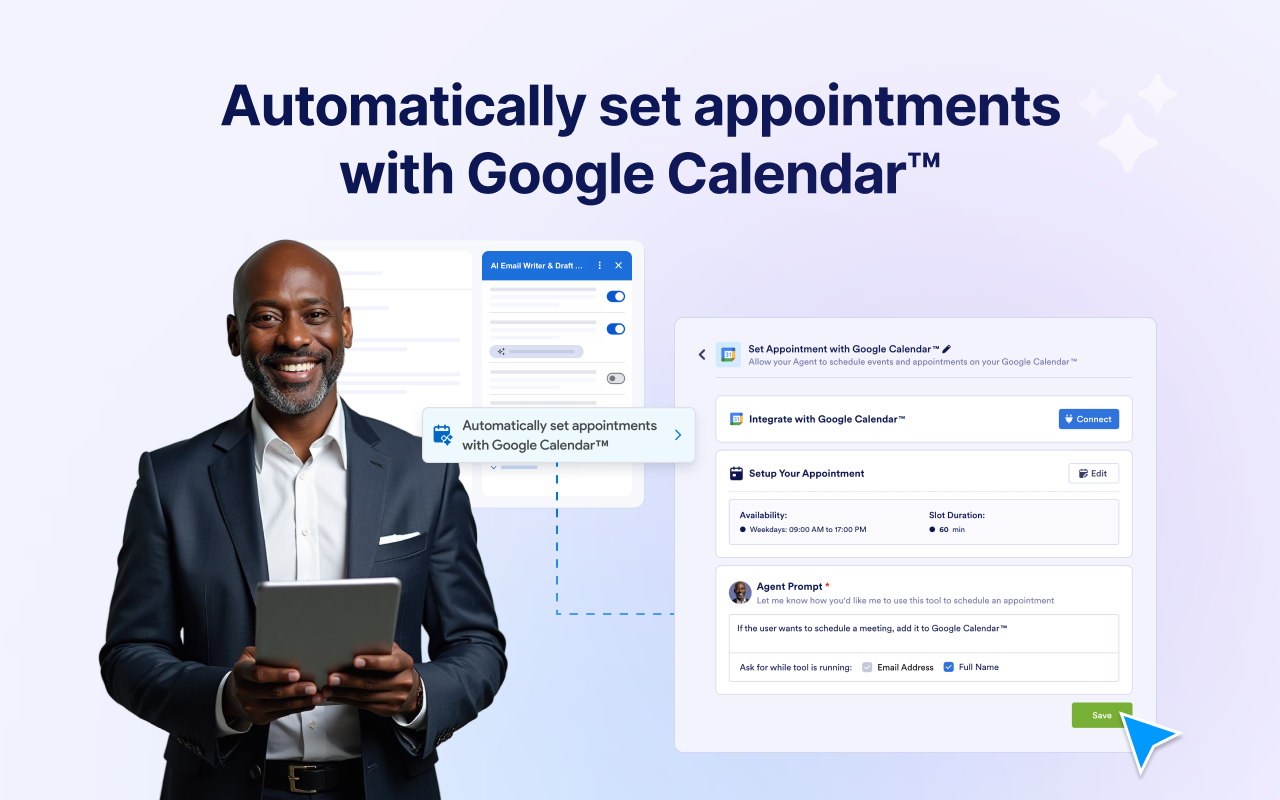
📅 Automatically set appointments with Google Calendar™: Let your agent create calendar events from email content to save time and avoid missed meetings.
⏱️ Save time, reduce manual replies: View and manage all generated drafts in one central place to ensure nothing slips through the cracks.

How to use AI Email Writer & Draft Agent for Gmail™ by Jotform
1. Install AI Email Writer & Draft Agent for Gmail™ from the Google Workspace Marketplace.
2. Open Gmail™ and click the Jotform icon in the sidebar.
3. Click the “Authenticate to Start” button to connect your Gmail™ account and begin setup.
4. Choose how you want to generate draft replies — you have two options:
   ● In the AI Email Writer & Draft Agent for Gmail™ panel, open the email you want to reply to and then click the ‘Generate Draft’ button to create a reply suggestion for that specific email.
   ● Turn on the “Auto-Generate Draft” toggle under General Settings so your agent can begin creating draft replies automatically.
5. Use the “Send Test Email” option to preview and fine-tune responses before sending.
6. Customize your agent’s greeting.
7. Start replying to emails using smart drafts created by your agent.

Use cases
- IT customer support: Respond to tech issues like “VPN not working” or “computer slow” with smart, ready-to-send replies.
- Healthcare clinics: Handle appointment rescheduling, insurance questions, and new patient forms with accurate and polite email drafts.
- Product inquiries & orders: Quickly reply to wrong item reports, return requests, or out-of-stock updates using consistent, branded responses.
- Course helpdesk: Support students with course access issues, certificate requests, and live class conflicts using pre-drafted, guided emails.
- Internal communications: Draft updates, meeting notes, or onboarding info for internal teams with consistent formatting.

Support
For assistance, contact Jotform Support at https://www.jotform.com/contact/.
Informations supplémentaires
sell
TarifsSans frais avec des fonctionnalités payantes
code
Développeur
email
Assistance
lock
Règles de confidentialité
description
Conditions d'utilisation
flag
SignalerSignaler comme inappropriée




Recherche
Effacer la recherche
Fermer le champ de recherche
Applications Google
Menu principal