
Google Workspace Marketplace


AI for Gmail™ - AI Mail Assistant
AI for Gmail™ is a privacy-first AI assistant for Gmail™, On the basis of Google Gemini AI, we can helps you write better emails in just one click. No API key required.
Listing updated:৯ জানুয়ারি, ২০২৫
Works with:
৪৩ হা+

এক নজরে
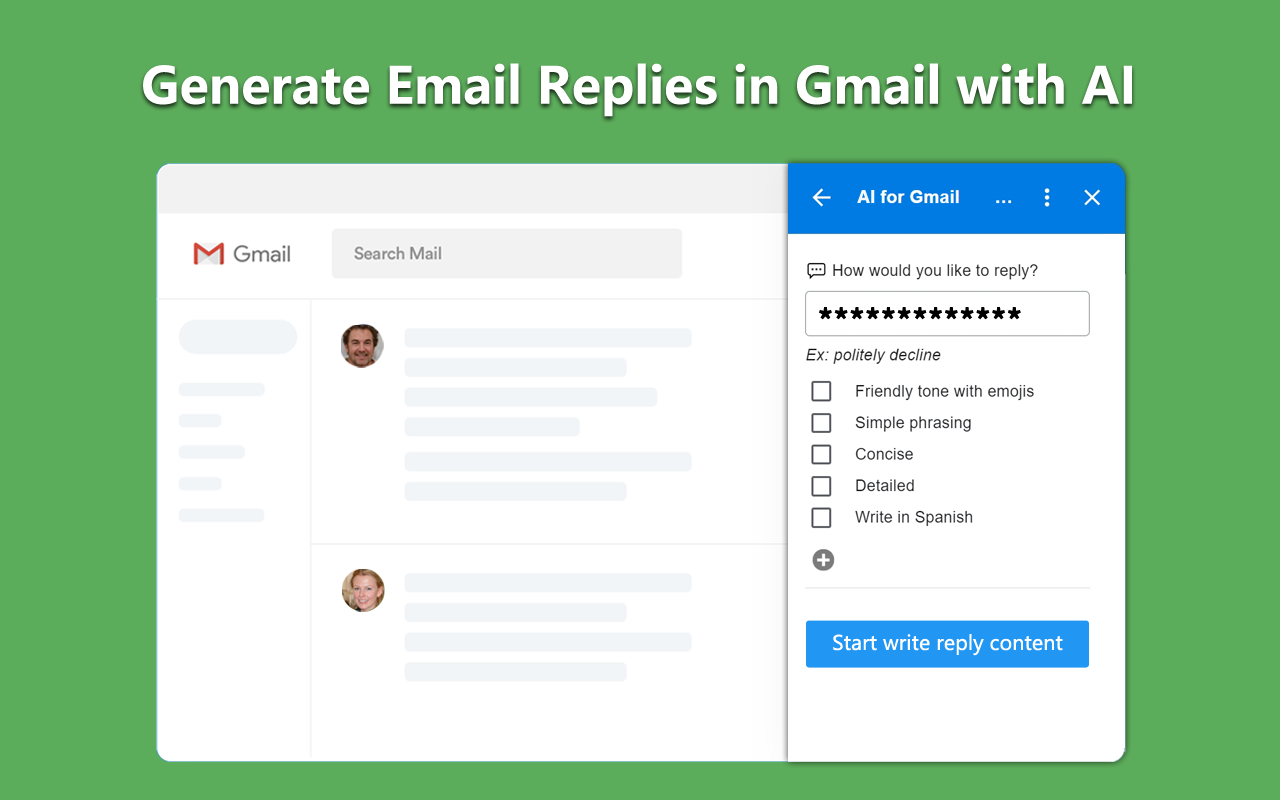
With AI for Gmail™, you can generate professional, tailored responses to your emails in an instant. You simply need to write a short prompt of what you want to say, and AI Gmail™ generates realistic replies in one click.
You can choose the tone and length of your response and have the AI rephrase your response until you have the perfect email.

HOW IT WORKS

1️⃣ Open Gmail™
2️⃣ Compose an email
3️⃣ Click the AI for Gmail™ icon
4️⃣ Write a prompt and set your tone
5️⃣ 'Create Draft' for AI-generated content

🔹Privacy Policy

We complies with privacy laws (especially GDPR & California Privacy Act) to protect your data.
By design, your data stays at all times on Google servers.
We don’t store your emails at any point.
AI cannot link the content of your emails with your account.
Additional information
sell
Pricingফ্রি
code
Developer
নন-ট্রেডার
email
সমর্থন
lock
গোপনীয়তা নীতি
description
পরিষেবার শর্তাদি
flag
রিপোর্ট করুনFlag as inappropriate



সার্চ করুন
সার্চ মুছুন
সার্চ বন্ধ করুন
Google অ্যাপ্লিকেশানগুলি
প্রধান মেনু