
Google Workspace Marketplace


AI for Work: Gemini GPT Claude™ in Sheets Docs
Gemini™ Pro, ChatGPT™/GPT-4o, Claude™ 4, DeepSeek, Llama, Mistral for Docs™, Sheets, Slides. Use full power of AI for writing and reading, data extraction, outlines, correction, summarization, etc.
Vermelding geüpdatet:18 oktober 2026
Werkt met:


158K+



Overzicht
AI for Work is your ultimate AI assistant for Google Sheets™, Docs™, and Slides™. It is powered by the cutting edge AI GPT models including:
✅ Google Gemini™ Advanced 2.5 (Gemini Pro 2.5, Gemini Flash 2.0)
✅ OpenAI ChatGPT™, GPT-4, GPT-4o, GPT4-o mini
✅ Anthropic Claude™ 3, Claude™ Sonnet 4.0, Claude™ 3 Haiku, Claude™ 3 Opus
✅ DeepSeek V3 and R1
✅ Meta LIama ™ 3.3 70b
✅ Mixtral™ and Mixtral8x22B™
✅ Google Bard PaLM 2 and Duet AI

It can be used for all sorts of tasks on text and data analysis: write, edit, proofread, paraphrase, extract, data cleaning, translate, summarize, outline, explain, etc.

Install now and get free credits to use! No API Key is needed here.
✓ No sign-up required. ✓ Free with premium features. ✓ No API key required.


● Features for Google Docs™, Slides™, Sheets™
✅ ✅ Sheets™ Custom function:
=GEMINI()
=GPT()
=CHATGPT()
=DEEPSEEK()
=CLAUDE3_HAIKU()
=LLAMA3()
=Mistral8x22B()

And a lot more for REWRITE, TRANSLATE, POLISH, SUMMARIZE, FORMAT, CLASSIFY!


✅ ✅  Editing and reading content:
- Improve writing and rewrite
- Proofread
- Paraphrase, rephrase
- Elaborate
- Fix grammar and spelling
- Polish
- Reply to
- Continue writing
- Help me understand
- Create notes
- Create to-do list
- Expand and make longer
- Shorten
- Summarize
- Translate to
- Explain
- Suggestions to the content
- Make in tone
- Bulletize
- Format
- Any other freeform prompt and command you want for GPT.


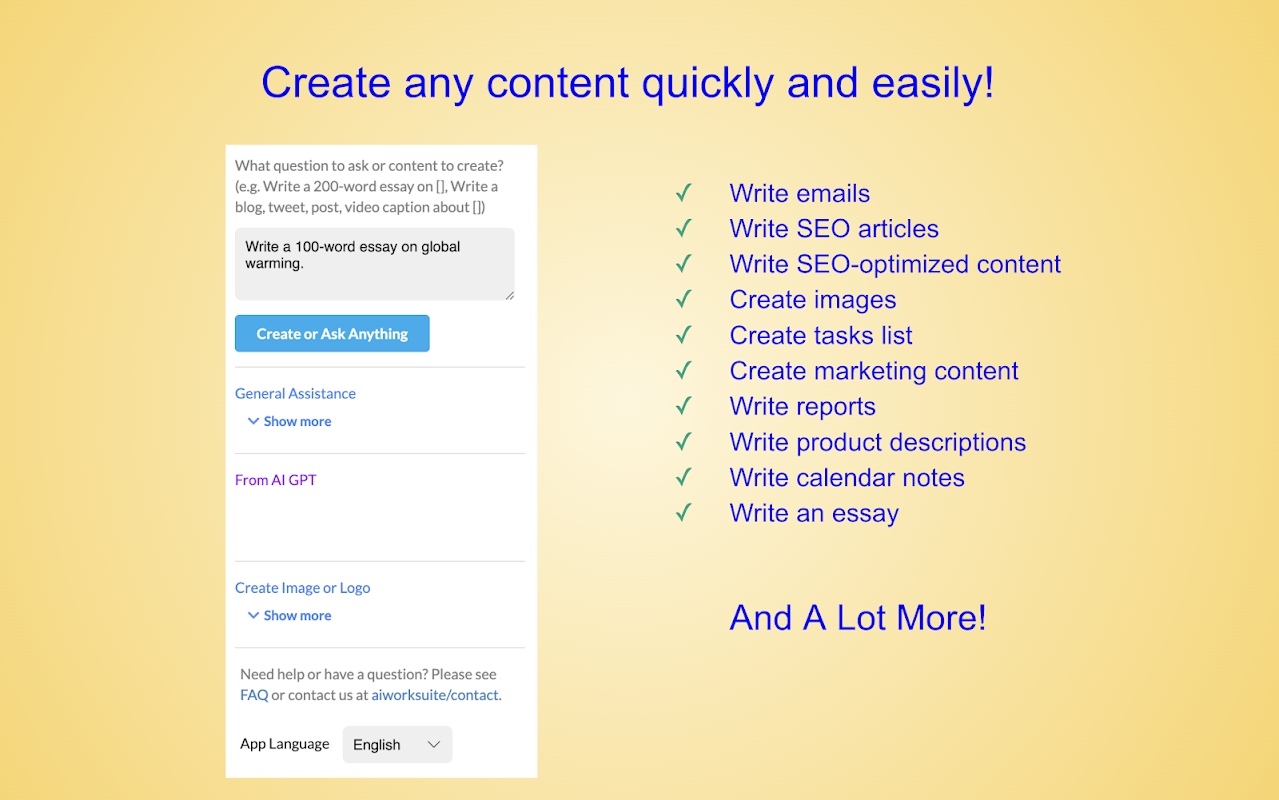
✅ ✅  Creating content:
- Write emails
- Generate replies
- Create tasks list
- Write SEO articles
- Create images
- Create Slides
- Create posts for Linkedin, Facebook, Instagram
- Write video scripts, Youtube scripts, Tiktok scripts
- Write SEO-optimized content
- Create marketing content
- Compose status updates
- Write reports
- Write product descriptions
- Write calendar notes
- Write an essay
- Create descriptions
- Create profiles
- Compile Summary
- Write resume
- Write for anything!

✅ ✅ Enhanced Data and Text handling in Bulk:
WorkGPT can also enrich, analyze, summarize, classify, categorize, normalize, extract different data and text in bulk and batches, with many cells together in Google Sheets™!

More use cases:
📊 AI Data Analysis: Perform complex data evaluations with ease.
📝 AI Bulk Writing: Generate multiple texts, from blog posts to summaries.
🌍 AI Bulk Translating: Translate large volumes of text in multiple languages.
🖼️ Generate Alt Text for Images: Enhance accessibility with automatic alt text.
🔖 Tags Content: Automatically tag and categorize your content.
✍️ Write Blog Posts: Create engaging and well-crafted articles.
📑 Bulk Summarizing: Condense lengthy articles into concise summaries.
🔄 Bulk Rephrasing: Aid copywriters by rephrasing articles for fresh perspectives.
📊 Batch Sentiment Classification: Analyze and classify the sentiment of large datasets.
🤖 Bulk Spam Classification: Efficiently identify and categorize spam within your datasets.


● PRICING
AI for work offers free credits for you to get started. We offer different plans for you to use afterwards, starting at 4.2$/month only.

Experience the power of best Assistant and top AI models for Work with this addon today!
Meer informatie
sell
KostenKosteloos met betaalde functies
code
Ontwikkelaar
email
Support
lock
Privacybeleid
description
Servicevoorwaarden
flag
RapportMarkeren als ongepast





Zoeken
Zoekopdracht wissen
Zoekfunctie sluiten
Google-apps
Hoofdmenu