
Google Workspace Marketplace


AI Form Builder
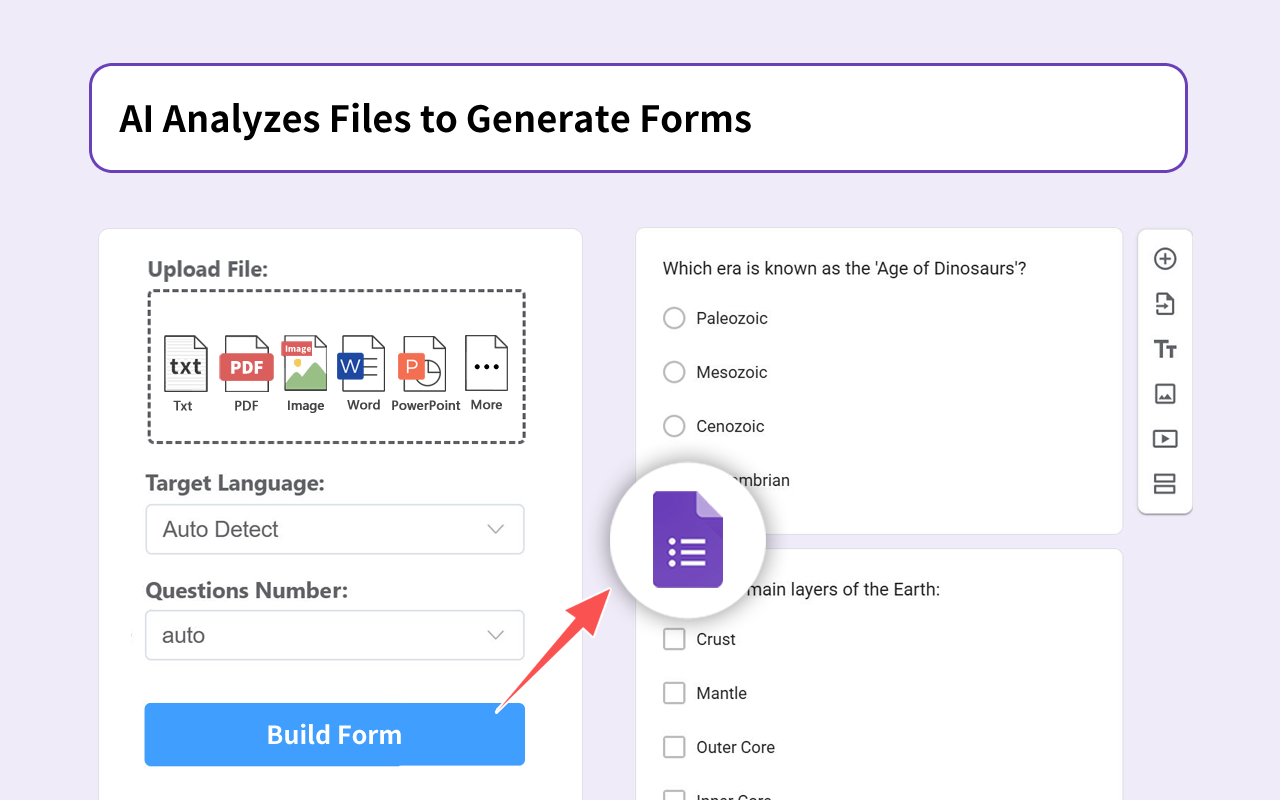
With AI, generates Form through prompt text, or extracts and summarizes the content in PDF, Web Page, Video to generate Form.
Listing updated:২৩ সেপ্টেম্বর, ২০২৬
Works with:




২৫ লা+




এক নজরে
Build your Google Form™ for surveys, quizzes, exams, tests, assignments, feedback, marketing, data collection, and gathering, by importing from Sheets™, Docs™, Slides™, PDFs, MS Word/ Powerpoint, Images, etc.

We support three ways to create a Form™:
►  With the help of AI, through the text prompt to generate a Form™.
►  Upload documents (pdf, Slides™, Docs™, Sheets™, Word, Images), through the AI extraction and analysis of content to generate Form™.
►  Through OCR technology, scanning pdf and image content to generate Form™.

Save HOURS creating Google Forms™. Ditch having to retype text from™ PDF’s  and playing the copy/paste game from™ Google Docs™.

We support all major question types like true-false, MCQs, cloze, matching and open-ended. Questions can have sub questions too.

►  Import from any source:  Google Sheets™, Google Docs™, Google Slides™,  PDFs, MS Word,  Image files, etc.

►  Automagically and intelligently identify and parse questions, options.

►  Importing questions, question & answers and quizzes into Google Forms™ .

✅ AI Form™ Builder for Google Sheets™ - runs on the sidebar along with Google Sheets™ to help you build Google Forms™ in a very simple and fast way by importing fields/ questions/quizzes from the Google Sheets™ contents.

✅ AI Form™ Builder for Google Docs™ -  runs on the sidebar along with Google Docs™ to help you build Google Forms™ by automatically identifying fields/ questions/quizzes from the Google Docs™ contents.

✅ AI Form™ Builder for Google Slides™  - runs on the sidebar along with Google Slides™ to help you build Google Forms™ by automatically identifying fields/ questions/quizzes from the Google Slides™ contents.

✅ AI Form™ Builder for Google Drive™ - runs on the sidebar along with Google Drive™ and helps you to build Google Forms™ in a very simple and fast way by importing fields /questions/quizzes from existing Google Sheets™, Google Docs™, Google Slides™, Word, pdf, Images.

NOTE:  If you encountered issue such as:
►  not being able to display the add-on's menu
►  the add-on's sidebar appearing blank
►  not being able to install the add-on
Most likely because you have multiple accounts logged into your browser. You need to Log out from all the accounts in your browser and only log in to the one you want to use with our add-on.

 ➤ Privacy Policy

By design, your data stays at all times on your account, never saved in our database. Your data aren’t shared with anyone, including the add-on owner.
We complies with privacy laws (especially GDPR & California Privacy Act) to protect your data.
Additional information
sell
Pricingফ্রি
code
Developer
নন-ট্রেডার
email
সমর্থন
lock
গোপনীয়তা নীতি
description
পরিষেবার শর্তাদি
flag
রিপোর্ট করুনFlag as inappropriate






সার্চ করুন
সার্চ মুছুন
সার্চ বন্ধ করুন
Google অ্যাপ্লিকেশানগুলি
প্রধান মেনু