
Google Workspace Marketplace


AI Tables - GPT for Sheets
Elevate your spreadsheets with AI: Grammar, summaries, emoji translations, and more. Transform data into insights effortlessly.
Listing updated:৯ এপ্রিল, ২০২৪
Works with:
No reviews
১৭৯


এক নজরে
Transform your spreadsheets into a powerhouse of creativity and efficiency with OpenAI-powered functions. From grammar correction and summarizing to mood-based color coding and emoji translations, our extension enhances your data like never before. Perfect for professionals, marketers, and anyone looking to supercharge their spreadsheet tasks.

Features That Revolutionize Spreadsheets:

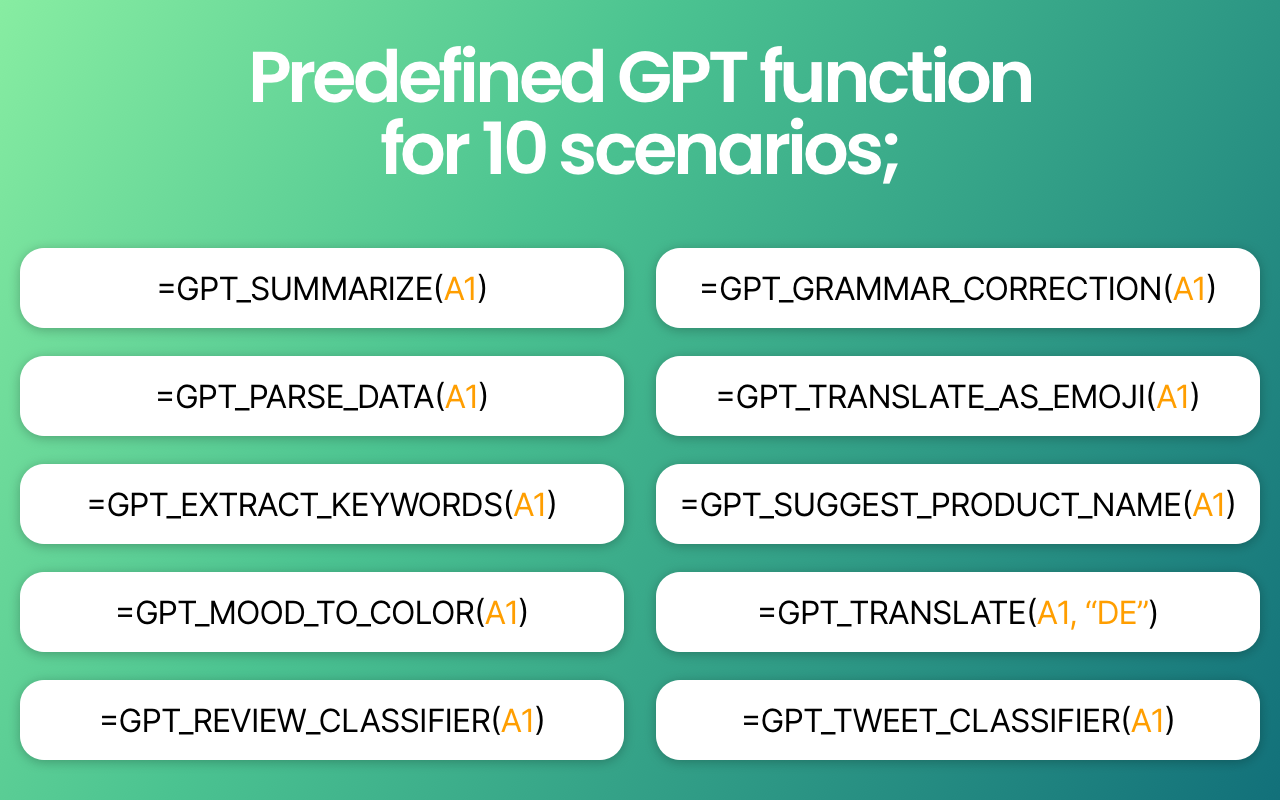
GPT Grammar Correction: Say goodbye to typos and grammatical errors with real-time corrections that ensure your text is clear, professional, and impactful.

GPT Summarize: Condense lengthy data into concise summaries, making it easier to grasp complex information at a glance.

GPT Parse Data: Extract and organize data with unparalleled precision, turning chaos into order.

GPT Translate as Emoji & GPT Convert as Emoji: Speak the universal language of emojis by translating text into emojis or converting concepts and emotions into their emoji counterparts, adding a layer of visual engagement to your data.

GPT Extract Keywords: Identify and highlight key terms and phrases, enhancing your ability to sort, search, and understand content.

GPT Suggest Product Name: Unleash your brand's potential with AI-powered product name suggestions that are creative, memorable, and on-point.

GPT Tweet Classifier & GPT Review Classifier: Categorize tweets and reviews with precision, gaining insights into customer sentiments, trends, and more.

GPT Mood to Color: Visualize emotions and sentiments with color, adding a new dimension of understanding to text data.

GPT Translate: Break down language barriers by translating text between languages seamlessly, fostering global communication and understanding.

AI Tables - GPT for Sheets ™
Additional information
sell
PricingFree of charge with paid features
code
Developer
নন-ট্রেডার
email
সমর্থন
lock
গোপনীয়তা নীতি
description
পরিষেবার শর্তাদি
flag
রিপোর্ট করুনFlag as inappropriate




সার্চ করুন
সার্চ মুছুন
সার্চ বন্ধ করুন
Google অ্যাপ্লিকেশানগুলি
প্রধান মেনু