
Google Workspace Marketplace


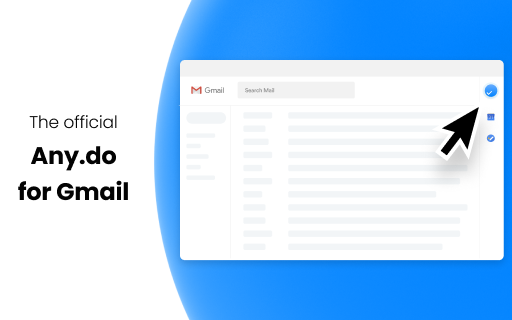
Any.do for Gmail™
Review today’s tasks right from your Gmail™.
Easily add action-items directly from your email threads.
बनाने वाली कंपनी:
लिस्टिंग को पिछली बार अपडेट किया गया:28 सितंबर 2026
इनके साथ काम करता है:
4 लाख+


अवलोकन
Millions of people use Any.do to stay organized and get more done. It’s a FREE to-do list, calendar and reminders app, with a brand new Gmail™ Add-On that would enhance your productivity even further.

Use the Any.do Add-On to keep up with today's agenda and manage tasks, and get our free mobile & web apps to unleash Any.do’s greater powers.

❝All I really want in a to-do list app — a way to quickly add tasks, prompts and lists to get me through my personal day❞ - USA today

A to-do list you’d actually stick to.
▸ Add tasks and manage shared projects
▸ Color label to-do’s to set categories & priorities
▸ Organize tasks under lists and add levels with subtasks
▸ Prioritize tasks on your checklist with a daily planner
▸ Keep up and add to your to-do’s using a home-screen widget

❝With the ability to tackle recurring tasks, plus timed and location-based reminders, this daily management app serves as an elite to-do solution.❞ - Complex

Never forget a thing.
▸ Set classic reminders for one-time events
▸ Add recurring reminders for ongoing activities, appointments & events
▸ Use location-based reminders for on-the-spot notifications
▸ Get missed call reminders so you never forget to return a call
▸ Receive follow-up meeting reminders to keep up with important action items

❝Its can-do-spirit can be contagious. Seeing your tasks neatly displayed in Any.do, you may find yourself thinking ‘Hey, I can do this!’❞ - Wall Street Journal

Turn your calendar into a productivity tool.
▸ Effectively manage your time using a combined view of calendar events and tasks
▸ Quickly scroll through dates to browse tasks & events
▸ Add both tasks & events straight from your calendar view

❝Some days you feel lucky to remember your own name, much less your task list - In steps Any.do.❞ - The Muse

Plan your day in seconds.
▸ Quickly prioritize to-do’s to achieve your most important goals
▸ Have low priority tasks rescheduled automatically

❝A simple interface with powerful features.❞ - Forbes

Shop smarter.
▸ Have your grocery items auto-sorted by aisles
▸ Get personal shopping recommendations
▸ Collaborate on grocery lists with friends & family
▸ Create multiple shopping lists for your favorite stores

❝Not only free and great looking, but that is also simple and even fun to use.❞ - Guiding Tech

Work with your favorite tools.
▸ Easily manage your lists with Alexa
▸ Get more done with Google Assistant
▸ Save time using Any.do with Siri
▸ Add tasks straight from Slack

❝Simple, yet powerful app.❞ - NYTimes

Get more done anywhere.
▸ Work easily on any Android & iOS device
▸ Manage your tasks effectively on both PC & Mac
▸ Get things done on the go with Apple Watch & Android Wear
▸ Boost productivity on web with Chrome & Firefox extensions

❝powerful, flexible, and it looks great, too.❞ - Lifehacker

Unlock the power of voice commands.
▸ Add tasks hands-free
▸ Dictate new events
▸ Ask for today’s agenda remotely
▸ Use your voice to manage your to-do lists

❝Elegant and technically advanced.❞ - PCmag
अतिरिक्त जानकारी
sell
कीमतबिना किसी शुल्क के
code
डेवलपर
email
सहायता
lock
निजता नीति
description
सेवा की शर्तें
flag
शिकायत करेंआपत्तिजनक ऐप्लिकेशन की शिकायत करें




खोजें
खोज हटाएं
खोज बंद करें
Google ऐप
मुख्य मेन्यू