Generate QR codes and barcodes directly from Google Sheets™.
بواسطة:
تم تحديث البيانات في:13 أكتوبر 2026
يتوافق مع:
+3 مليون
نظرة عامة
NEW: Now supports barcodes!

AnyMerge QR Code Generator now supports 12 barcode formats. Generate QR codes and barcodes directly from your Google Sheets™ data.

Generate QR Codes and Barcodes from Google Sheets™

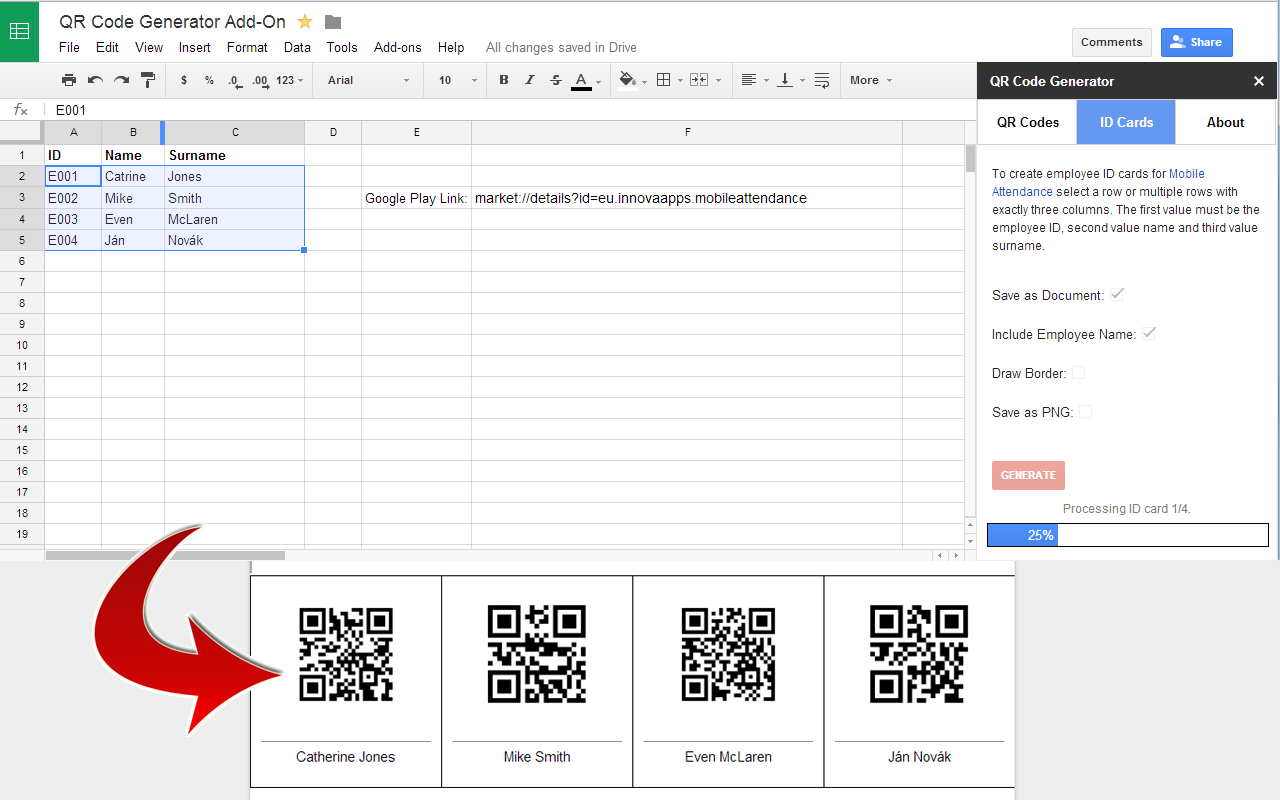
AnyMerge QR Code Generator makes it easy to create QR codes and barcodes from spreadsheet values. Generate a single code or process an entire range of cells at once.

Use templates to simplify repetitive tasks and generate codes using predefined configurations.

Key Features

QR Codes and Barcodes – Choose between QR codes and 12 supported barcode formats.

Templates – Create and reuse templates for frequently used code generation tasks.

Live Preview – Preview generated codes before exporting, including labels.

Bulk Generation – Generate multiple codes from a selected range of spreadsheet cells.

Custom Labels – Add text below codes using values from an adjacent column.

Google Docs™ Export – Save generated codes in a single Google Docs™ document.

PNG Export – Save individual codes as PNG image files in Google Drive™.

QR Code Size – Adjust QR code dimensions to suit your needs.

Bitly Integration – Optionally shorten URLs before generating QR codes.

Supported Barcode Formats

Code 128, EAN-13, EAN-8, UPC-A, UPC-E, Code 39, Code 93, ITF, ITF-14, MSI, Pharmacode, and Codabar.

Common Uses

Create product labels, inventory barcodes, asset tags, event tickets, membership cards, and marketing materials using data already stored in Google Sheets™.

Get Started

Select your spreadsheet data, choose QR Codes or Barcodes, preview the results, and click Generate. Save your frequently used configurations as templates to reuse them later.
معلومات إضافية
الأسعارفترة تجريبية بدون أي تكلفة
مطوّر برامج
الدعم
سياسة الخصوصية
بنود الخدمة
سيطلب منك التطبيق AnyMerge QR Code Generator الأذونات المُوضَحة أدناه. مزيد من المعلومات
سيحتاج التطبيق AnyMerge QR Code Generator إلى الدخول إلى حسابك على Google.
سيسمح ذلك لتطبيق AnyMerge QR Code Generator بما يلي:
الاطّلاع على كل ملفاتك في "مستندات Google" وتعديلها وإنشاؤها وحذفها
الاطّلاع على ملفات Google Drive المُستخدَمة في هذا التطبيق وتعديلها وإنشاؤها وحذفها
عرض جداول البيانات التي تمّ تثبيت هذا التطبيق فيها، وإدارتها
عرض المحتوى التابع لجهة خارجيه وتشغيله في رسائل المطالبات والأشرطة الجانبية في تطبيقات Google
الاتصال بخدمة خارجية
السماح بتشغيل هذا التطبيق في غيابك
الاطّلاع على عنوان البريد الإلكتروني الرئيسي لحسابك على Google
الاطّلاع على بياناتك الشخصية، بما في ذلك أيّ بيانات شخصية قد جعلتها متاحة للجميع
التعليقات
اللغة:
ترتيب بحسب:
لا تتحقق Google من المراجعات أو التقييمات. مزيد من المعلومات حول المراجعات
Profile Picture
فيصل محمد الصوفي
1 نوفمبر 2020
ممتازجداااا
هل هذه المراجعة مفيدة؟
نعم
لا
1-1 من 1
بحث
محو البحث
إغلاق البحث
تطبيقات Google
القائمة الرئيسية