
Google Workspace Marketplace


API Import for Google Sheets™
يبني الذكاء الاصطناعي أي طلب API لك. استورد البيانات من Shopify وHubSpot وGA4™ وYouTube™ وGitHub وMailchimp والمزيد إلى Google Sheets™. فعّل تنبيهات البريد الإلكتروني أو Slack تلقائياً.
بواسطة:
تم تحديث البيانات في:3 يونيو 2026
يتوافق مع:
ليست هناك مراجعات
63
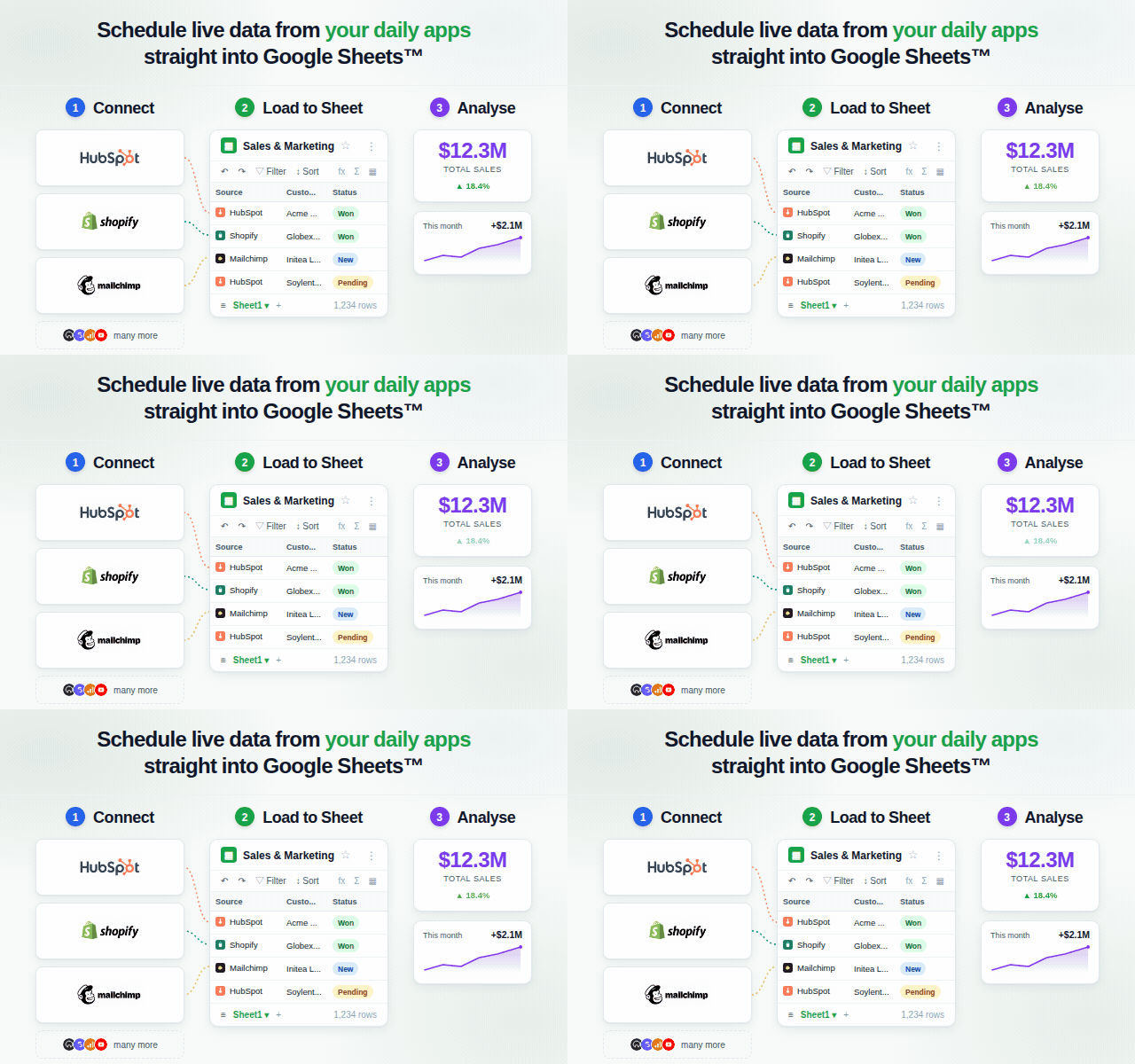


نظرة عامة
API Import for Google Sheets™ يتصل بأي تطبيق أو API — ويقوم الذكاء الاصطناعي بالتهيئة الكاملة نيابةً عنك. تصف ما تريد. يختار الذكاء الاصطناعي نقطة النهاية الصحيحة، ويبني معاملات الاستعلام، ويتعامل مع رؤوس المصادقة، ويدير التصفح بين الصفحات. لا تحتاج إلى الرجوع إلى وثائق API.

بمجرد وصول بياناتك إلى Sheets™، تتيح لك Flows تعيين الشروط وتشغيل الإجراءات تلقائياً. احصل على بريد إلكتروني عند تجاوز حد معين، أو استخدم مشغل Scout AI: اكتب شرطاً بلغة طبيعية مثل "هل انخفضت الإيرادات بأكثر من 20%؟" ويقيّم الذكاء الاصطناعي استجابة API الكاملة في كل تشغيل.

كيف يعمل

1. الاتصال — انقر فوق "اتصال" لموفري OAuth؛ الصق مفتاح API لواجهات API القائمة على المفاتيح. يتم تخزين بيانات الاعتماد بشكل آمن وإعادة استخدامها في كل تشغيل.
2. المطالبة — صف ما تريده بلغة طبيعية. يختار الذكاء الاصطناعي نقطة النهاية، ويبني المعاملات، ويتعامل مع رؤوس المصادقة والتصفح — لا تهيئة يدوية مطلوبة.
3. الحصول على البيانات — تصل النتائج صفاً بصف إلى جدول Google الخاص بك. احفظ سير العمل أو جدوله للتحديث التلقائي.
4. إعداد Flow (اختياري) — أرفق مشغلاً وإجراءً بسير العمل الخاص بك. استخدم مشغل حد رقمي، أو مشغل دائم التشغيل، أو مشغل Scout AI: اكتب شرطاً بلغة طبيعية ويقيّم الذكاء الاصطناعي استجابة API الكاملة في كل تشغيل، محدداً صحيح/خطأ وسبباً يمكنك استخدامه في نص بريد التنبيه.

الميزات الرئيسية

• تهيئة طلبات AI الكاملة — يختار الذكاء الاصطناعي نقطة النهاية، ويجمع معاملات الاستعلام، ويضيف رؤوس المصادقة، ويتعامل مع التصفح. تكتب جملة؛ يكتب طلب API.
• مشغلات Scout AI — اكتب شرطاً بلغة طبيعية مثل "هل انخفضت الإيرادات بأكثر من 20%؟" أو "هل هناك تقييمات جديدة من نجمة واحدة؟". يقيّم الذكاء الاصطناعي استجابة API الكاملة ويعيد: مُشغَّل: صحيح أو خطأ مع سبب مختصر. استخدم {{trigger.reason}} في نص بريد التنبيه.
• Flows: أزواج شرط-إجراء آلية — أرفق Flow بأي سير عمل محفوظ. عند تشغيل سير العمل، يقيّم Flow مشغله وينفذ الإجراء إذا تحقق الشرط. أنواع المشغلات: دائماً، حد (رقمي)، Scout (AI). أنواع الإجراءات: إرسال بريد إلكتروني عبر Resend، إرسال رسالة Slack، الكتابة في علامة تبويب الجدول.
• طلبات اللغة الطبيعية — صف استعلامك بلغة طبيعية؛ يختار الوظيفة الإضافية نقطة النهاية الصحيحة والمعاملات ويتعامل مع التصفح تلقائياً.
• الموصلات المدمجة — Shopify وHubSpot وYouTube Data API™ وGoogle Analytics 4™ وGoogle Search Console™ وGitHub وMailchimp وREST API العام.
• تجاوز حد 1,000 صف — يستعلم تكامل Google Search Console™ من API مباشرةً، بإرجاع ما يصل إلى 25,000 صف بدلاً من حد 1,000 صف في واجهة GSC™ الإلكترونية.
• النتائج مباشرة في الجدول — لا نسخ ولصق، لا تصدير CSV؛ تصل البيانات إلى المكان الذي تحتاجه بالضبط.
• سير العمل المحفوظة — احفظ أي مطالبة كسير عمل قابل لإعادة الاستخدام وشغّله مجدداً بنقرة واحدة.
• التحديث المجدول — عيّن جداول زمنية بالساعة أو اليوم أو مخصصة لإبقاء بياناتك محدّثة تلقائياً.

مهارات API المدمجة

Shopify · HubSpot · YouTube Data API™ · Google Analytics 4™ · Google Search Console™ · GitHub · Mailchimp · REST API العام

يمكن استخدام REST API العام لنقاط نهاية REST العامة أو المخصصة.

لمن هو

• فرق المبيعات التي تسحب صفقات HubSpot ونشاط CRM إلى تقارير جداول البيانات المباشرة.
• مشغلو التجارة الإلكترونية الذين يراقبون الطلبات والمخزون والإيرادات دون تصدير CSV.
• فرق المحتوى التي تسحب مقاييس قنوات YouTube™ والفيديوهات إلى التقارير الموجودة.
• محللو التسويق الذين يستوردون تقارير حركة GA4™ وبيانات كلمات مفتاح Search Console™ متجاوزين حد 1,000 صف في الواجهة.
• مسوقو البريد الإلكتروني الذين يتتبعون نمو جمهور Mailchimp وأداء الحملات وبيانات المشتركين.
• فرق التطوير والمنتجات التي تراقب issues وطلبات السحب والالتزامات ونشاط الإصدارات على GitHub.
• المحللون والمشغلون الذين يبنون خطوط بيانات خفيفة دون كتابة أو صيانة أي كود.

البدء

1. ثبّت الوظيفة الإضافية من Google Workspace™ Marketplace.
2. افتح أي جدول Google وانقر فوق "الإضافات" ← "API Import for Google Sheets™".
3. اختر Shopify أو HubSpot أو YouTube Data API™ أو Google Analytics 4™ أو Google Search Console™ أو GitHub أو Mailchimp أو REST API العام.
4. اكتب أول مطالبة لك واضغط "تشغيل".

يتم إنشاء حساب مجاني تلقائياً عند الاستخدام الأول. لا حاجة لبطاقة ائتمان.

وصول الإطلاق المجاني يشمل

• Shopify وHubSpot وYouTube Data API™ وGoogle Analytics 4™ وGoogle Search Console™ وGitHub وMailchimp وREST API العام.
• تهيئة طلبات AI الكاملة — لا إعداد يدوي لنقاط النهاية أو المعاملات.
• Flows: مشغلات الحد، المشغلات الدائمة، ومشغلات Scout AI.
• إجراءات إشعارات البريد الإلكتروني وSlack، وإجراءات الكتابة في الجدول.
• سير العمل المحفوظة والتحديثات المجدولة.

اعرف المزيد على apiimport.comمعلومات إضافية
sell
الأسعارمجانًا
code
مطوّر برامج
email
lock
سياسة الخصوصية
description
بنود الخدمة
flag
الإبلاغوضع علامة كغير ملائم




بحث
محو البحث
إغلاق البحث
تطبيقات Google
القائمة الرئيسية