
Google Workspace Marketplace


SMS Reminder for Google Calendar™
Cut no-shows with automatic SMS text reminders for Google Calendar™ appointments. Free to start.
Listing updated:September 8, 2026
Works with:
806K+



Overview
Cut no-shows with automatic SMS appointment reminders, sent straight from the Google Calendar™ you already use. Built for small businesses, solo professionals, and small teams who run on appointments.

A simple text reminder helps reduce no-shows. Texts see roughly a 98% open rate versus about 33% for email (source: SimpleTexting), so your reminders actually get read. SMS Reminder sends those texts for you automatically, before every appointment, and now it handles the replies too.

By the numbers
- 790,000+ installs on the Google Workspace Marketplace
- 2,000+ businesses send reminders with SMS Reminder
- 5M+ reminders sent
- Works in 100+ countries, including the US, Canada, the UK, Australia, and across Europe

Why small businesses choose SMS Reminder
- Automatic text reminders. Set them once and SMS reminders go out before every appointment, including recurring ones, so you can book it, set it, and forget it
- Two-way texting. Clients reply to confirm, cancel, or reschedule, and the app responds automatically and updates your appointment status or time, so your calendar stays accurate
- Works inside the Google Calendar™ you already use, so there's nothing new to learn
- A custom booking page with a shareable link, so clients self-book into your real availability
- Sync multiple Google Calendars and add team members as your plan grows
- Start with 25 free reminders, then move to a paid plan that scales as you do

Trusted by
Therapists, counsellors and wellness clinics; salons, spas and beauty pros; personal trainers and tutors; auto shops and mechanics; mobile service pros (cleaning, landscaping, grooming, photography); tax, accounting and legal professionals; real estate professionals; and appointment-based businesses worldwide.

Get started in 4 simple steps
1. Click Install at the top of this page.
2. Open SMS Reminder in the right sidebar of your Google Calendar™.
3. Connect your account and set your reminder timing (for example, 24 hours and 2 hours before).
4. You're live. Reminders send automatically, and clients can confirm, cancel, or reschedule by text.

Prefer to set reminders manually? You can. Pick any appointment, add a phone number, and send.

How it works
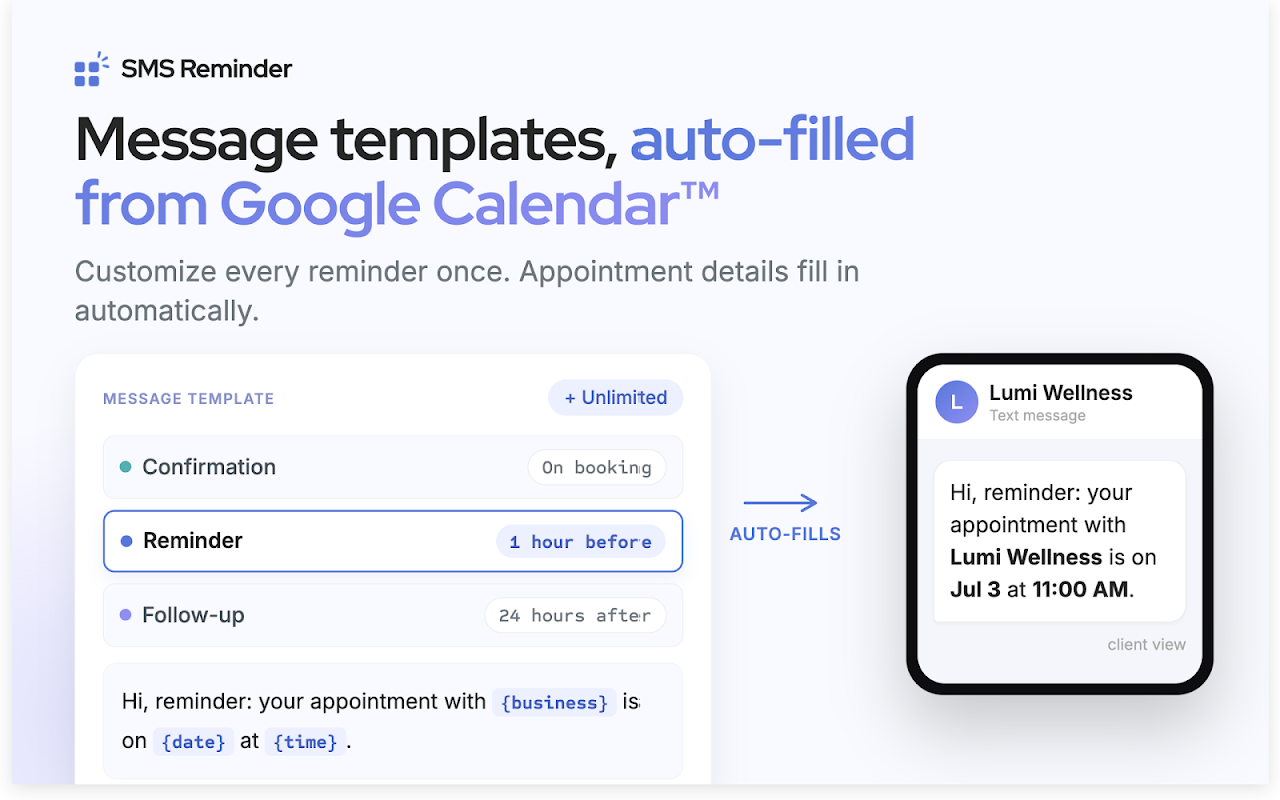
SMS Reminder connects to your Google Calendar™ and works alongside the SMS Reminder service (a free account is created when you sign in with Google). Add a client's phone number to an event, or let the app detect it automatically, and SMS Reminder schedules the text based on your template and timing. Your template pulls the appointment title, date, and time in automatically, so every reminder looks personal with no extra work.
- As clients reply, your Google Calendar events update in real time and are color-coded by status, so you can see your whole day at a glance: green = confirmed, yellow = pending, red = cancelled, blue = internal or blocked time.

Pricing
Send up to 25 reminders free. Paid plans start at $19/month USD; cancel anytime. See full pricing and plan details at the links below.

Privacy
SMS Reminder only accesses the calendar data needed to schedule and send your reminders. See our privacy policy and terms of service below.

Google Calendar™ and the Google Calendar™ logo are trademarks of Google LLC.
Additional information
sell
PricingFree of charge trial
code
Developer
email
Support
lock
Privacy policy
description
Terms of service
flag
ReportFlag as inappropriate




Search
Clear search
Close search
Google apps
Main menu