
Google Workspace Marketplace


Blink AI for Google Sheets™
Access powerful AI directly in your Google Sheets™. Use OpenAI®, DeepSeek™, Anthropic, Gemini™, xAI, and more as custom functions or as a smart assistant.
정보 업데이트:2026년 2월 27일
호환 기기:
리뷰 없음
469



개요
🚀 Supercharge Your Google Sheets™ with Blink AI!

QUICK START:
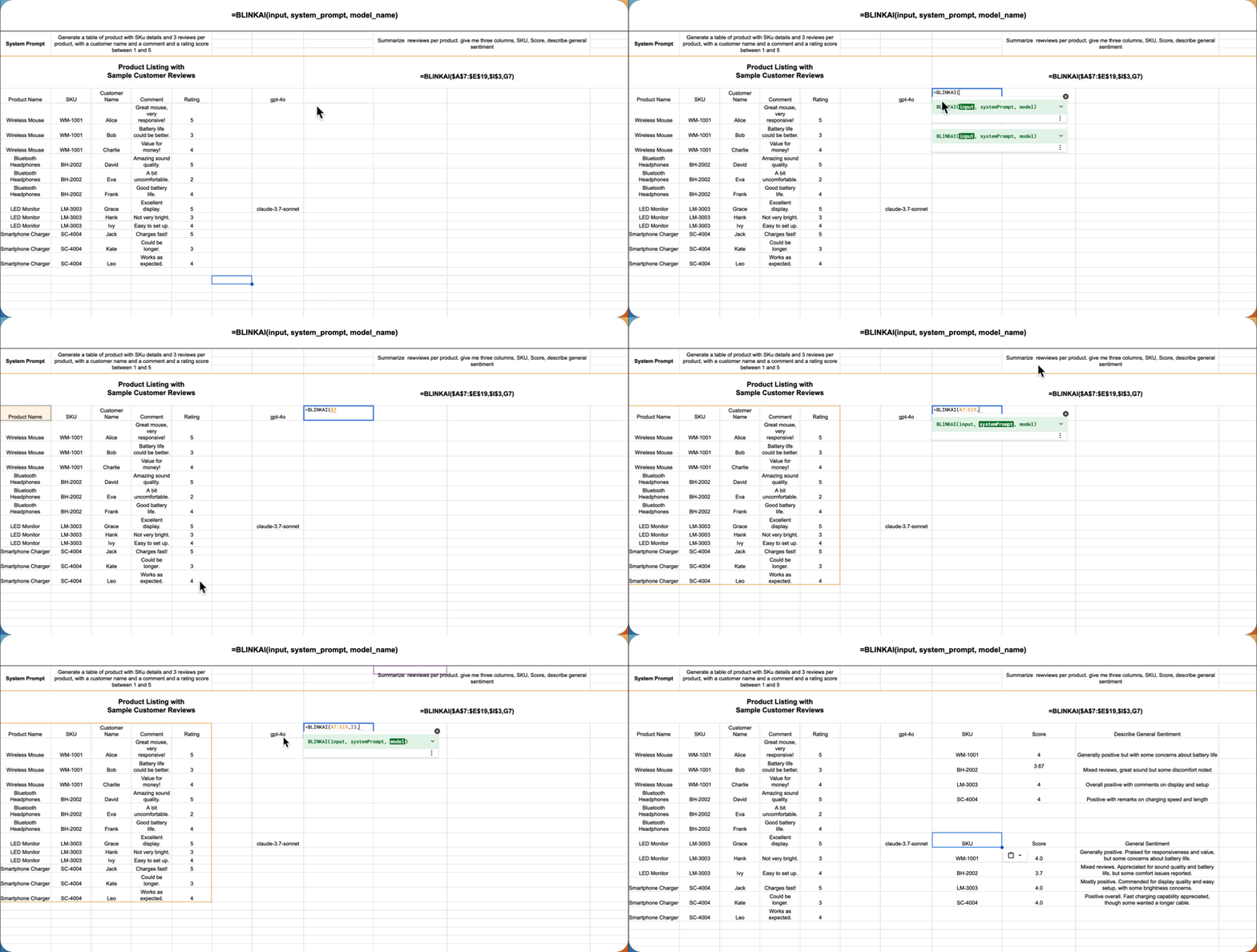
• Analyze Data: =BLINKAI(B2:B20, "Analyze this sales data")
• Translate Text: =BLINKAI(A2, "Translate to Spanish")
• Generate Content: =BLINKAI("Write a product description")
• Summarize Text: =BLINKAI(C1:C50, "Summarize in 3 bullet points")

Transform your spreadsheets into intelligent workspaces! With a simple formula, unlock the power of AI to analyze data, generate content, translate text, and automate tasks - all without leaving Google Sheets™.

KEY FEATURES:
• One Formula Does It All - Use =BLINKAI() to access AI capabilities
• Multiple AI Models - Choose from OpenAI®, Anthropic Claude, Google Gemini™, and more
• Smart Functions - =AiSentiment(), =AiSearch(), =AiSummarize(), =AiAnalyze()
• Scheduled Tasks - Automate data enrichment on your schedule
• Flexible Workflows - Combine functions for powerful automation

POWERED BY LEADING AI:
• OpenAI: GPT-4, GPT-4 Turbo
• Anthropic: Claude 3 Haiku, Claude 3.7 Sonnet
• Google: Gemini 1.5 Pro
• And More: Qwen, DeepSeek, Grok, O1
Use =BLINK_MODELS() to see all available models!

PERFECT FOR:
• Marketing Teams - Generate content and analyze customer feedback
• Data Analysts - Extract insights and automate reporting
• Sales Teams - Enrich lead data and analyze sales patterns
• Customer Support - Summarize tickets and analyze sentiment
• Operations - Automate workflows and process documentation

Start transforming your spreadsheets today with Blink Sheets - where AI meets efficiency! 🎉
추가정보





검색
검색어 지우기
검색 닫기
Google 앱
기본 메뉴