
Google Workspace Marketplace

Calendar Booker: Sync Sheets™ to Calendar™
Two-way sync between Google Sheets™ and Google Calendar™. Bulk-create, update, delete, and pull events from one sidebar.
Informações atualizadas:22 de novembro de 2026
Compatível com:
2 mil+


Visão geral
Manage your Google Calendar™ directly from Google Sheets™—without manual copy-pasting, CSV imports, or custom scripts.

Calendar Booker turns a structured spreadsheet into a two-way control panel for your calendar. Push dozens of events in one click, edit or cancel them from your sheet, and pull existing calendar events back into Sheets for reporting or rescheduling.

⚡ Quick Start (Takes 60 Seconds)
1. Open any Google Sheet™ and go to Extensions → Calendar Booker → Open Sidebar.
2. Follow the 1–5 steps in the sidebar: Select Calendar → Setup Sheet → Select Timezone (optional) → Pull Events (optional) → Push to Calendar.
3. Click Sync Events to create, update, or delete events in one click.

🚀 Key Features
• Push to Calendar: Bulk-create and update Google Calendar™ events directly from spreadsheet rows.
• Pull Events from Calendar: Fetch existing events for any date range into your sheet for bulk editing or reporting.
• Smart Deletion: Cancel calendar events automatically by changing a row's status to "Delete" and syncing.
• Guest Invitations: Add guest emails in your sheet to send automatic Google Calendar™ invites.
• Sync Timezone Override: Choose any IANA timezone in the sidebar to override the spreadsheet default for all syncs.
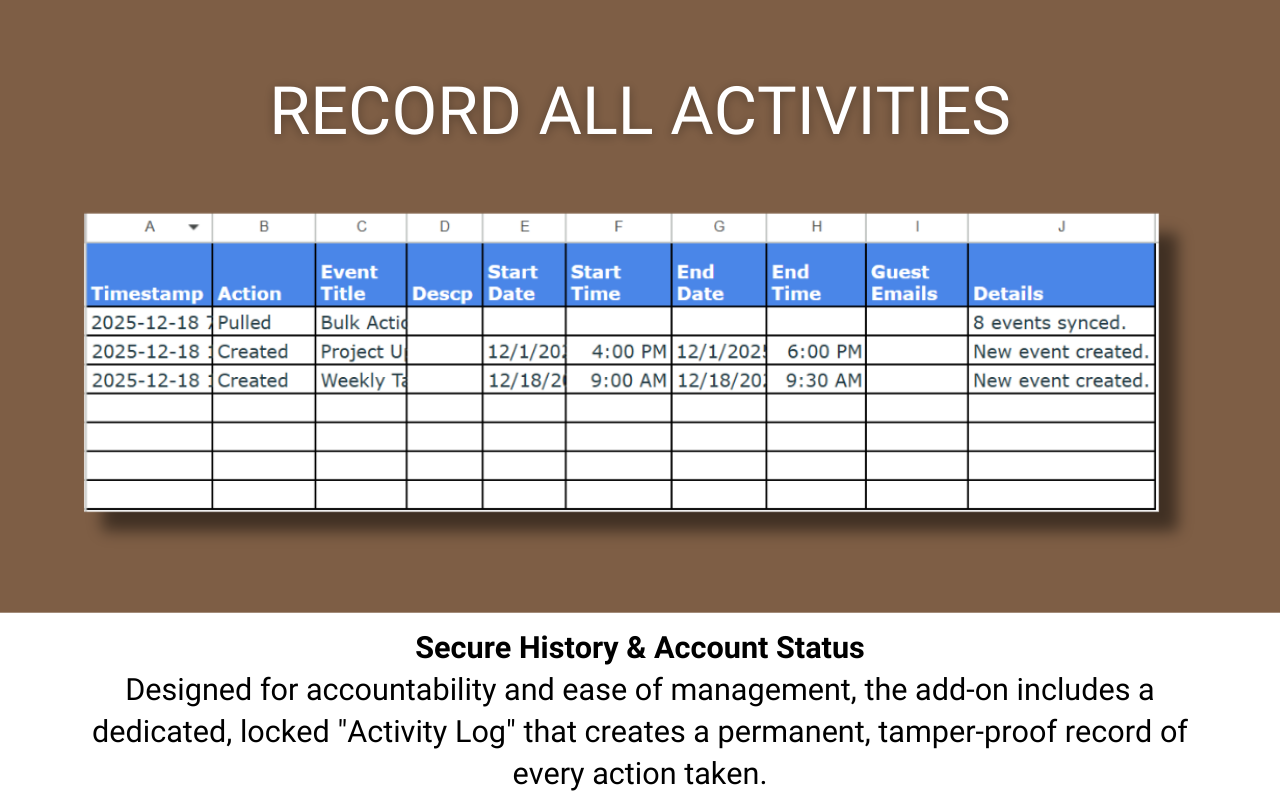
• Built-in Validation & Activity Log: Real-time sheet validation catches date/time formatting errors before syncing, and every action is recorded in an Activity Log.

🎯 Great For
• Teachers & schools building lesson plan calendars
• Operations & team leads managing shift rosters
• Event coordinators batch-scheduling workshops and sessions
• Freelancers & small teams tracking client bookings

💳 Simple Freemium Pricing
• Free: Includes 50 free event pushes + unlimited Pull Events from Calendar.
• Pro: One-time upgrade (no monthly subscription) for unlimited event syncs and lifetime updates—unlocks automatically right after checkout.

🔒 Privacy First
Calendar Booker only accesses the active spreadsheet you open it in (@OnlyCurrentDoc) and your Google Calendar™ to sync events.
Informações adicionais
sell
PreçosSem custo financeiro com recursos pagos
code
Desenvolvedor
Não empreendedor
email
Suporte
lock
Política de Privacidade
description
Termos de Serviço
flag
RelatórioSinalizar como impróprio





Pesquisa
Limpar pesquisa
Fechar pesquisa
Google Apps
Menu principal