
Google Workspace Marketplace
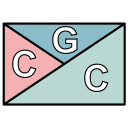

Chords Grid Crafter
Easily create and edit chords progression using the Chords Grid notation
Eintrag aktualisiert:2. August 2026
Kompatibel mit:
Keine Rezensionen
14


Überblick
This add-on will help you create and maintain your music chords by using the Chords Grid notation as described here: https://en.wikipedia.org/wiki/Chord_chart#Grid_notation

Features:
- Automatically arrange up to 4 chords for each bar
- Preview each bar as you edit it
- Choose the right chords ordering (clockwise or not)
- Render the chords using the font of your choice
- Scale the output to fit your page
- Persisted grid data so that you can re-edit a previously created grid

How to use:
The add-on can be used after opening any document as a Google Docs add-on.
After installation, you can find it in the menu Add-ons -> Chords Grid Crafter -> Show panel. You can start creating your Chords Grid in the side panel and hit the 'Insert/Replace' button when you're done.
Fore more information please refer to the documentation at https://github.com/the8tre/gdocs-chords-grid-crafter/wiki.
Weitere Informationen
sell
PreiseKostenlos
code
Entwickler
Kein Händler
email
lock
Datenschutzerklärung
description
Nutzungsbedingungen
flag
MeldenAls unangemessen melden




Suche
Suche löschen
Suche schließen
Google-Apps
Hauptmenü