
Google Workspace Marketplace
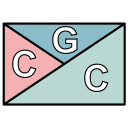

Chords Grid Crafter
Easily create and edit chords progression using the Chords Grid notation
Ficha actualizada:2 de agosto de 2026
Compatible con:
Sin reseñas
14


Información general
This add-on will help you create and maintain your music chords by using the Chords Grid notation as described here: https://en.wikipedia.org/wiki/Chord_chart#Grid_notation

Features:
- Automatically arrange up to 4 chords for each bar
- Preview each bar as you edit it
- Choose the right chords ordering (clockwise or not)
- Render the chords using the font of your choice
- Scale the output to fit your page
- Persisted grid data so that you can re-edit a previously created grid

How to use:
The add-on can be used after opening any document as a Google Docs add-on.
After installation, you can find it in the menu Add-ons -> Chords Grid Crafter -> Show panel. You can start creating your Chords Grid in the side panel and hit the 'Insert/Replace' button when you're done.
Fore more information please refer to the documentation at https://github.com/the8tre/gdocs-chords-grid-crafter/wiki.
Información adicional
sell
PrecioSin coste
code
Desarrollador
No operador
email
Asistencia
lock
Política de privacidad
description
Términos del Servicio
flag
DenunciarMarcar como inapropiada




Búsqueda
Borrar búsqueda
Cerrar búsqueda
Aplicaciones de Google
Menú principal