
Google Workspace Marketplace


Clean Inbox: AI Email Cleaner, Organizer & Cleanup
Stop unwanted email before it reaches you. Clean Inbox builds Gmail™ filters that catch newsletters, promotions and spam, so your inbox holds real mail only. We never read your emails, by design.
Listing updated:August 30, 2026
Works with:
50K+



Overview
Clean Inbox for Gmail™ is an inbox cleaner that works before the mess arrives. Instead of deleting unwanted email after the fact, it builds Gmail™ filters that keep it out in the first place.

🤖 AI Filter Generator
Describe the mail you do not want in plain words and the AI writes the Gmail™ filter for you. No filter syntax to learn, no rules to maintain by hand. It is a smart email filter that you can set up in a sentence.

🧠 AI Email Classifier
An LLM reads the subject line and works out what kind of message it is: newsletter, promotion, review request, forum digest, service notice. That classification is what makes the automatic email sorting work without you writing a rule for every sender. An intelligent email filter that learns the shape of junk rather than matching one address at a time.

🔐 AI That Stays Inside Google
Our AI runs on Google Gemini, in the same Google Cloud project as the rest of the add on. Your subject lines are never sent to OpenAI, to ChatGPT, or to any other third party. Most AI email tools cannot say that, because forwarding your mail to an outside model is how they work.

🚫 Block Whole Categories in One Click
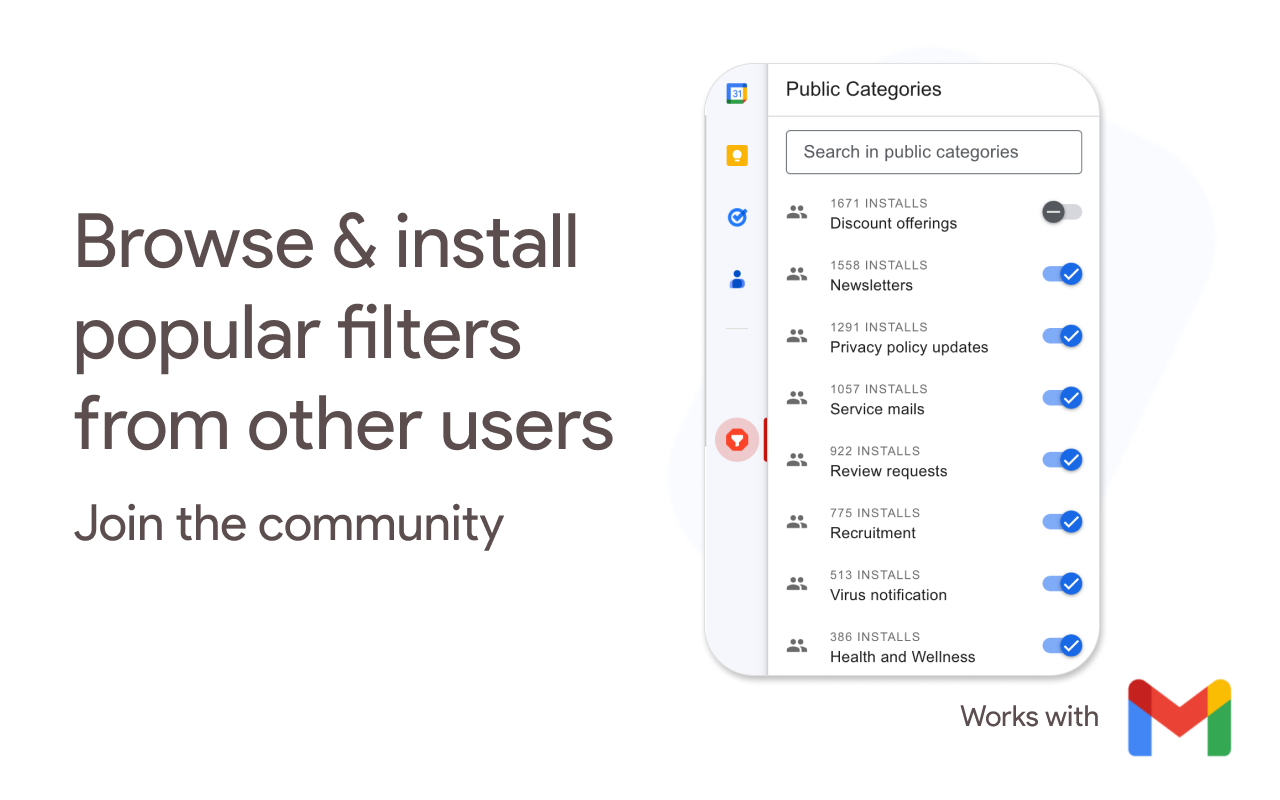
Newsletters, promotions, review requests, forum digests, terms and privacy updates, service announcements. Switch off an entire category at once rather than fighting senders one at a time.

🌐 Domain and Sender Blocking
One click to filter everything from a domain, or mute a sender you never want to hear from again. The AI domain blocker handles the domains that spin up new addresses faster than you can block them.

✅ Always-Allow List
Mark the senders and domains that must always reach you. Nothing important gets caught, which is what usually goes wrong with hand written rules.

🏷️ Label Maker and Automatic Filing
Filters can auto label emails, categorize emails by type, and sort emails out of the inbox into the right place, so what remains is what you actually need to read. It is a label maker as well, creating the labels your filters need rather than making you build them first. You choose what each category does: auto archive emails you want kept but not shown, auto delete emails you never want again, mark as read so they never add to your unread count, or mark as important the ones that do matter. Set it once and you are not bulk deleting a backlog by hand every month.

📥 Clean Up Mail That Already Arrived
Filters only act on new mail, so the add on ships a short guide for the rest. It walks you through Gmail's own export and import, which will apply your filters to existing emails in one pass. That is how you clean old emails, clear an inbox backlog and get your existing mail sorted to match everything arriving from now on. Gmail does the work, in your own settings, so nothing here needs access to your existing emails.

🤝 Shared Category Lists
Use the filter lists other people have published, or publish your own. Everyone's inbox detox makes the next person's easier.

🔒 It Cannot Read Your Email
Most cleanup tools demand full read access. This one does not have it. While the add on is open it sees the subject and sender of the message you already have open, and nothing else.

━━━━━━━━━━━━━━━━━━━━

🎯 How people use Clean Inbox for Gmail™

📉 Getting out from under the daily flood
The mail that buries an inbox is rarely spam. It is legitimate automated email you half agreed to years ago. Turn the categories off once and the flow stops, which is a more durable inbox cleanup than any afternoon spent deleting.

🧹 Keeping it clean instead of cleaning it again
Deleting is a treadmill: the same senders are back next week. Filters are the opposite, so this works less like a gmail cleaner you run and more like a setting you change once. People who have tried to declutter an inbox by hand usually notice the difference within a week, because email decluttering stops being a chore you repeat and inbox zero stops being a project.

🏢 Work accounts with unavoidable noise
Vendor marketing, ticket notifications, build failures, calendar spam. Use it to stop notification emails from systems you do not need to hear from hourly, and to stop marketing emails from vendors you evaluated once. Email triage that happens before you open the tab.

📥 As an inbox organizer, not just a filter
It works as an inbox cleanup tool that never needs running twice. Email management and inbox management usually mean a weekly ritual; here the email rules do the work and a quiet inbox is the default. Filtering is half the job; the other half is where things land. Auto labelling turns a single stream into something with structure, which is what makes an inbox searchable later.

🧹 Not a spam blocker, something else
Gmail already filters spam and this does not replace it. Think of it as the spam cleaner for everything that is not technically spam: the newsletters, promotions and service notices you did once agree to. AI email sorting handles the grey area Gmail deliberately leaves in your inbox.

🔐 When privacy is the point
Plenty of tools will tidy an inbox in exchange for reading all of it. If that trade has been the blocker, this is the automatic email filter that does not ask for the permission in the first place.

✅ Perfect for:
📧 Inboxes fuller of newsletters than of people
💼 Work accounts drowning in system notifications
🔒 Anyone unwilling to grant full inbox read access
🧹 People who want to tidy an inbox once, not weekly
🤖 Anyone who has given up on writing Gmail™ filters by hand

🔒 Privacy and security

By design your mail stays on Google's servers, including for the AI features. We do not ask for access to your email data and we cannot read your emails.

Here is everything we can see:
- The subject and sender of the one message you have open, only while the add on is open
- Your labels, so filters can be applied
- Your settings, so your filters can be managed
- Your email address, to save those settings

Clean Inbox for Gmail™ complies with GDPR and the California Privacy Act.

- Works with any Gmail™ account, personal or Google Workspace™
- Filters are real Gmail™ filters, so they keep working whatever you do next
- No IMAP, no software to install
- Also from Codemoon: Unsubscribe for Gmail™ for mailing lists, and Guard Email for Gmail™ for aliases

Gmail™ is a trademark of Google LLC.
Additional information
sell
PricingFree of charge with paid features
code
Developer
Non-trader
email
Support
lock
Privacy policy
description
Terms of service
flag
ReportFlag as inappropriate




Search
Clear search
Close search
Google apps
Main menu