
Google Workspace Marketplace


Cleaner for Gmail™
Automate Gmail™ management with custom rules. Organize, label, and archive emails automatically.
Listing updated:2. december 2025
Works with:
No reviews
438


Pregled
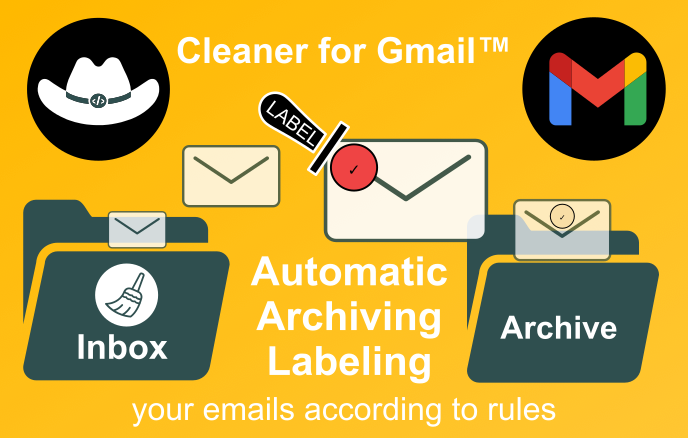
🤖 Cleaner for Gmail™ automates your Gmail™ inbox with simple, powerful rules.
🎯 Target what matters using sender, read status, important, starred, and snoozed statuses.
⚡ Act instantly: auto‑label, archive, and mark messages read or unread.
⏰ Schedule automatically on a daily or hourly basis, or execute manually on demand.
✨ Get organized in minutes and reclaim time from repetitive email work.

KEY FEATURES :

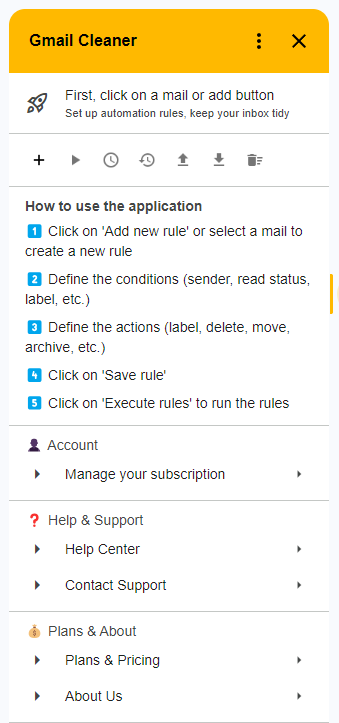
• Custom automation rules
  - Criteria: sender, mail read status, important status, starred status, snoozed status

• Automatic actions
  - Automatic message labeling
  - Email archiving
  - Mark as read/unread

• Flexible execution
  - Manual execution on demand
  - Automatic scheduling (daily or hourly)
  - Detailed history of all executions

• Advanced management
  - Import/Export rules in JSON format
  - Backup and restore configuration
  - Support for multiple Gmail™ accounts

PERFECT FOR :

• Professionals who receive many emails per day
• Teams who want to standardize email organization
• Individuals who want to keep a clean inbox
• Anyone looking to automate repetitive tasks on Gmail™

AVAILABLE PLANS :

• Free Plan : 5 rules, 10 executions/month - FREE
• Basic Plan : 15 rules, 100 executions/month - €0.99/month
• Standard Plan : 30 rules, 1,000 executions/month - €3.99/month
• Premium Plan : Unlimited rules, unlimited executions - €7.99/month

START FREE with 5 automation rules right now !

Note: Google Gmail™ is a trademark of Google LLC.
Additional information
sell
PricingFree of charge with paid features
code
Developer
email
Podpora
lock
Pravilnik o zasebnosti
description
Pogoji storitve
flag
PrijavaFlag as inappropriate







Iskanje
Počisti iskanje
Zapiranje iskanja
Googlove aplikacije
Glavni meni