
Google Workspace Marketplace


CodeStyler
Format source code in Google Docs™ with syntax highlighting and clean code block styling
วันที่อัปเดตข้อมูล:13 มิถุนายน 2569
ใช้งานได้กับ
137


ภาพรวม
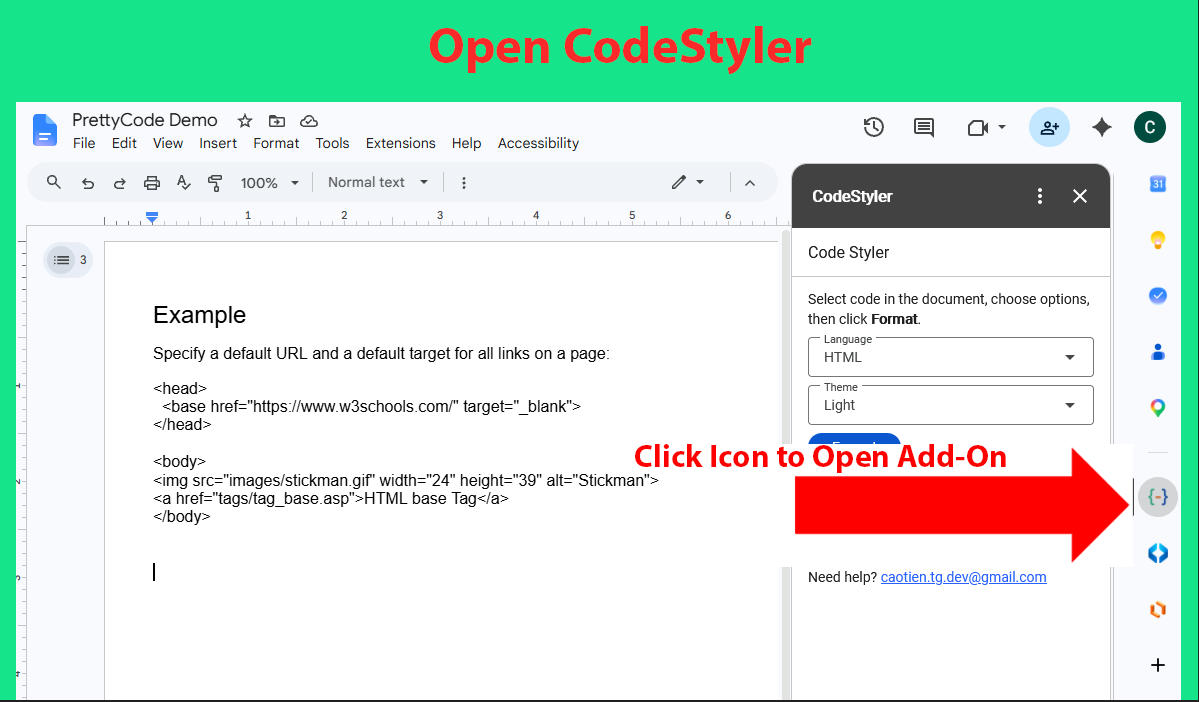
CodeStyler is a lightweight add-on that helps you format source code into clean, readable, and professional-looking code blocks in Google Docs™.

Simply select your code, choose a programming language and style, and CodeStyler will apply syntax highlighting and formatting directly in your document.

Features:
• Syntax highlighting for source code
• Clean and readable code block formatting
• Support for multiple programming languages
• Quick formatting with a simple user interface
• Seamless integration with Google Docs™

Ideal for:
• Developers
• Technical writers
• Teachers and students
• Software documentation
• Programming tutorials

CodeStyler makes it easy to present code snippets clearly and professionally in Google Docs™.

Google Docs™ is a trademark of Google LLC. CodeStyler is an independent application and is not affiliated with, endorsed by, or sponsored by Google LLC.
ข้อมูลเพิ่มเติม
sell
ราคาไม่มีค่าใช้จ่าย
code
นักพัฒนาซอฟต์แวร์
ไม่เป็นผู้ค้า
email
การสนับสนุน
lock
นโยบายความเป็นส่วนตัว
description
ข้อกำหนดในการให้บริการ
flag


ค้นหา
ล้างการค้นหา
ปิดการค้นหา
แอป Google
เมนูหลัก