
Google Workspace Marketplace


Compare Sheets™
Find & highlight duplicates or differences in 2 or more sheets and columns in Google Sheets™
דף האפליקציה עודכן בתאריך:17 באפריל 2026
האפליקציה פועלת עם:
+223K


סקירה כללית
Compare Google Sheets™ row by row for duplicate/unique rows, or scan them cell by cell and highlight differences in contents along with non-matching rows. 3 similar yet different add-ons for Google Sheets™ will compare multiple columns and sheets for you.

WHY THIS TOOLSET
  - no need for formulas, macros, conditional formatting
  - comparison results are clear at first glance
  - user-friendly steps to ease the job
  - save your comparison settings as scenarios for quick later use
  - share saved scenarios with others

WHAT YOU'LL FIND

  1. Compare Sheets for Duplicates
      - compare 2 or more columns or sheets in Google Sheets™ at a time
      - match data by rows (you choose the columns to consider)
      - find duplicate or unique rows no matter their position in tables
      - quickly navigate across all found values using cross-sheet links

      HOW COMPARE SHEETS FOR DUPLICATES WORKS

      - identify the found values with color or in a status column…
      - …or clear, copy, move, delete the found values
      - mark the changes in the required sheets: main, other compared, all sheets
      - add hyperlink references to connect dupes across sheets

  2. Compare Sheets Cell by Cell
      - compare as many sheets in Google Sheets™ as you need
      - match data cell by cell
      - find cells with different values across the sheets
      - find unique rows (where no cell in a row has a match in another sheet)

      HOW COMPARE SHEETS CELL BY CELL WORKS

      - highlight differences with hues of your choice
      - label differences in a status column
      - see a short description to know what other sheets look different
      - identify the changes in every compared sheet
      - create one full report with differences grouped accordingly

  3. Compare Columns
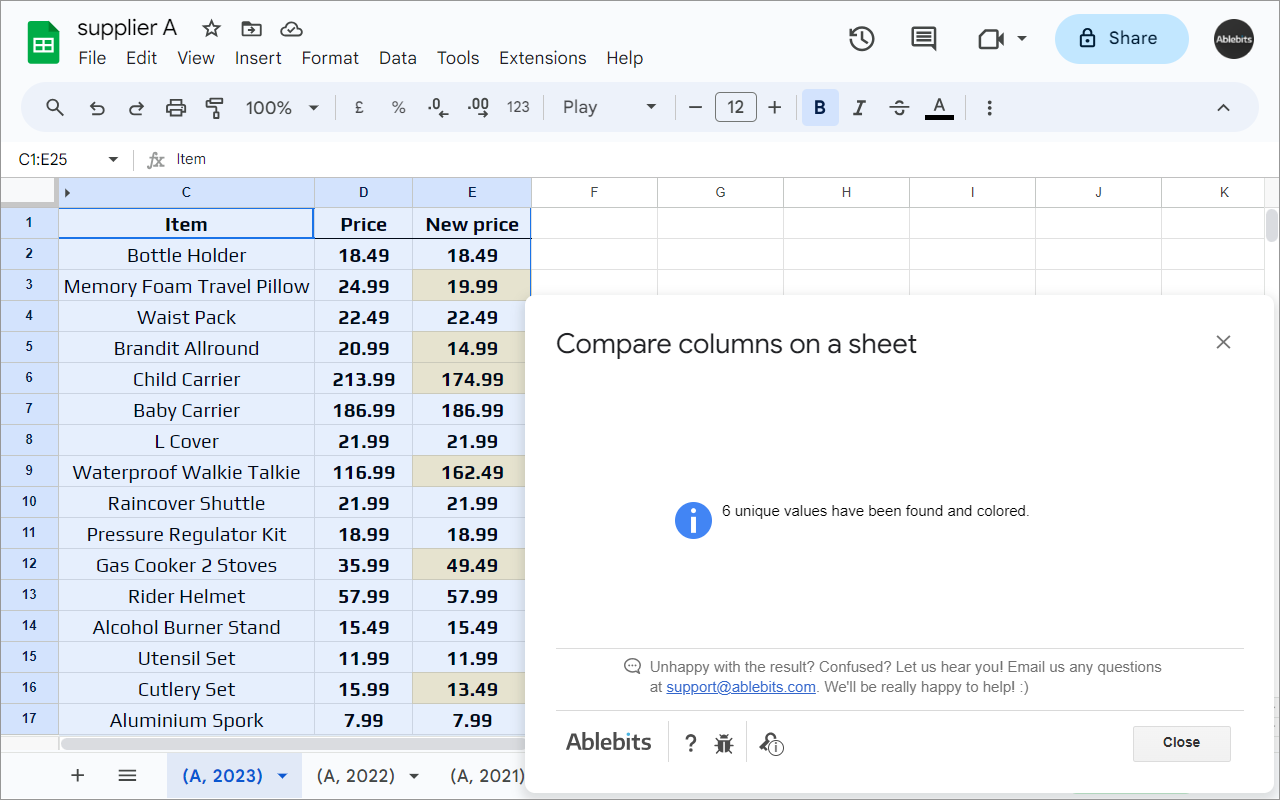
      - compare two columns on one Google sheet
      - find dupes or uniques in a single step

      HOW COMPARE COLUMNS WORKS

      - fill cells with color or add a status column
      - copy or move them to a place of your choice
      - clear values, delete cells & shift data up, or remove entire rows from the sheet

30 DAYS OF FREE USE
Fully functional 30-day trial period. All payments are secure and include an unconditional 30-day money-back guarantee.

If you have any questions please post them here: https://www.ablebits.com/docs/google-sheets-compare-sheets-cells/
We'll be happy to assist!

Compare Sheets is a proud member of the Ablebits product family. We build add-ons that help you make the most of Google Workspace™. Visit our official website to learn more:
https://www.ablebits.com/google-sheets-add-ons/index.php
–––––––––––––––––––––––––––––––––––––
WHAT'S NEW:
***** V1.2 (13 Aug 2025) *****
★ New features: ★
- Share scenarios in Compare Sheets for Duplicates. Export and import your saved scenarios to share them with your teammates or to make their backups on your Drive or computer.

Improved:
- You can now explore more Ablebits add-ons from the corresponding Extensions menu.
- Minor UX and UI improvements.

Fixed:
- Compare Sheets for Duplicates: couldn't copy duplicates from data returned by formulas.
- Couldn't process sheets with a plus symbol (+) in their names.
- Couldn't process data that contained some non-printing characters.

***** V1.1 (29 May 2023) *****
★ New features: ★
- Compare multiple sheets for duplicates. We enhanced 'Compare columns or sheets' so it could compare not just two but multiple sheets or columns at a time.

Improved:
- Minor UX and UI improvements.

Fixed:
- Compare sheets for duplicates:
    1. Couldn't copy the dupes from the range returned by a formula.
2. Couldn't run the scenario if its second sheet was protected or had a protected range within.מידע נוסף
sell
תמחורתקופת ניסיון בחינם
code
email
lock
מדיניות הפרטיות
description
תנאים והגבלות
flag
דיווחסימון כבלתי הולמת





חיפוש
ניקוי החיפוש
סגירת החיפוש
אפליקציות Google
התפריט הראשי