
Google Workspace Marketplace


Compare Sheets™
Find & highlight duplicates or differences in 2 or more sheets and columns in Google Sheets™
बनाने वाली कंपनी:
लिस्टिंग को पिछली बार अपडेट किया गया:17 अप्रैल 2026
इनके साथ काम करता है:
2 लाख+


अवलोकन
Compare Google Sheets™ row by row for duplicate/unique rows, or scan them cell by cell and highlight differences in contents along with non-matching rows. 3 similar yet different add-ons for Google Sheets™ will compare multiple columns and sheets for you.

WHY THIS TOOLSET
  - no need for formulas, macros, conditional formatting
  - comparison results are clear at first glance
  - user-friendly steps to ease the job
  - save your comparison settings as scenarios for quick later use
  - share saved scenarios with others

WHAT YOU'LL FIND

  1. Compare Sheets for Duplicates
      - compare 2 or more columns or sheets in Google Sheets™ at a time
      - match data by rows (you choose the columns to consider)
      - find duplicate or unique rows no matter their position in tables
      - quickly navigate across all found values using cross-sheet links

      HOW COMPARE SHEETS FOR DUPLICATES WORKS

      - identify the found values with color or in a status column…
      - …or clear, copy, move, delete the found values
      - mark the changes in the required sheets: main, other compared, all sheets
      - add hyperlink references to connect dupes across sheets

  2. Compare Sheets Cell by Cell
      - compare as many sheets in Google Sheets™ as you need
      - match data cell by cell
      - find cells with different values across the sheets
      - find unique rows (where no cell in a row has a match in another sheet)

      HOW COMPARE SHEETS CELL BY CELL WORKS

      - highlight differences with hues of your choice
      - label differences in a status column
      - see a short description to know what other sheets look different
      - identify the changes in every compared sheet
      - create one full report with differences grouped accordingly

  3. Compare Columns
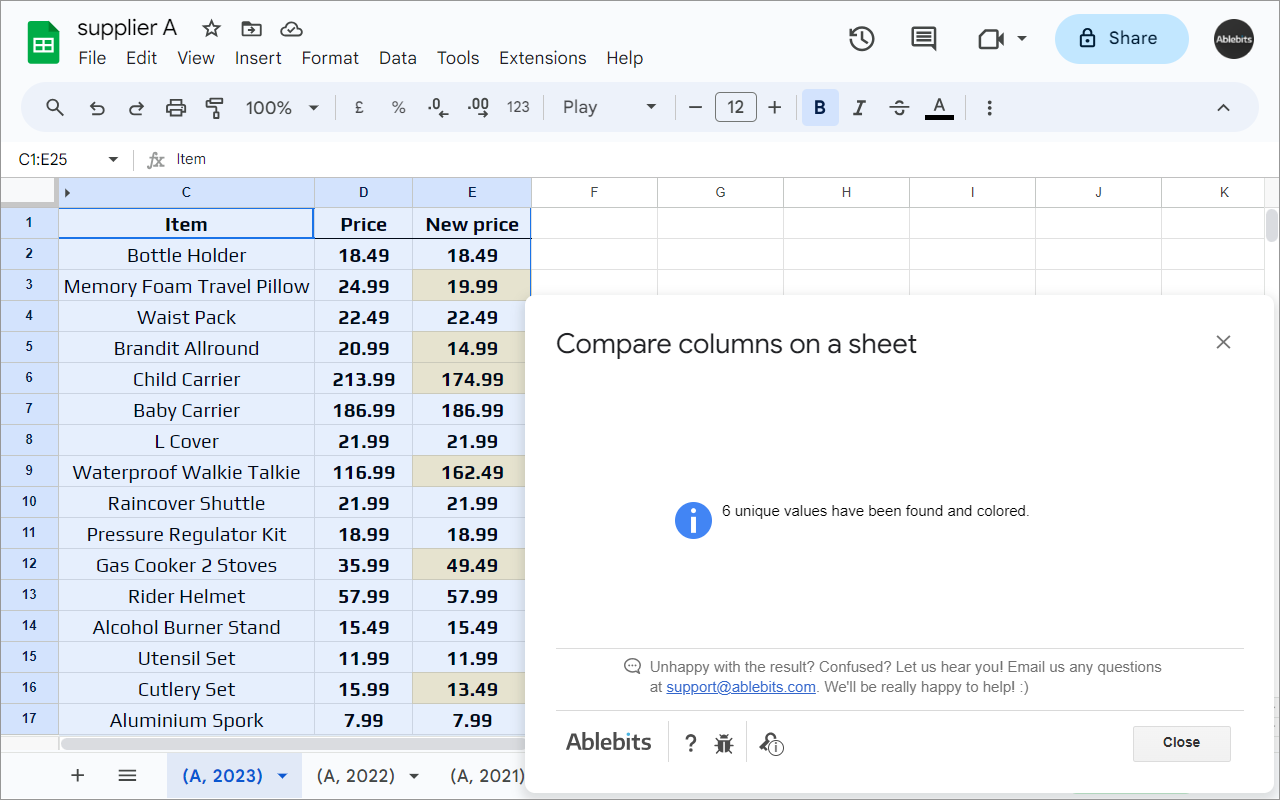
      - compare two columns on one Google sheet
      - find dupes or uniques in a single step

      HOW COMPARE COLUMNS WORKS

      - fill cells with color or add a status column
      - copy or move them to a place of your choice
      - clear values, delete cells & shift data up, or remove entire rows from the sheet

30 DAYS OF FREE USE
Fully functional 30-day trial period. All payments are secure and include an unconditional 30-day money-back guarantee.

If you have any questions please post them here: https://www.ablebits.com/docs/google-sheets-compare-sheets-cells/
We'll be happy to assist!

Compare Sheets is a proud member of the Ablebits product family. We build add-ons that help you make the most of Google Workspace™. Visit our official website to learn more:
https://www.ablebits.com/google-sheets-add-ons/index.php
–––––––––––––––––––––––––––––––––––––
WHAT'S NEW:
***** V1.2 (13 Aug 2025) *****
★ New features: ★
- Share scenarios in Compare Sheets for Duplicates. Export and import your saved scenarios to share them with your teammates or to make their backups on your Drive or computer.

Improved:
- You can now explore more Ablebits add-ons from the corresponding Extensions menu.
- Minor UX and UI improvements.

Fixed:
- Compare Sheets for Duplicates: couldn't copy duplicates from data returned by formulas.
- Couldn't process sheets with a plus symbol (+) in their names.
- Couldn't process data that contained some non-printing characters.

***** V1.1 (29 May 2023) *****
★ New features: ★
- Compare multiple sheets for duplicates. We enhanced 'Compare columns or sheets' so it could compare not just two but multiple sheets or columns at a time.

Improved:
- Minor UX and UI improvements.

Fixed:
- Compare sheets for duplicates:
    1. Couldn't copy the dupes from the range returned by a formula.
2. Couldn't run the scenario if its second sheet was protected or had a protected range within.अतिरिक्त जानकारी
sell
कीमतइस ऐप्लिकेशन को बिना किसी शुल्क के आज़माने की सुविधा उपलब्ध है
code
डेवलपर
email
सहायता
lock
निजता नीति
description
सेवा की शर्तें
flag
शिकायत करेंआपत्तिजनक ऐप्लिकेशन की शिकायत करें





खोजें
खोज हटाएं
खोज बंद करें
Google ऐप
मुख्य मेन्यू