
Google Workspace Marketplace


Contact Manager
Top app for manage Google Gmail™ contacts inside Gmail™ web and mobile app, Google Docs™, Sheets™, Slides™
Дата оновлення:7 серпня 2026 р.
Підтримує:




76 тис.+




Огляд
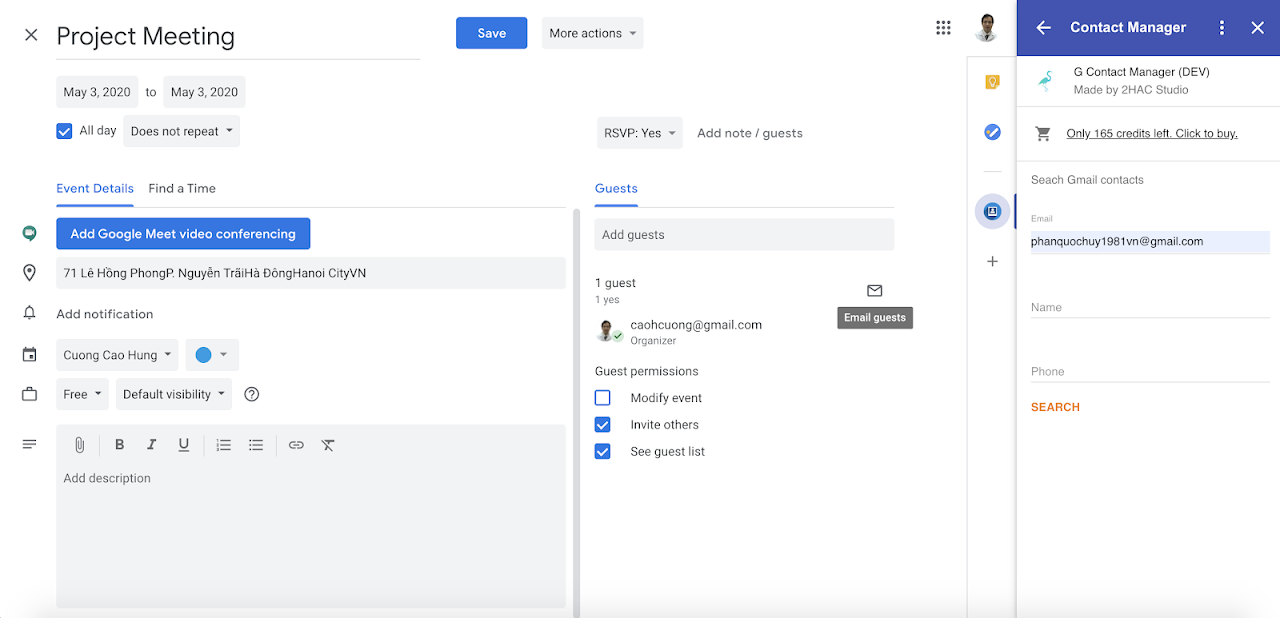
You can delete, search or create Gmail™ contacts very easily. Moreover, you can use this add on anywhere anytime in your Gmail™ mobile applications. For Calendar™, you can insert attendee, their address and phone into Calendar™ current event
Features:
+ Add, update, delete contact
+ Manage contacts inside Gmail™ web and mobile app, Google Docs™, Sheets™, Slides™
+ Manage social network IDs such as facebook™, twitter,™ linkedin™
+ Support custom, dynamic fields. For example, you can add Skype™ custom field for a specific contact.
+ Search contact via email, phone, birthday,...
+ You can manage the following contact's information: first name, last name, birthday, phone, email, work and home address, prefix, company, job, note, ...
+ Search and add contact as an attendee of a Calendar™ event
+ Add contact phone and address to calendar event
+ Support more than 10 languages

How to use addon in Iphone™, iPad™, Android™ phone and tablets:
+ Install addon via Gmail™ in web browser
+ Install mobile Gmail™ application
+ Open an email
+ Swipe to the bottom and click on Contact Manager icon and enjoy

It sync across all devices. Your contacts will be synchronized to Android™ contacts in your Android™ phones after some seconds or a minute. You should turn on Wifi or 3G 4G network on your mobile phone to sync contacts and you will see your changes in the Contact app. For Iphone™ or iPad™, you should synchronize Gmail™ Contacts information to your iCloud™ so you can see the changes.
We use some scopes, you can see why we use these scopes at this link https://www.2hac.com/contact-manager-privacy-policy/index.html
If Paypal™ is not available in your country. Please contact 2hacstudio@gmail.com for alternative payments
Resources and Tutorials
------------------------------------
➩ YouTube video tutorial:
YouTube video tutorial: https://www.youtube.com/watch?v=pxMUdFkS7kI&list=PLk31adfFOxDGim3TDelc3yUOxLN2MrIho
Help: https://www.2hac.com/help/index.html
Email Support: 2hacstudio@gmail.com
Додаткова iнформацiя
sell
ЦіниБезкоштовна пробна версія
code
Розробник
email
Підтримка
lock
Політика конфіденційності
description
Умови використання
flag
СкаргаПоскаржитися






Пошук
Очистити пошук
Закрити пошук
Додатки Google
Головне меню