
Google Workspace Marketplace


Control Chart
Create interactive Control Charts to show complex data in the simplest way of chart visualization within Google Sheets™. Includes download option in pdf format.
应用详情更新日期:2023年5月2日
适用于:
没有评价
154



概览
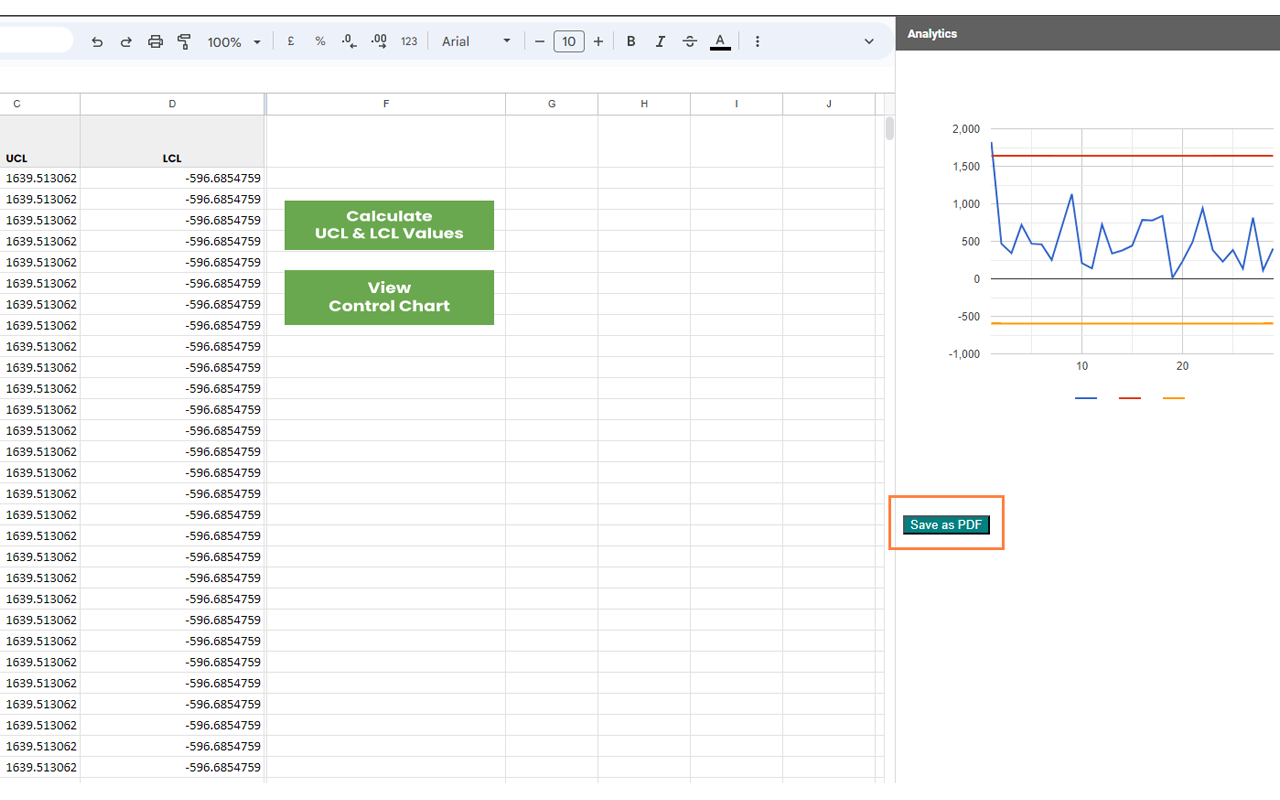
Control chart add-on helps you to simplify the process of creating control charts for quality control and other data analysis. Now you can create your control chart no matter the size of data ranges, you will find it easier to generate interactive control charts. You just need to install the add-on and input the data values and in a menu click, your chart will be ready to download.

➤ ➤ ➤ FEATURES ➤ ➤ ➤

- EASY TO USE
We believe that our add-on tackles inefficiencies in the workday calculating the necessary statistics and generate the control chart,.
You can create control charts using this add-on in just few clicks.

- EXPORT YOUR CONTROL CHART AS PDF
Being the Editor, you can easily export your Control Chart to a compact Portable Document Format (PDF) in just a click.

- CREATE UNLIMITED CHARTS
No need to download any kind of software, just install it from Google Sheets™.
Any changes you make in the desired input values, Control Chart will automatically calculate the necessary statistics and generate the sync control chart.


 ➤ ➤ ➤ SUPPORT ➤ ➤ ➤

1) Contact us via the website contact form:
If you have any problem and need help using our control chart add-on, feel free to get in touch with us at seaportai.com contact form

2) For comments or feature requests:
Feel free to write to info@seaportai.com

Control Chart has its applications in various fields to manage the process and to bring process control. Once installed, this add-on will add a new menu to the Google Sheets™ interface, allowing users to easily access its features.
Perfect for users used to work on complex formulas or manual data manipulation. Create you control chart now!
其他信息




搜索
清除搜索内容
关闭搜索框
Google 应用
主菜单