
Google Workspace Marketplace


DataMate
Turn Google Sheets™ Into Real Business Applications with DataMate!
Listing updated:June 28, 2026
Works with:
No reviews
5K+


Overview
Most teams eventually hit the same wall.

They’re either struggling with fragile, manual Google Sheets™ workflows that constantly break…

or they’ve switched to platforms like Airtable™, Notion™, monday.com™, or AppSheet™ — only to face higher costs, new learning curves, limited customization, and data locked inside someone else’s system.

There’s a Better Way

DataMate transforms the Google Sheets™ you already know into powerful, professional business applications — without leaving Google Workspace™.

Instead of replacing spreadsheets, DataMate upgrades them.

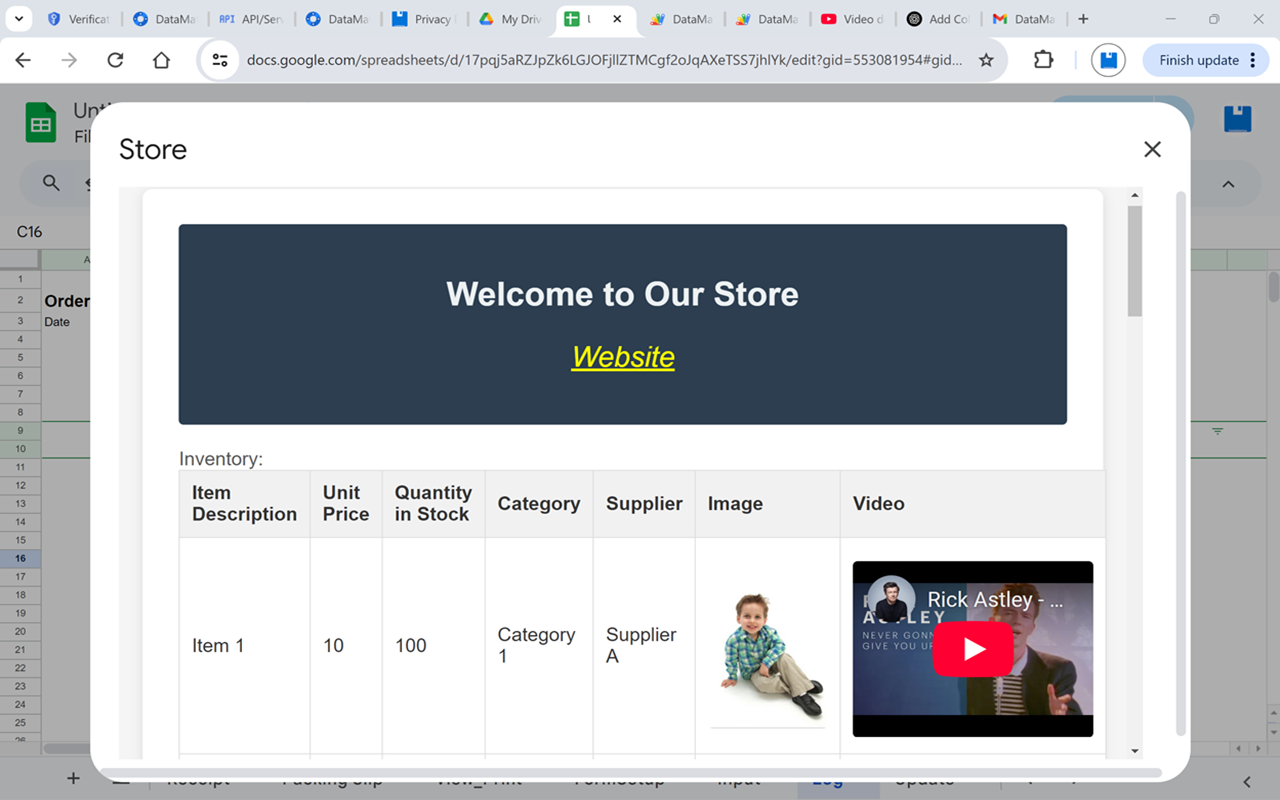
Build lightweight CRM systems, job tracking tools, inspection systems, invoices, estimates, timesheets, inventory systems, contact databases, reporting dashboards, and custom business workflows directly inside Google Sheets™.

No coding required.
No expensive migration.
No complicated database software.

Just smarter spreadsheets.

Stop Creating Hundreds of Spreadsheet Files

If your current workflow involves copying spreadsheet templates over and over, you’re not alone.

Most spreadsheet-based systems eventually become difficult to manage:

Creating separate spreadsheet files for every customer, project, estimate, inspection, or report
Renaming files manually
Organizing endless folders
Searching for old submissions
Managing duplicate templates
Fighting version-control issues
Traditional Spreadsheet Workflow
Make a copy of a template
Rename the file
Save it to a folder
Repeat forever

The result?

❌ File clutter
❌ Disconnected data
❌ Duplicate templates
❌ Difficult searching and reporting
❌ Time wasted managing files instead of running your business

Turn Google Sheets™ Into a Lightweight Database

DataMate introduces a database-style workflow while still keeping everything inside Google Sheets™.

Instead of creating hundreds of spreadsheet files, your forms become front-end interfaces while all records are stored in organized data tables inside one centralized workbook.

DataMate Workflow
Fill out the form
Click Save Record
Data is automatically stored in structured tables

Every submission becomes a searchable, editable record.

✅ Instantly search records
✅ Filter by customer, date, project, or status
✅ Edit existing records
✅ Generate dashboards and reports
✅ Print professional forms dynamically
✅ Maintain one organized system instead of hundreds of files

Powerful Features Built for Real Workflows
Smart Data Management

DataMate adds a powerful custom menu directly inside Google Sheets™ that helps automate everyday spreadsheet tasks.

Save & Organize Records
Save form data into structured data tables automatically
Preserve formulas, formatting, and layouts
Track updates and changes with log sheets
Manage large datasets with up to 800 columns and 10,000+ rows
Reset & Refresh Tools
Clear input forms instantly
Refresh print views automatically
Reduce manual cleanup and repetitive formatting
One-Click Dataset Creation

Generate complete spreadsheet systems automatically, including:

Input sheets
Data tables
Print views
Update logs
Dashboards
Linked navigation menus
Build Dynamic Forms Inside Google Sheets™

DataMate includes a powerful FormBuilder system that lets you create custom forms directly from your spreadsheet.

Create:

Contact forms
Inspection reports
Job estimates
Timesheets
Inventory forms
Service reports
Purchase orders
Internal business workflows
Supported Field Types
Text
Email
Numbers
Dropdowns
Checkboxes
Radio buttons
File uploads
Signatures
Checkout tables
Advanced Form Features

✅ Web-based form previews
✅ Automated data validation
✅ Google Drive™ file uploads
✅ Signature capture
✅ Automated email notifications
✅ Direct sheet-to-form mapping

Contact & Address Management

DataMate includes built-in tools for managing customer and contact databases directly inside Google Sheets™.

Features Include
Contact sheets with predefined structures
CSV import support
Gmail™ contact importing
New contact entry forms
Address management
Lookup-based editing tools
Validation for emails and contact information

Perfect for:

Customer databases
Vendor management
Client lists
Employee directories
Sales tracking
Professional Templates Included

Get started quickly with built-in templates for:

Inventory tracking
Weekly timesheets
Purchase orders
Invoices
Contact management
Reporting systems

Templates are fully customizable and designed to work with DataMate’s automation tools.

Email Integration Built In

DataMate integrates directly with Gmail™ to streamline communication.

Mail It Sidebar

Send spreadsheet ranges as professionally formatted HTML emails directly from Google Sheets™.

Automated Notifications

Automatically send:

Submission confirmations
Dataset notifications
Workflow alerts
Status updates
Why Businesses Choose DataMate

DataMate bridges the gap between simple spreadsheets and expensive business software.

It gives teams the flexibility of Google Sheets™ with many of the benefits of a lightweight database and workflow platform — without forcing users to abandon the spreadsheet environment they already understand.

Ideal for:

Small businesses
Contractors
Freelancers
Operations teams
Office managers
Field service companies
Project managers
Spreadsheet power users

Whether you're managing projects, inspections, contacts, inventory, estimates, or internal workflows, DataMate helps you build organized, scalable systems using tools you already use every day.

Get Started

Install DataMate™ from the Google Workspace Marketplace™, open Google Sheets™, and start transforming spreadsheets into powerful business applications in minutes.

No complex setup.
No coding required.
Just smarter spreadsheet workflows.
Additional information
sell
PricingFree of charge
code
Developer
Non-trader
email
Support
lock
Privacy policy
description
Terms of service
flag
ReportFlag as inappropriate





Search
Clear search
Close search
Google apps
Main menu