
Google Workspace Marketplace


DeftPDF PDF Tools
Translate, summarize, convert, OCR, protect, organize, compress, merge PDFs, and turn Google Drive™ images into PDFs.
Eintrag aktualisiert:3. September 2026
Kompatibel mit:
Keine Rezensionen
36



Überblick
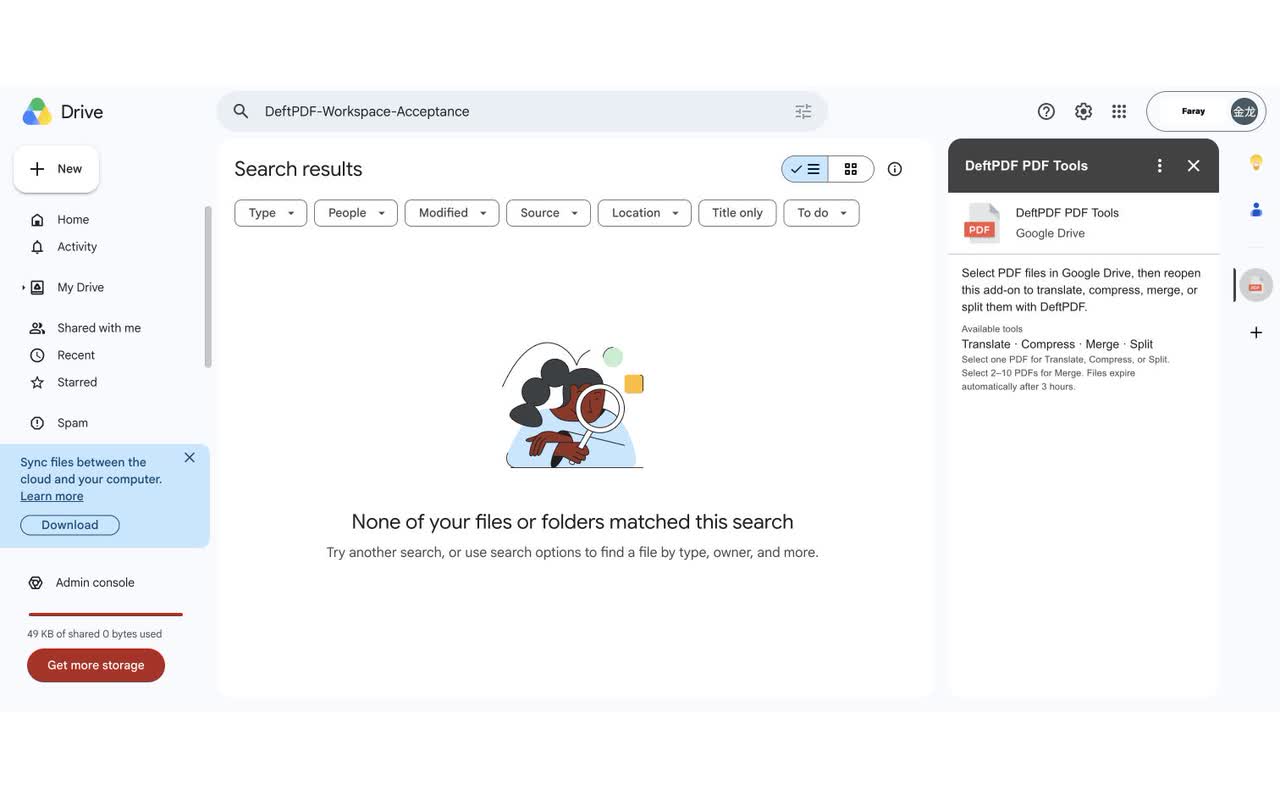
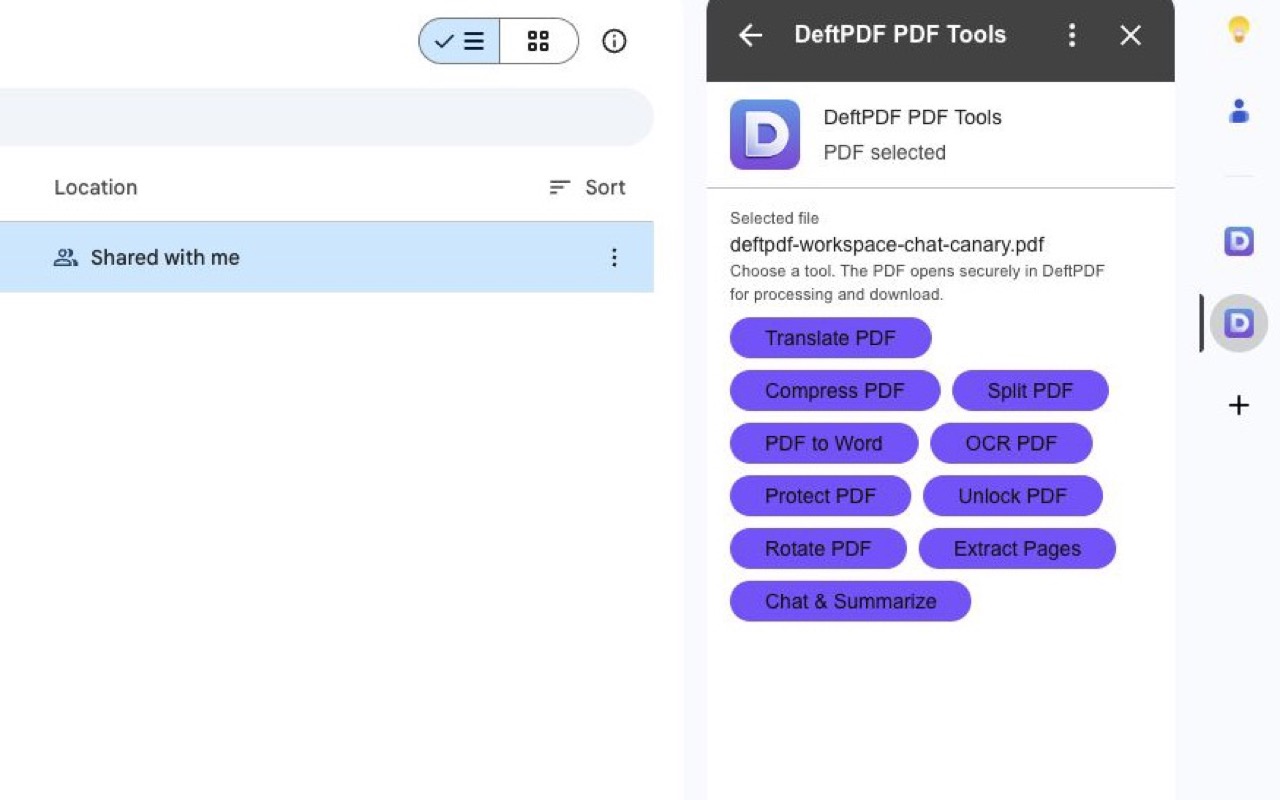
DeftPDF PDF Tools adds thirteen practical PDF and image actions to Google Drive™. Select one PDF to translate, chat with and summarize, convert to Word, recognize text with OCR, protect, unlock, rotate, extract pages, compress, or split. Select supported images to convert them to PDF; JPEG and PNG also support OCR. Select 2–10 compatible PDFs or images to merge them, or select 2–10 PDFs to translate them as a batch. The add-on requests granular access only to files you explicitly select. Chat & Summarize requires DeftPDF sign-in and separate affirmative consent before the selected PDF is sent to OpenAI. Batch Translate shows one combined page-based quote and reports every PDF independently. Unstarted temporary Google Workspace™ imports are scheduled for deletion after 3 hours. A confirmed or paid batch retains its sources and results for up to 24 hours to complete delivery, with automatic refunds for unfinished paid items. A successfully created authenticated Chat PDF source and conversation remains until the user deletes it. Results download from DeftPDF and are not written back to Google Drive™ automatically. See DeftPDF's Privacy Policy for OpenAI, Microsoft Azure AI Translator, CloudConvert, and OCR.Space provider, purpose, and retention details. Google Drive™ is a trademark of Google LLC.
Weitere Informationen
sell
PreiseKostenlos mit kostenpflichtigen Funktionen
code
Entwickler
email
lock
Datenschutzerklärung
description
Nutzungsbedingungen
flag
MeldenAls unangemessen melden



Suche
Suche löschen
Suche schließen
Google-Apps
Hauptmenü