
Google Workspace Marketplace

Doc to Form & Form to Doc
Generates Google Forms™ from PDFs, Word, PowerPoint, Excel, images, videos, text, web pages, or any other format, and converts forms or responses into Docs, PDFs, Slides, Sheets, and CSV files.
Listing updated:August 12, 2026
Works with:
8K+


Overview
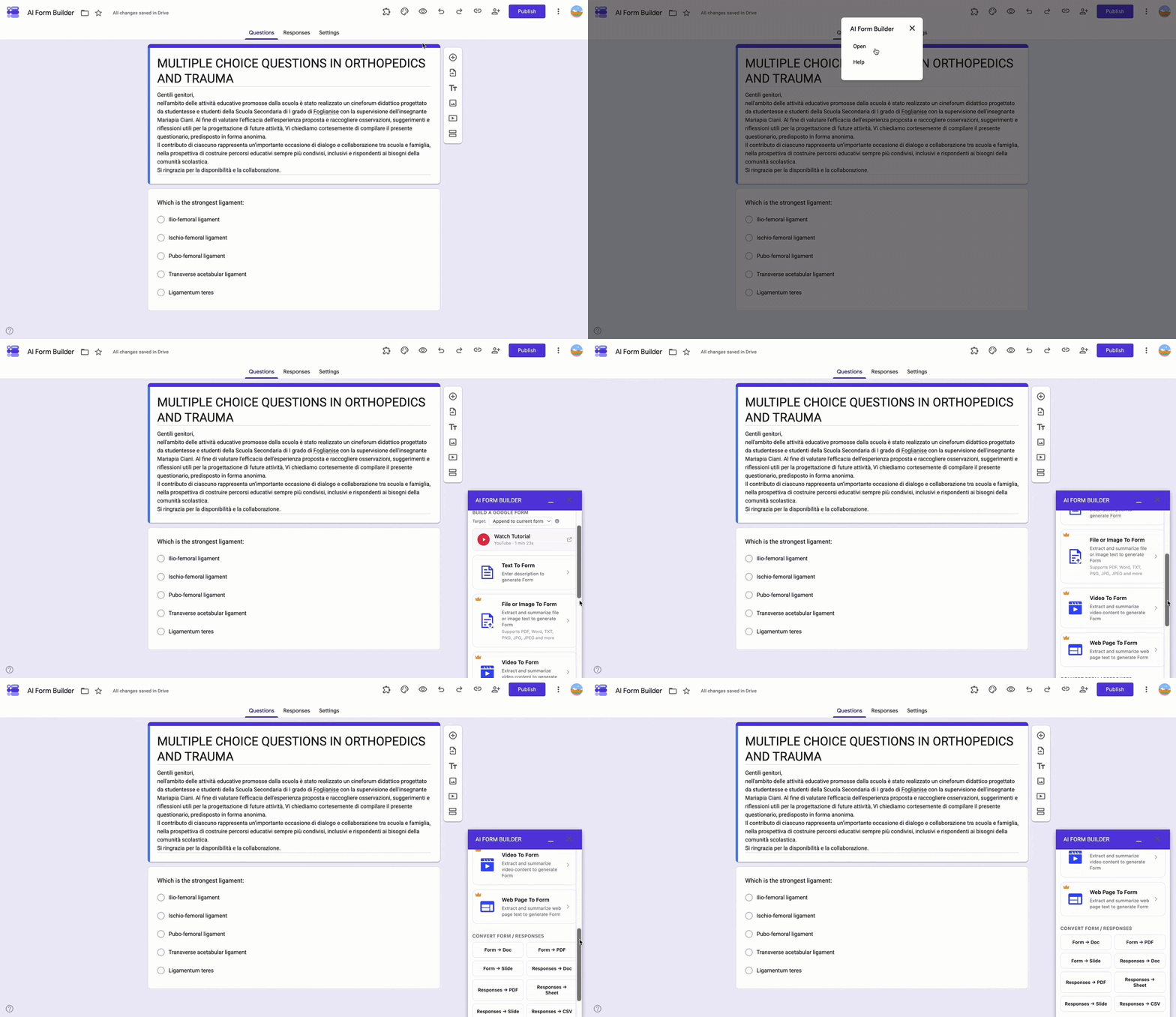
Generates Google Forms™ from PDFs, Word, PowerPoint, Excel, images, videos, text prompts, web pages, or any other format. Extract, summarize, and convert content into surveys, quizzes, feedback forms, and data collection.

Create Google Forms™ effortlessly for surveys, quizzes, exams, assignments, feedback, marketing campaigns, and data collection by importing content from PDFs, Word, PowerPoint, Excel, images, videos, Sheets™, Docs™, Slides™, web pages, text, and more.

Three ways to build your Form™:
► Generate Forms™ using AI from text prompts.
► Upload documents (PDFs, Word, PowerPoint, Excel, Docs™, Sheets™, Slides™, images, videos) and let AI extract and analyze content to create Forms™ automatically.
► Use OCR to scan PDFs and images, converting them into Form™ questions instantly.

Convert your Form™ or responses into ready-to-share files:
► Form → Google Doc™, PDF, or Google Slides™.
► Responses → Google Doc™, PDF, Google Sheets™, Google Slides™, or CSV.

Save hours by eliminating manual retyping and tedious copy-paste from PDFs or Google Docs™.

Supports all major question types, including multiple choice, true/false, cloze, matching, open-ended, and sub-questions.

Key Features:
► Import questions and quizzes from any source: PDFs, Word, PowerPoint, Excel, images, videos, Docs™, Sheets™, Slides™, etc.
► AI-powered detection and parsing of questions, options, and answers.
► Automatically create quizzes and complete Forms™ with AI.
► One-click export of Forms™ or responses to Docs™, PDFs, Slides™, Sheets™, or CSV.
Additional information
sell
PricingFree of charge trial
code
Developer
Non-trader
email
Support
lock
Privacy policy
description
Terms of service
flag
ReportFlag as inappropriate






Search
Clear search
Close search
Google apps
Main menu