
Google Workspace Marketplace


Docs™ Translator - Funshow
Translate Google Docs™ to 130+ languages instantly with perfect formatting.
Eintrag aktualisiert:21. Oktober 2025
Kompatibel mit:
Keine Rezensionen
433
Überblick
Transform Your Documents Across Languages in Seconds
Translate Document is a powerful Google Docs™ add-on that breaks down language barriers by translating your entire documents into 130+ languages with one click, while preserving all formatting, styles, and layout.

✨ Key Features
🌍 Comprehensive Language Support

Support for 130+ languages including English, Chinese, Spanish, French, German, Japanese, Arabic, Hindi, and many more
Automatic source language detection
Multi-language UI available in 12 languages (English, Chinese, Spanish, French, German, Japanese, Italian, Dutch, Portuguese, Russian, Korean, Arabic)
⚡ Powerful Translation Modes

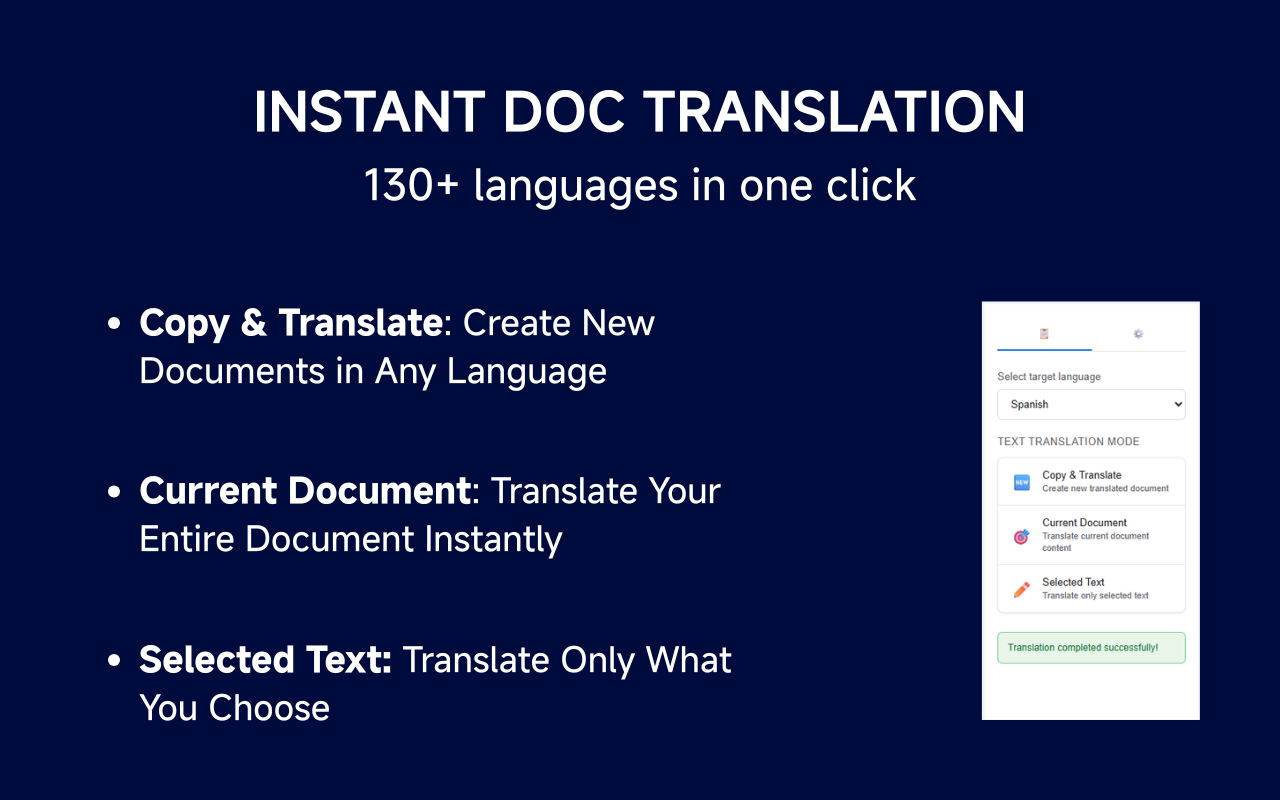
Translate Entire Document: Transform your complete document in seconds
Translate Current Selection: Precisely translate selected text only
Smart Image Translation: Extract and translate text from images using OCR technology (powered by Tesseract.js)
Copy & Translate: Create a new translated copy while preserving the original
🎯 Perfect Format Preservation

Maintains fonts, colors, text sizes, and styles
Preserves document structure including headings, lists, and tables
Keeps hyperlinks, comments, and footnotes intact
No manual reformatting needed after translation
💼 Business-Ready Features

Real-time progress tracking with visual indicators
Batch processing for large documents
Credit management system with transparent usage tracking
Secure translation - all data stays within Google Workspace™
Smart caching to avoid duplicate translations
🎯 Perfect For
International Business

Translate reports, proposals, and presentations for global teams
Localize marketing materials for different markets
Create multilingual training documentation
Bridge language gaps in international collaborations
Education & Research

Translate academic papers and research documents
Create multilingual course materials
Help international students with document translation
Share educational content across language barriers
Content Creators

Localize blog posts and articles for global audiences
Translate documentation and user guides
Create multilingual content efficiently
Adapt content for different regional markets
💎 Flexible Pricing
Free Tier

Try the add-on with free translation credits for new users
Access to all 130+ languages
All translation modes available (Full document, Selection, Image translation, Copy & Translate)
Progress tracking and credit management
Premium Plans

Unlimited translations for power users
No usage limits or restrictions
Priority processing for faster translations
Premium customer support
Perfect for businesses and frequent users
🔒 Privacy & Security
Your documents and data are secure. Translate Document uses Google Translate API and processes all translations securely within Google Workspace™. We do not store your document content or share it with third parties.

🚀 Getting Started
Install Translate Document from Google Workspace Marketplace
Open any Google Docs™ document
Click Extensions → Translate Document
Select your target language and translation mode
Click Translate and watch the magic happen!
📞 Support
Need help? Visit our support page or contact us through the add-on. We're here to help you communicate across languages effortlessly.

Note: This add-on uses Google Translate API for translations. Translation quality depends on the source and target language combination. Free users receive complimentary translation credits to try the service. For unlimited access, consider upgrading to a premium plan.

Google Docs™ is a trademark of Google LLC. Use of this trademark is subject to Google Permissions.
Weitere Informationen
sell
PreiseKostenloser Testzeitraum
code
Entwickler
Kein Händler
email
lock
Datenschutzerklärung
description
Nutzungsbedingungen
flag
MeldenAls unangemessen melden




Suche
Suche löschen
Suche schließen
Google-Apps
Hauptmenü