
Google Workspace Marketplace


Dynamics 365 Connector for Gmail
An easy to use full featured integration between Gmail™, Google Calendar and Microsoft Dynamics 365 CRM
Listing updated:September 27, 2025
Works with:


87K+


Overview
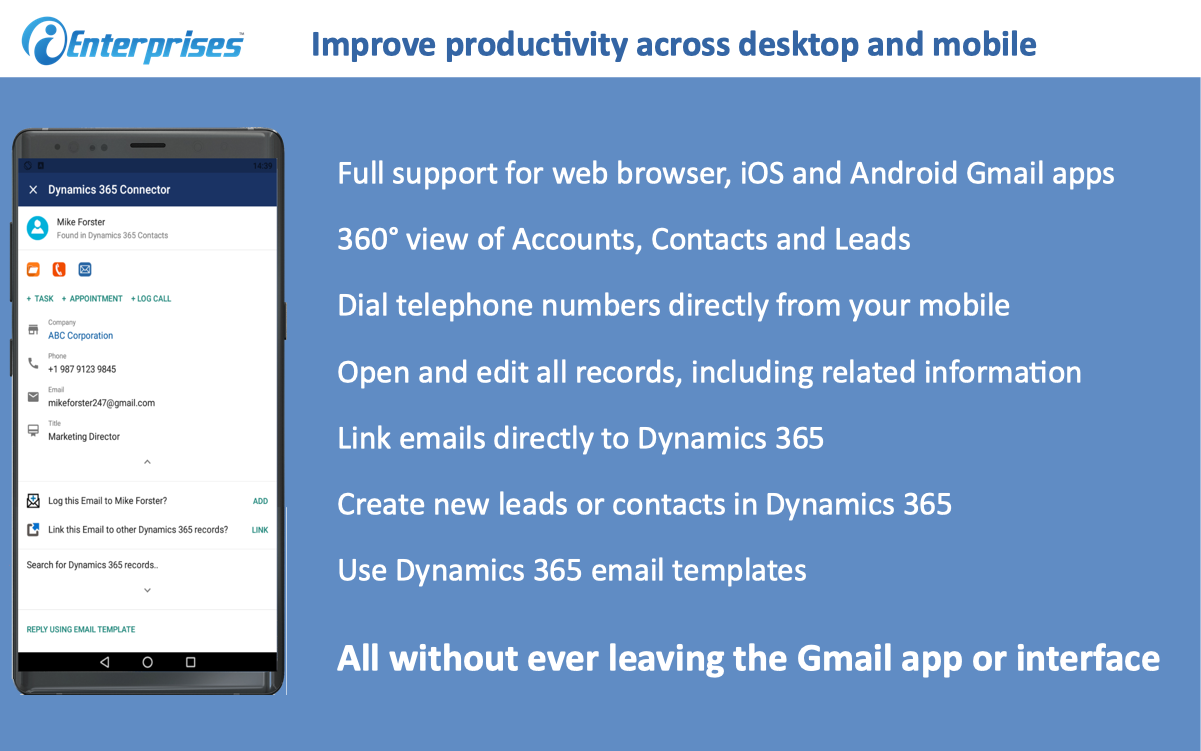
Integrate your Gmail™ and Microsoft Dynamics CRM in one easy step with virtually nothing to install. The connector works in any modern browser including Chrome, Edge and Safari.  It also works on mobile devices such as Android and iOS Devices.  The add-on can be deployed to your entire company with a single click.  Contact sales@ienterprises.com for details on enterprise licensing and deployment.

The Email Connector for Gmail™ and Microsoft Dynamics CRM brings Dynamics CRM to your inbox.  It automatically shows the details of the sender inside Dynamics CRM including email address phone number and any related opportunities.   It also allows you to file a message in Dynamics CRM with a single click.  Additionally, you can create leads and contacts directly from your inbox.  There is even an optional background sync that can automatically synchronize all your email messages and calendar information with the appropriate contact or lead in Dynamics CRM.

Email Integration Details
- Provides a 360 degree view of CRM information from Your Inbox
- File a message in Dynamics CRM from Gmail™
- Automatically associates emails to a contact or lead
- Create accounts, contacts and leads directly from your in-box
- Open the relevant CRM contact, lead or opportunity from Gmail™
- Optionally automatically copy emails and attachments to Dynamics CRM
- Automatically links emails with CRM Contacts or Leads
- Create rules for which emails get automatically synchronized
- Reply to emails using ChatGPT AI - This feature allows you to enter directions for ChatGPT with additional instructions on how to reply.  The reply is then generated in DRAFT mode where you can manually edit it if needed and send.

Calendar Integration Details
- Automatically synchronize calendar items from Gmail to Dynamics CRM
- Automatically links calendar items with CRM Contacts or Leads
- Create rules for which calendar items  get synchronized (coming soon)

This add-on is developed by iEnterprises.  iEnterprises is an award-winning CRM vendor that has been in business for more than 20 years.   Contact us at support@ienterprises.com for support issues or  sales@ienterprises.com for enterprise licensing and pricing information.

Compatibility/Requirements:
Microsoft Dynamics 365 CRM
Gmail™
Additional information
sell
PricingFree of charge trial
code
Developer
email
Support
lock
Privacy policy
description
Terms of service
flag
ReportFlag as inappropriate



Search
Clear search
Close search
Google apps
Main menu