
Google Workspace Marketplace


Educator AI Assistant
AI teacher toolkit, collects ZERO data. Make lesson plans, rubrics, newsletters, and more.
Разработчик:
Данные обновлены:18 июня 2025 г.
Совместимо с:
25 тыс.+




Общие сведения
AI is NOT magical. A better, more transparent prompt, creates better tools for teachers to create resources and assist with their duties. Educator AI Assistant is an Add-on for Google Sheets™ to help you to create lesson plans, rubrics, quizzes, teacher newsletters, student feedback, write a song, etc... in a fully transparent and customizeable way.

⚠️Please note the prompts are in BETA and we are testing and taking feedbback to improve the prompt quality.

Educator AI Assistant, created by teacher Alice Keeler, shows you the prompt. Allows you to edit the prompt. Allows you to create your own tools.

Find the tool library at http://alicekeeler.com/aitools, with the full prompt.

Since Educator AI Toolkit runs locally on your Google Sheets™ it is not only easy to find (in your Google Drive™), it shares zero data back to the developer.

Steps
1. Any Google Sheets™ spreadsheet, use the Extensions menu to show the sidebar.

2. Setup Tool List and import tools from the library.
Optionally, choose to build your own tools.
Optionally, edit the prompts in your tool list to customize.

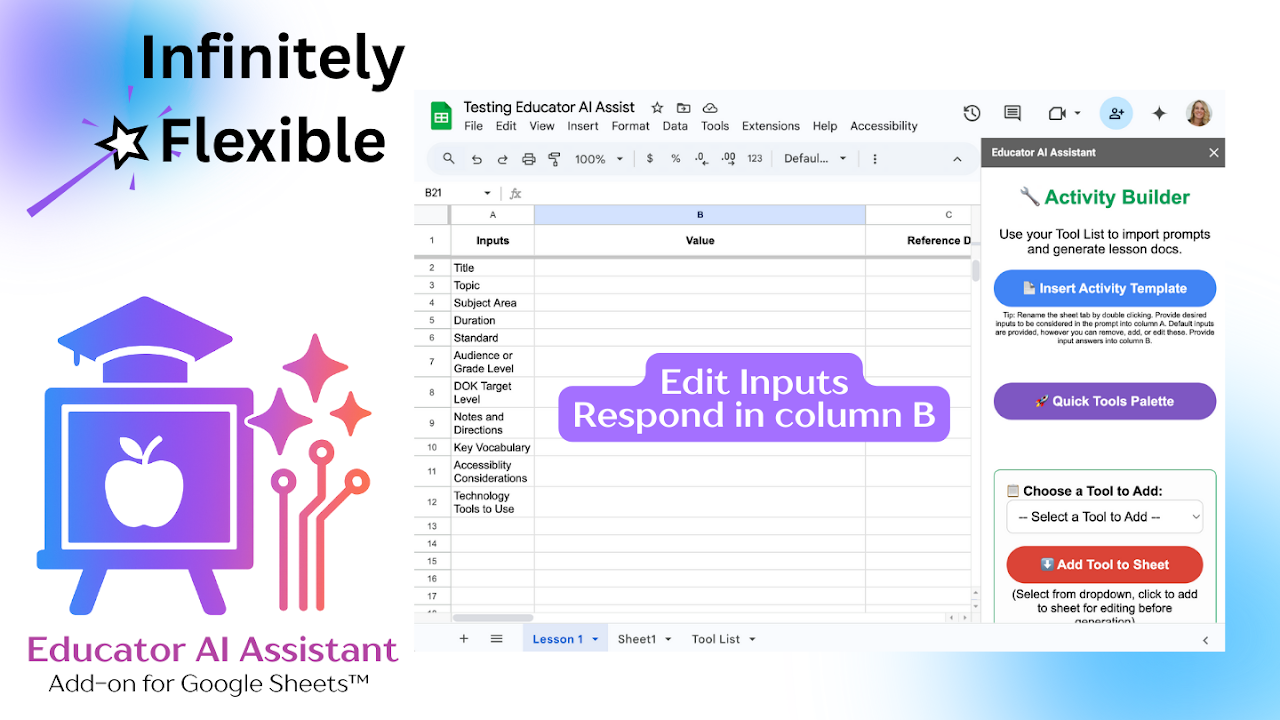
3. Insert activity builder sheet.

4. Add necessary details to the form.
Note that form inputs are 100% editable or skippable.
Add or edit the input in column A. Respond in column B.
Optionally, paste Google Docs™ links into column C to be included in the prompt.

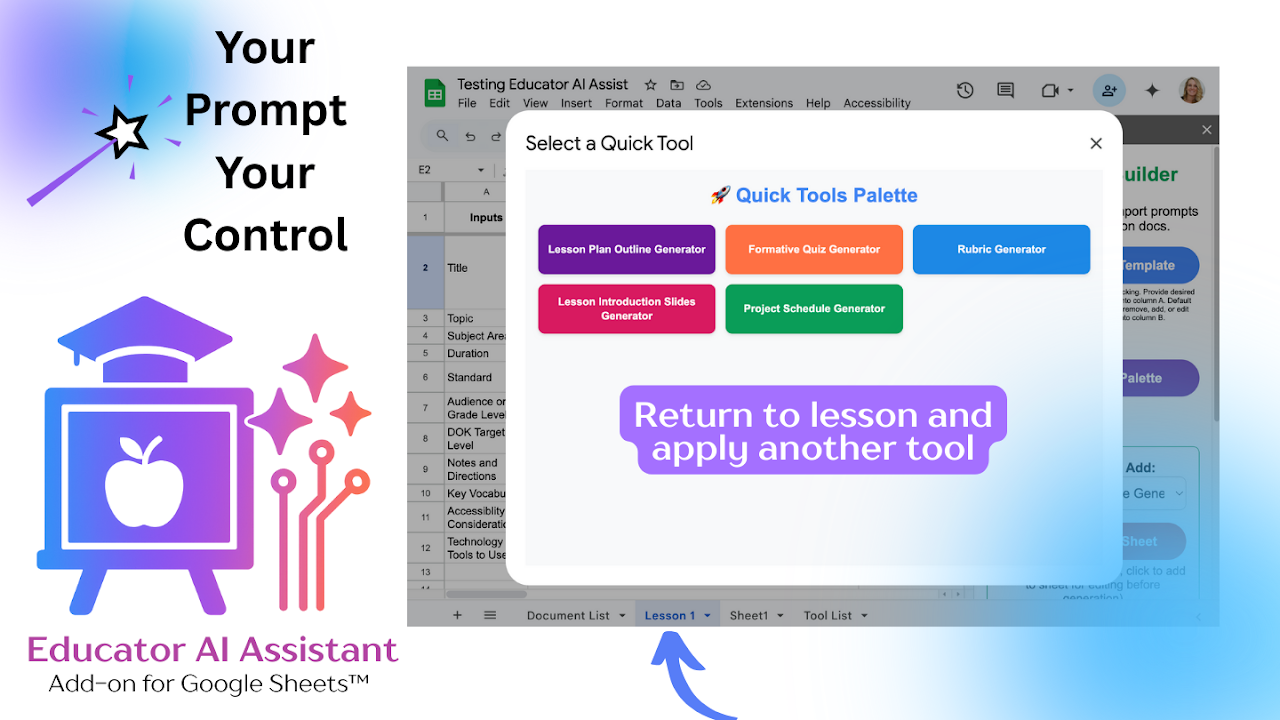
5. Use the toolbar to choose a tool, such as lesson plan builder. (Output in this case would be a Google Doc which contains a lesson plan.)

6. Output is listed on the Document List sheet. Open and use.
Note: the prompt used to create the output is displayed on the Document List sheet.
Optionally, copy the prompt into your favorite LLM to build on and improve the output.

Educator AI Assistant can create outputs in the form of
🪄Google Docs™
🪄Google Slides™
🪄Google Forms™
🪄Google Sheets™
🪄Google Calendar™
🪄Google Tasks™
🪄Google Classroom™

Transparency and Privacy are #1 with Educator AI Assistant
Zero PII is collected when using free features.
Paid features ONLY check your subscription status.
No data other than email address to confirm subscription status is retained. (Stripe information for payment transaction is also retained). No data is sold or used in any way other to inform you of your status of your optional subscription.

Add-on created by credentialed teacher Alice Keeler. Collects zero data. Add-on runs locally in Google Sheets™ safely within your own Google Drive™. Find more AliceKeeler LLC Add-ons at http://alicekeeler.com/codedbyalice
Дополнительная информация
sell
ЦеныПриложение бесплатно, но для использования некоторых функций необходима лицензия.
code
Разработчик
email
Поддержка
lock
Политика конфиденциальности
description
Условия использования
flag
ЖалобаПожаловаться









Поиск
Очистить поле поиска
Закрыть поиск
Приложения Google
Главное меню