
Google Workspace Marketplace


Email Analytics: Email tracking & response time
EmailAnalytics visualizes your team's email activity with rich email analytics and enables you to measure and improve KPIs like email response time.
Listing updated:4 април 2023 г.
33 хил.+



Общ преглед
Do you manage a team? Are you looking for a way to understand what's going on in your team members' inboxes throughout the day?

You've come to the right place. EmailAnalytics is the most advanced email tracking tool for teams.

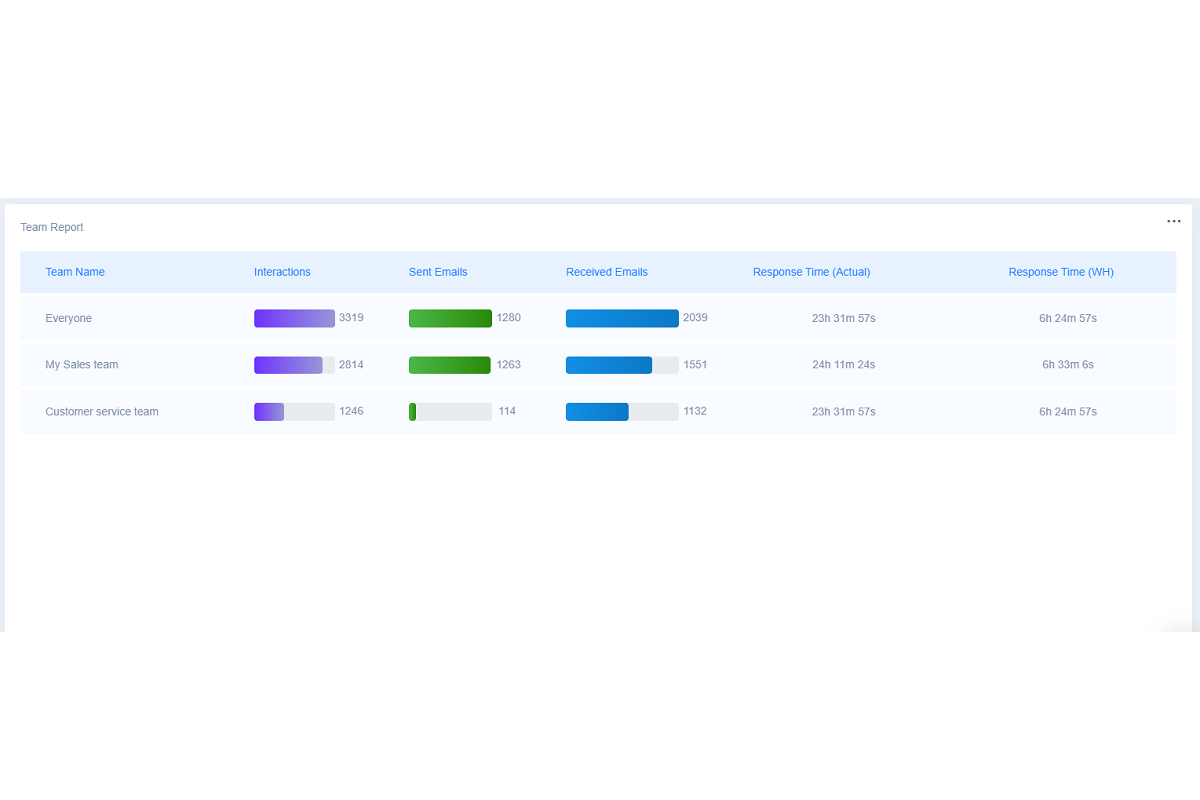
EmailAnalytics visualizes your team's email activity, showing you important metrics that every manager should know, like:

- Emails sent/received
- Average email response time
- Email activity by day of the week & time of day
- MUCH more!

As a team manager, you'll love how quick and easy setup is. You can integrate with Google Workspace to track any number of team members on your domain -- or all of them!

Setup is fast, easy, and private. There's no software to install, and you can track your team privately if you choose to.

You can also choose to send team members daily or weekly email reports so they can measure their own progress and compare their metrics with other members of their team.

Got team managers? You can give them permission to access your team's stats and get a full email report for their team.

Use advanced filters to block unwanted data from your reports. Select any date range to see the data you want to see.

There's a risk-free 14-day free trial, so come on in and take a look. You've finally found the email tracking and analytics tool you've been looking for!
Additional information
sell
PricingНе е налице
code
Developer
Trader status unspecified
email
Поддръжка
lock
Декларация за поверителност
description
Общи условия
flag
Подаване на сигналFlag as inappropriate



Търсене
Изчистване на търсенето
Затваряне на търсенето
Приложения на Google
Главно меню