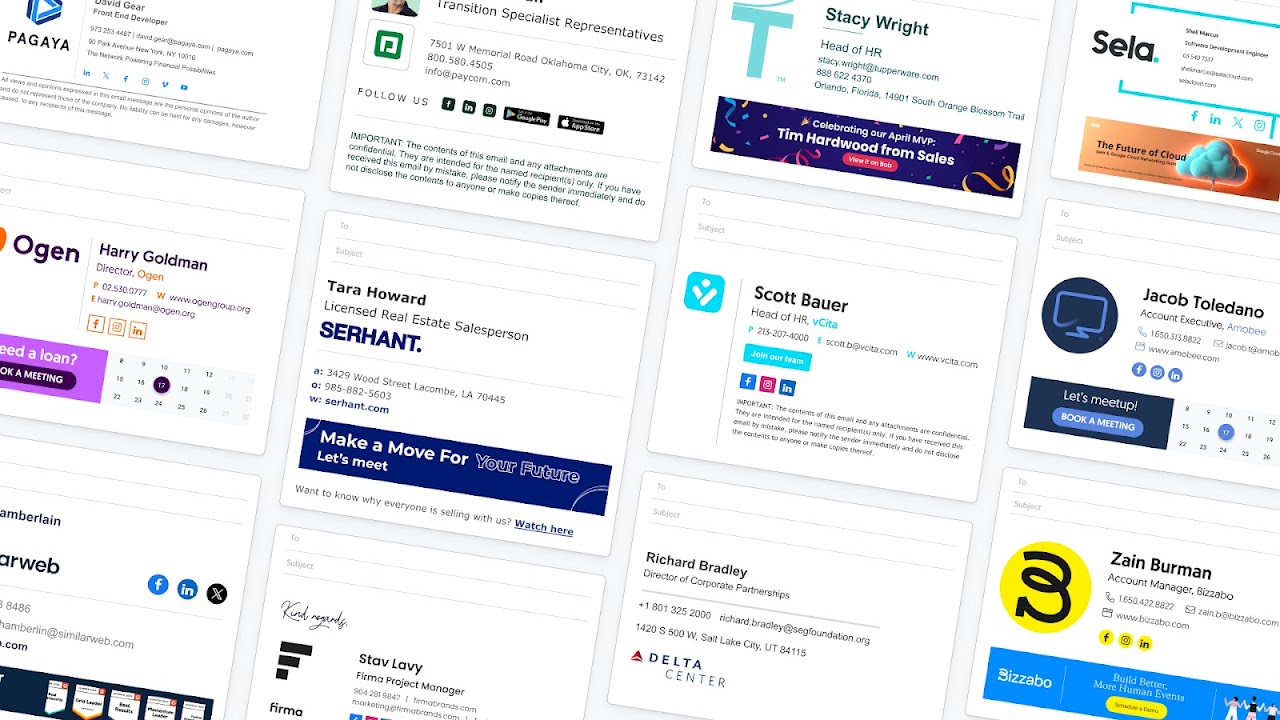
Google Workspace email signature management used by over 1.2 Million clients. Centralized, automated, and secure, company-wide email signatures.
Listing updated:February 1, 2026
1M+
Overview
Leading email signature manager for Google Workspace admins. Manage and deploy professional email signatures across your organization, without the manual headache. Get centralized control, domain-wide deployment, and policy-based enforcement with a one-time setup. Ensure every employee has a secure, compliant, and on-brand email signature.

✅ Easy, One-Time Setup
One-time setup via Google Workspace API or directory sync, with an additional Chrome Extension option, as well. Fully secure, with no access to email content, as well as admin-controlled, no ongoing management required.

✅ Professional Signatures for Every Team
Design stunning email signatures for every department with ready-made templates. Assign by role, region, or language. No HTML or design skills needed.

✅ Control, Customize, and Automate
Centralize all signature management. Lock fields, set editing permissions, and deploy company-wide updates instantly. Automatically syncs with the employee life cycle.

✅ Unlock a Powerful Marketing Channel
Add campaign banners, custom CTAs, and track performance. Turn daily emails into brand touchpoints that boost demos and meetings, webinar signups, link clicks, conversions, and more.

✅ Employee-Friendly and IT-Approved
Employees can update personal details like pronouns and working hours (with permissions) in their dedicated Employee Hub, while IT maintains full control of data, domains, and compliance.

✅ Enterprise-Grade Security & Compliance
We never store or access your email content. WiseStamp is SOC 2 Type II and ISO 27001-certified, GDPR-compliant, and trusted by global enterprises.
Additional information
PricingPaid
Developer
Privacy policy
Terms of service
Email Signature Management for Google Workspace will ask for the permissions shown below. Learn more
Email Signature Management for Google Workspace will need access to your Google account
This will allow Email Signature Management for Google Workspace to :
See, edit, create, or change your email settings and filters in Gmail
Manage your sensitive mail settings, including who can manage your mail
Manage the email settings of users on your domain
See info about users on your domain
See your primary Google Account email address
See your personal info, including any personal info you've made publicly available
Reviews
Language:
Sort by:
Google doesn't verify reviews or ratings. Learn more about reviews
Profile Picture
Kegan English
October 23, 2025
It has some weird quirks but overall, it's the best option that's out there, and customer service is 10/10
Is this review helpful?
Yes
No
Profile Picture
Penelope Valentine
January 17, 2026
All I want to do is set up another employee. Why do I need to ask myself for permission and integrate again?
Is this review helpful?
Yes
No
Profile Picture
JESSICA DONALD
November 25, 2025
I love it but don't really get how to connect it to gmail.
Is this review helpful?
Yes
No
Profile Picture
Bismark Susa
January 20, 2026
Passed my assessment and am ready to work with
Is this review helpful?
Yes
No
Profile Picture
A User of Email Signature Management for Google Workspace
October 30, 2025
Loved it
Is this review helpful?
Yes
No
Profile Picture
Adam Ham
February 7, 2024
Created a standard template, deployed it to all users, and worked with support to customize the template to our liking. The integration may have a few glitches, but the signature seems to work just fine.
Is this review helpful?
Yes
No
Profile Picture
Sarah Gullette
June 14, 2023
BUYER BEWARE: Wisestamp will trick you into paying for a more expensive subscription than you need and then you will wind up w/multiple accounts and no way to speak to anyone for a proper resolution. If I could give this a zero star I would. I have been charged for 2 different Wisestamp accounts for 2 years in a row now. The app will periodically disappear from my email account and when I reinstall it, I am prompted to pay for the premium service. Each time this happens I have reached out to Wisestamp and after multiple attempts never receive an actual response or resolution. It is extremely frustrated and I can't help but feel their app is designed to confuse people into paying for unnecessary subscription accounts for different email addresses. The fact that their "help" or "support" is an automated system that merely generates a service ticket for which no one ever actually follows up on only angers me further. I don't know what the recourse is, but I am determined to find one.
Is this review helpful?
Yes
No
Profile Picture
Matthew Crowder
August 15, 2024
keeps asking me to invite myself to install but it's already installed. Very buggy. Hard to install. Not working not syncing. Just terrible experience and bad design of app
Is this review helpful?
Yes
No
Profile Picture
Liliana Madrid
February 1, 2024
The signature keeps disappearing after is properly installed. I am getting tired of trying to constantly troubleshoot. Product sucks. I will not be renewing my subscription.
Is this review helpful?
Yes
No
Profile Picture
A User of Email Signature Management for Google Workspace
January 9, 2020
The death of a great product I've used Wisestamp for 5+ over many different gSuite domains. It was always a well built product with simple UX and the google integration made it flawless to import. No more. The company was acquired mid 2019. Both of their Twitter accounts haven't tweeted from since then. There are literally hundreds of questions and requests for support that have gone unanswered from users. The product has evidently been left to rot. I just shot 30 minutes down the tube trying to create a new signature for a new company of mine. The "save drafts" doesn't work, so I lost my work each time. The "integrate with Google" didn't work as each time I chose the proper domain it would default to my default, google domain which is the incorrect one. It's evident they haven't maintained the product to keep up with Google Admin requirements if you download the product from gSuite Marketplace. Avoid. And, to be honest, if you have an account with them, consider deleting. I suspect you don't want the new acquiring company to have your email or CC information anymore. Their focus is obviously not on delighting the user anymore. What a shame.
Is this review helpful?
Yes
No
1-10 of 29
Search
Clear search
Close search
Google apps
Main menu