
Google Workspace Marketplace


Email Signature Management for Google Workspace
Google Workspace email signature management used by over 1.2 Million clients. Centralized, automated, and secure, company-wide email signatures.
Автор:
Дата оновлення:1 лютого 2026 р.
1 млн+



Огляд
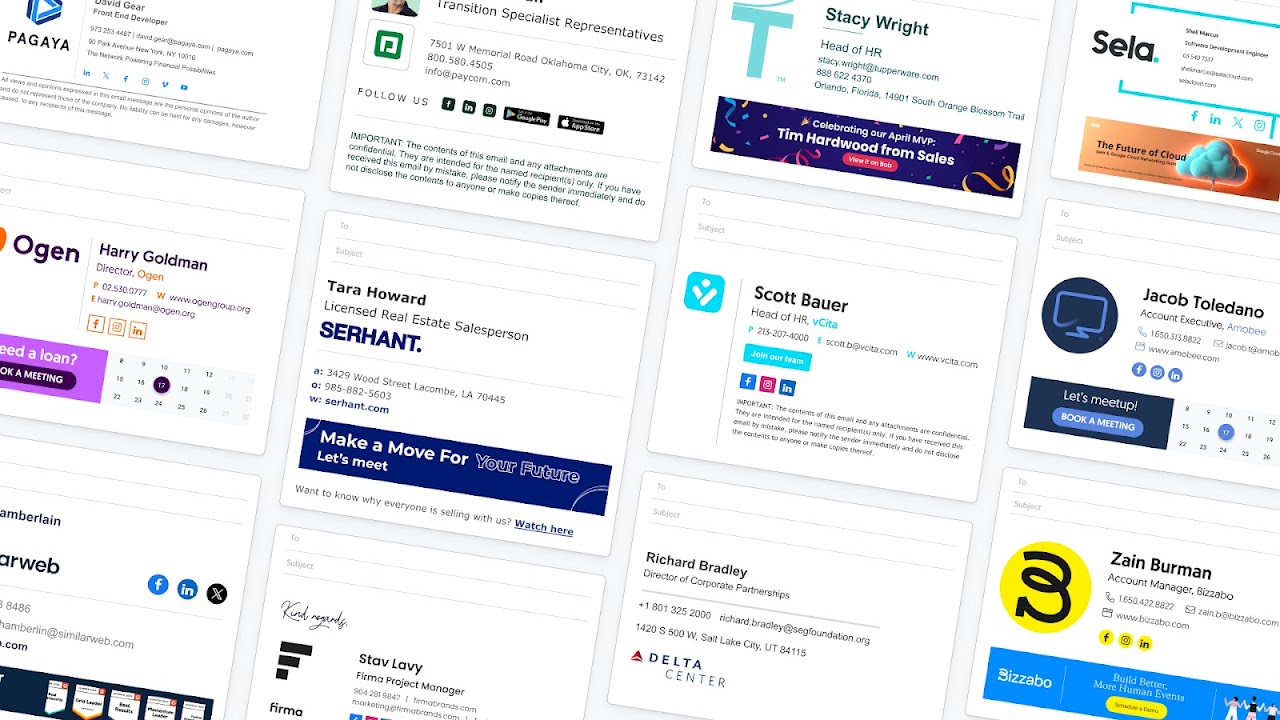
Leading email signature manager for Google Workspace admins. Manage and deploy professional email signatures across your organization, without the manual headache. Get centralized control, domain-wide deployment, and policy-based enforcement with a one-time setup. Ensure every employee has a secure, compliant, and on-brand email signature.

✅ Easy, One-Time Setup
One-time setup via Google Workspace API or directory sync, with an additional Chrome Extension option, as well. Fully secure, with no access to email content, as well as admin-controlled, no ongoing management required.

✅ Professional Signatures for Every Team
Design stunning email signatures for every department with ready-made templates. Assign by role, region, or language. No HTML or design skills needed.

✅ Control, Customize, and Automate
Centralize all signature management. Lock fields, set editing permissions, and deploy company-wide updates instantly. Automatically syncs with the employee life cycle.

✅ Unlock a Powerful Marketing Channel
Add campaign banners, custom CTAs, and track performance. Turn daily emails into brand touchpoints that boost demos and meetings, webinar signups, link clicks, conversions, and more.

✅ Employee-Friendly and IT-Approved
Employees can update personal details like pronouns and working hours (with permissions) in their dedicated Employee Hub, while IT maintains full control of data, domains, and compliance.

✅ Enterprise-Grade Security & Compliance
We never store or access your email content. WiseStamp is SOC 2 Type II and ISO 27001-certified, GDPR-compliant, and trusted by global enterprises.
Додаткова iнформацiя
sell
ЦіниПлатно
code
Розробник
Не продавець
email
Підтримка
lock
Політика конфіденційності
description
Умови використання
flag
СкаргаПоскаржитися




Пошук
Очистити пошук
Закрити пошук
Додатки Google
Головне меню