
Google Workspace Marketplace


Equilibrio
Send bank notifications from Gmail™ to Equilibrio and review them before saving transactions. Requires a paid Equilibrio license.
Informações atualizadas:28 de setembro de 2026
Compatível com:
Nenhuma avaliação
Nenhum usuário



Visão geral
Equilibrio helps you manage your personal finances. This add-on connects Gmail™ to Equilibrio so you can send a bank notification and review its details before saving a transaction.

HOW IT WORKS

1. Activate the Equilibrio app and enter the same license key in the Gmail™ add-on.
2. Add your Gmail™ address under Settings > Email addresses in Equilibrio.
3. Open a bank notification email in Gmail™ and select “Send to Equilibrio”.
4. Open Equilibrio, go to Emails, and choose whether to register or discard the notification.
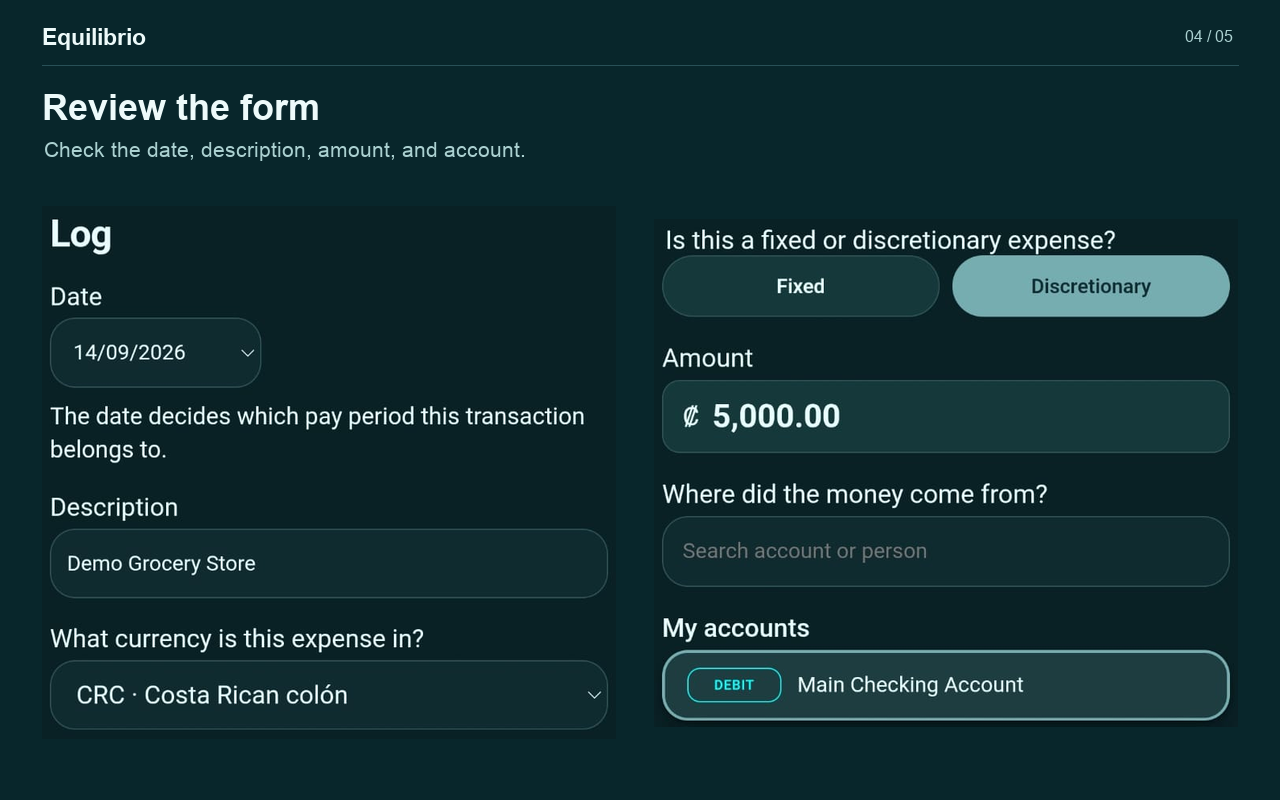
5. Review the detected details, select the account and transaction classification, and confirm before saving.

YOU STAY IN CONTROL

The add-on does not scan your inbox or automatically record transactions. It reads the open message when you choose to send it. Equilibrio interprets the notification and lets you review and correct the detected details. Recognition depends on the email format; not all bank notifications are supported.

REQUIREMENTS AND LICENSING

You need Gmail™, the Equilibrio app, an internet connection for sending and receiving notifications, and a paid Equilibrio license. No free trials are offered.

To purchase a license, email appequilibriocr@gmail.com.

Each license includes a limited number of activations, specified at purchase. These are not email quotas. Reusing the same activation in the same browser and device does not consume another use. A different browser or device, or clearing the stored activation identity, may require another activation. Used activation slots are not automatically released or reassigned. Exhausting the available activations does not itself revoke the license.

PRIVACY

When you select “Send to Equilibrio”, the open message's text, your Gmail™ address, and your license key are transmitted over HTTPS to an Equilibrio server.

Notifications are temporarily queued and removed when registered or discarded. Notifications older than seven days are removed during daily cleanup. Financial transactions saved in Equilibrio are stored locally on your device.

The add-on is available in English and Spanish.

Learn more: https://equilibriocr.com/en/
Privacy policy: https://equilibriocr.com/en/privacy/
Support and license purchases: appequilibriocr@gmail.com

Gmail™ is a trademark of Google LLC.
Informações adicionais
sell
PreçosPago
code
Desenvolvedor
email
Suporte
lock
Política de Privacidade
description
Termos de Serviço
flag
RelatórioSinalizar como impróprio




Pesquisa
Limpar pesquisa
Fechar pesquisa
Google Apps
Menu principal