
Google Workspace Marketplace

ERD Editor
Draw and edit Entity-Relationship Diagrams saved in your Google Drive™, with a free, open-source ERD editor.
Gawa ng:
Na-update ang listing noong:Setyembre 25, 2026
Gumagana sa:
Walang review
Walang user


Pangkalahatang-ideya
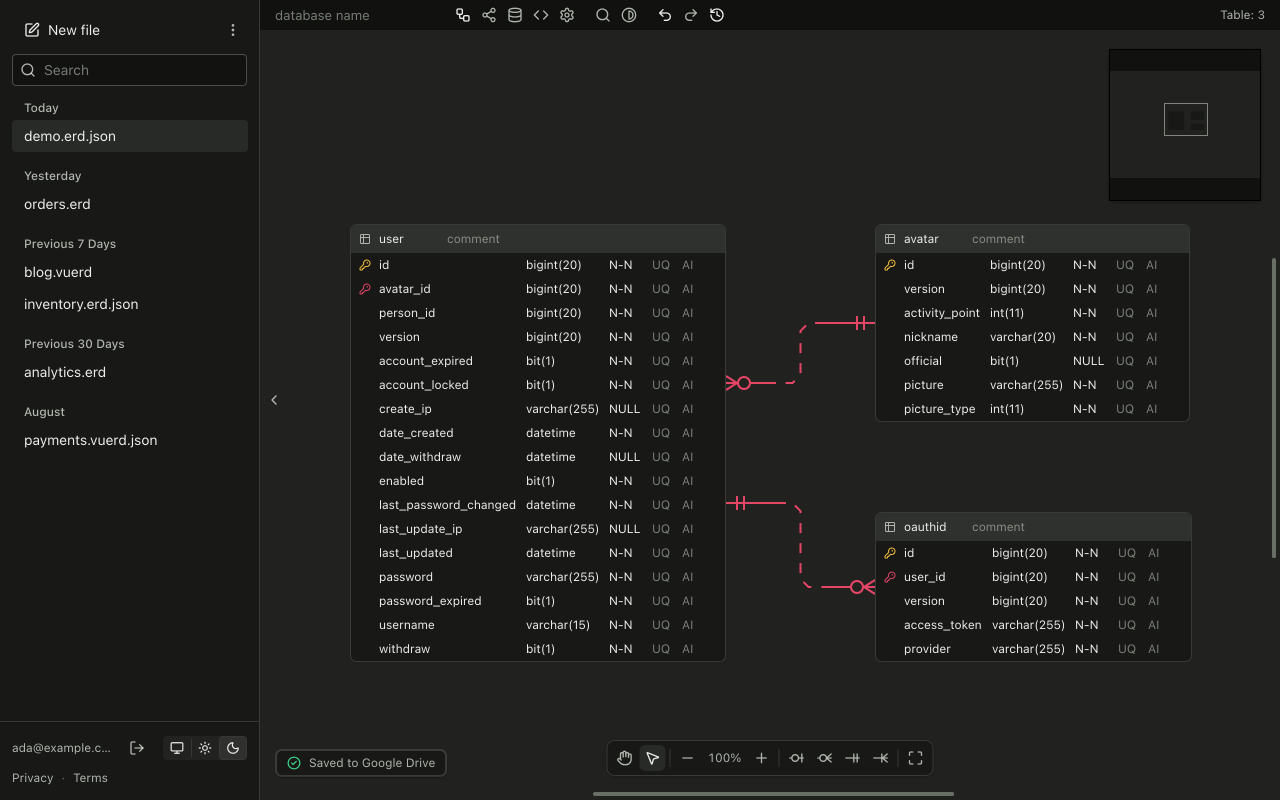
ERD Editor is a free, open-source Entity-Relationship Diagram editor. Open your .erd and .vuerd files straight from Google Drive™ with "Open with", or start a new diagram from the New menu in Google Drive™, and ERD Editor saves your changes back to the same file as you work.

- Design tables, columns, keys and relationships on a canvas, with notation and layout options.
- Import SQL DDL, DBML, AML or GraphQL into a new diagram in your Google Drive™.
- Several tabs of one file stay in sync, and ERD Editor stops instead of overwriting when the file changes elsewhere.
- Access is limited to the files you open or create with ERD Editor (the drive.file scope). Your files go directly between your browser and Google Drive™ and never pass through ERD Editor's servers.

ERD Editor is open source under the MIT License: https://github.com/dineug/erd-editor

Google Drive™ is a trademark of Google LLC.
Karagdagang impormasyon
sell
PagpepresyoLibre
code
Developer
Hindi trader
email
Suporta
lock
Patakaran sa privacy
description
Mga tuntunin ng serbisyo
flag



Search
I-clear ang paghahanap
Isara ang paghahanap
Mga app ng Google
Pangunahing menu