
Google Workspace Marketplace


everviz
Create attractive, interactive charts directly from your spreadsheet data.
Listing updated:৯ অক্টোবর, ২০২৪
Works with:
৪ হা+


এক নজরে
Create interactive charts directly in Google Sheets

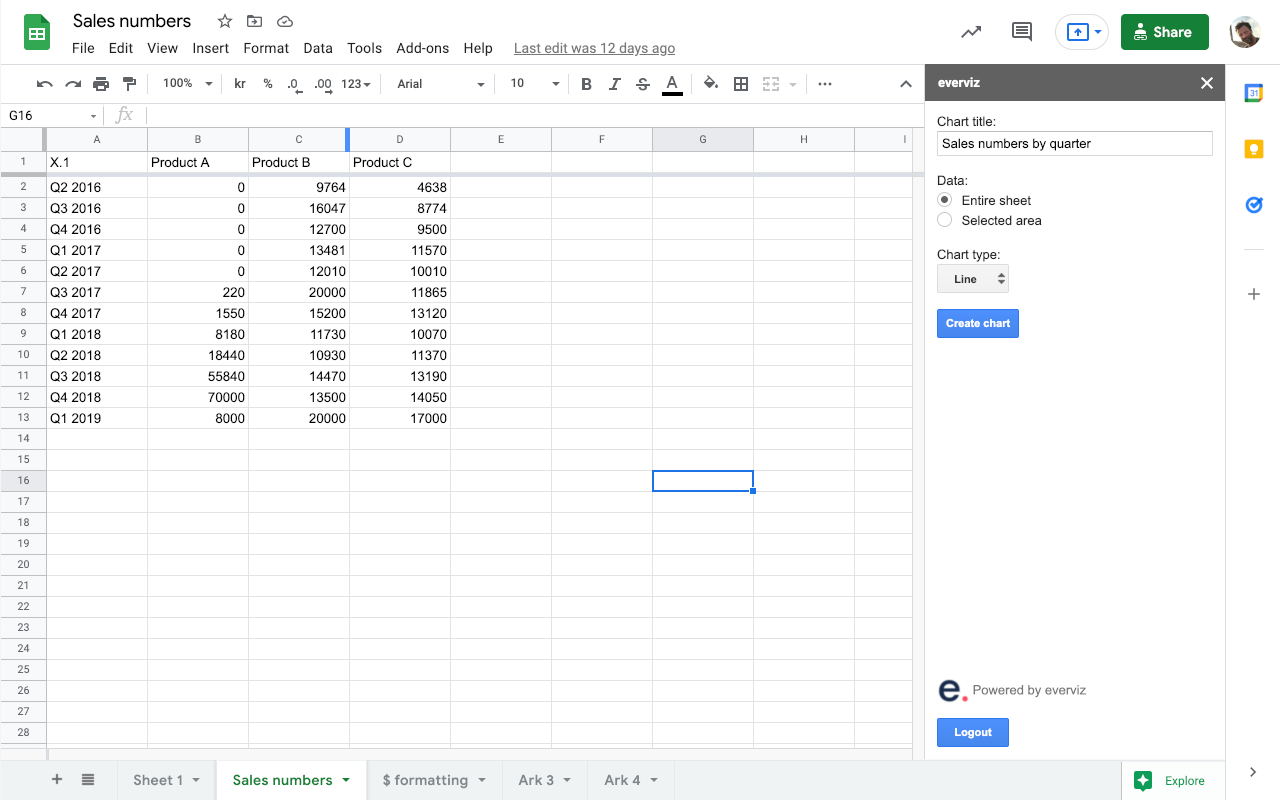
Whether you are a journalist, researcher or business executive, sharing your data through attractive, interactive charts is now simpler than ever. With everviz for Google Sheets, you can easily create charts directly from your spreadsheets.

everviz empowers journalists and publishers with a tool to enrich stories with engaging interactive visualizations. Simple to use and no need for programming skills. Create brand consistent charts with cutting edge accessibility functions to reach out to a bigger audience.

Get started
The add-on requires an everviz account you can create immediately after the installation. Choose the data you want to include in your chart and click the “Create chart” button. This will create an interactive chart which you can customize with the power of everviz. Publish your chart and embed it to a website.

By installing the add-on, you agree to the everviz Privacy Policy https://app.everviz.com/privacy


Any question? Drop us a line at support@everviz.com
Additional information
sell
Pricingউপলভ্য নয়
code
Developer
নন-ট্রেডার
email
সমর্থন
lock
গোপনীয়তা নীতি
description
পরিষেবার শর্তাদি
flag
রিপোর্ট করুনFlag as inappropriate




সার্চ করুন
সার্চ মুছুন
সার্চ বন্ধ করুন
Google অ্যাপ্লিকেশানগুলি
প্রধান মেনু