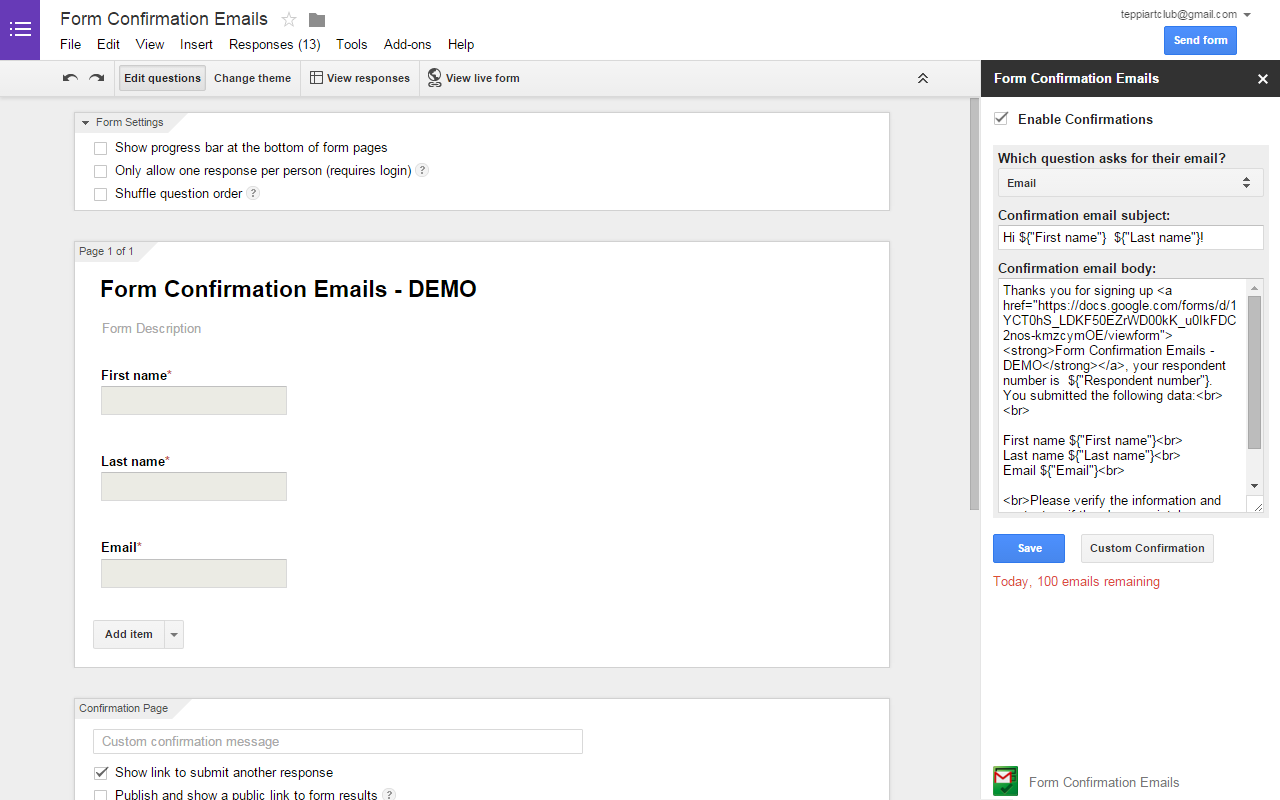
Automate and route custom confirmation emails based on form answers. Bypass sending limits with your own Custom SMTP!
Listing updated:July 14, 2026
Works with:
627K+
Overview
Supercharge your Google Forms with the ultimate email automation tool!
Form Confirmation Emails has been completely upgraded to provide a robust, scalable, and professional email workflow experience. Whether you need simple auto-responders or complex conditional routing, our brand-new Rule Engine & External Dashboard gives you the absolute power to control your form communications.

🔥 KEY FEATURES & NEW UPGRADES:

Break Daily Limits with Custom SMTP: Bounded by default email quotas? Not anymore. Connect your own SMTP provider (SendGrid, Mailgun, AWS, etc.) to unlock unlimited sending capabilities.

Dynamic Rule Engine (Conditional Logic): Stop sending the same generic email to everyone. Flexibly route, trigger, and tailor different confirmation emails based on the specific answers your respondents select.

Targeted Team Routing: Ensure the right people get the right data. Automatically route form submissions to specific departments or team members (e.g., send to Sales if they choose "Pricing", send to Support if they choose "Help").

Dedicated Full-Page Dashboard: Say goodbye to cramped sidebars! One click securely bridges you to a spacious, intuitive external workspace to manage all your configurations seamlessly.

Centralized Template Builder: Design, customize, and manage beautiful email templates with ease using our dedicated UI.

⚡ HOW IT WORKS:

Open the add-on in your Google Form.

Click the "Go Beyond" (or Open Dashboard) button.

You will be securely transitioned to your dedicated dashboard to set up your custom rules, templates, and SMTP.

Elevate your Google Forms from a simple data collection tool into a powerful, automated communication platform today!
Additional information
PricingFree of charge with paid features
Developer
Privacy policy
Terms of service
Form Confirmation Emails will ask for the permissions shown below. Learn more
Form Confirmation Emails will need access to your Google account
This will allow Form Confirmation Emails to :
View and manage your forms in Google Drive
Display and run third-party web content in prompts and sidebars inside Google applications
Connect to an external service
Allow this application to run when you are not present
Send email as you
See your primary Google Account email address
See your personal info, including any personal info you've made publicly available
Reviews
Language:
Sort by:
Google doesn't verify reviews or ratings. Learn more about reviews
Profile Picture
Aspayastudenthub
June 22, 2026
Hello there, Could you kindly confirm the new update on this form. I tried to do it but I am getting some "HỆ THỐNG" languages I do not understand and I just want to be sure your system has not been hacked? I notice that the interface has also changed with the new forms but they remain the same old template with the old one. Please kindly get back to me immediately.
Is this review helpful?
Yes
No
Profile Picture
Ayissi Joachim
October 19, 2023
WOW! Wow! I Am been Propelled to a Digital Dream-Land. Its this Real? I have just Downloaded, and Installed -Google Business Performance Simulator (BP Simulator). Just a cursory view through the Diagrams, Designs, and Functionality, I could discern that Google has done a fantastic job. This is an Excellent App for Business Owners, who want to bring their Business to the higher next level. Yes! I can tell you this is Real. You are not Dreaming. Fabulous App. I would recommend it to Friends, Business Associates, Business Clients.
Is this review helpful?
Yes
No
Profile Picture
A User of Form Confirmation Emails
April 18, 2020
Hands down best easy to use, simple, quick add-on to get PDF confirmation. Nice layout once of the form once sent to the email. 2 things I was wondering: 1. Is there an option If I could select multiple fields to send emails to.. My chart has 2 fields of email. One email field is where form automatically collects and another where user can add another different email. Ideally I would like to send emails to both fields. 2. In the PDF document, PNG image that was selected is not showing up. It does show up in the email but not in the attached PDF document. How can we fix that? Thank you very much. I hope you guys stay in business and hope Google doesn't kick you guys out of the marketplace!
Is this review helpful?
Yes
No
Profile Picture
Cynthia Nelson
March 16, 2021
Can you please help? I cannot seem to get this to work anymore on my forms which I have used for years
Is this review helpful?
Yes
No
Profile Picture
A User of Form Confirmation Emails
July 15, 2018
I spent an hour formatting emails to send my students their lab notes, but this add-on won't send what I formatted. Instead of sending the notes from each section of the lab, it sends four or five copies of the notes on the last section and ignores the previous sections.
Is this review helpful?
Yes
No
Profile Picture
A User of Form Confirmation Emails
January 20, 2018
This is just what I needed, something simple, with the ability to compose in HTML. It's free, too, if you don't mind the subtle add at the bottom.
Is this review helpful?
Yes
No
Profile Picture
A User of Form Confirmation Emails
July 8, 2017
For a free add-on this is a great tool to gather the responses for a pre-service survey I do for each client (well under the 100 daily email limit). Would be nice to have ability to send to in addition to email addresses and to have multiple emails set up (to send a custom response to a responder and another with the response data to me). It's not clear how to do that or where to access help other than through contact form. I'm considering upgrading to pro on another add-on that's $29.99 versus the $5 on this one, but not sure what I gain other than removal of the trademark.
Is this review helpful?
Yes
No
Profile Picture
A User of Form Confirmation Emails
April 23, 2020
LOVE IT ALL. STILL CONFUSED. IN LOVE WITH GOOGLE, RISEN IN LOVE. NOT FALLEN IN LOVE. SENDING A THANK YOU TO google. MAY I LIVE WITH YOU AT MOUNTAIN VIEW. ONLY FOR BED, BATH, BREAKFAST AND PO YOU ALLCKET CASH. GOD BLESS
Is this review helpful?
Yes
No
Profile Picture
Ging ging
March 14, 2023
Very not user friendly
Is this review helpful?
Yes
No
Profile Picture
A User of Form Confirmation Emails
October 7, 2017
I have a question on the access grant to this add-on, this one "View and manage the files in your Google Drive", when I clicked the details, it tells "Upload, download, Create, Manage files and documents in your Google Drive (e.g., search, organize, and modify permissions and other metadata, such as title)", I cannot see this add-on need to operate my drive's files, given that we also grant access to view and manage spreadsheet/docs/forms in drive, as well as mail sending access, which is enough to run this add-on, to manage (including delete) all files in drive looks too much for this add-on, could you precise which functionality requires to access files in drive? Thanks.
Is this review helpful?
Yes
No
1-10 of 58
Search
Clear search
Close search
Google apps
Main menu