
Google Workspace Marketplace

Form Limit Timer, Quiz Timer, limiter countdown
Set quiz timers, countdowns, start/stop schedules, and response limits in Google Forms™. Turn forms into timed quizzes with custom duration, auto-submit, attempt caps. Form Limiter & Quilgo alternativ
Listing updated:September 16, 2026
Works with:
1M+




Overview
Form Limit Timer is the all-in-one Quiz Timer, Form Limiter, and Countdown add-on for Google Forms™. Effortlessly turn your Google Forms™ into timed quizzes, online exams, scheduled surveys, and capacity-controlled registration forms with a live countdown timer and automatic submission.

Whether you are a teacher running timed classroom tests, an HR professional conducting candidate skill assessments, an administrator managing appointment windows, or an event organizer capping attendee registrations, Form Limit Timer gives you complete control over when your form opens, when it closes, how long respondents have, and how many responses are accepted.

Looking for a reliable, privacy-friendly Quilgo and FormLimiter alternative without invasive webcams, tracking software, or complex setup? Form Limit Timer is the trusted, lightweight solution for schools, universities, nonprofits, and businesses worldwide.

━━━━━━━━━━━━━━━━━━━━━━━━━━━━━━━━━━━━
⚡ KEY FEATURES & CAPABILITIES
━━━━━━━━━━━━━━━━━━━━━━━━━━━━━━━━━━━━

1. ⏱️ QUIZ TIMER & TIMED ONLINE EXAMS
• Quiz Duration (Timer in Minutes): Set exact time limits (e.g., 10, 15, 30, 45, 60 minutes) for quizzes, tests, and student assessments. Leave blank or set to 0 for untimed forms.
• Live Visible Countdown Timer: A prominent, floating countdown timer bar stays visible on screen so test-takers always know their remaining time.
• Auto-Submit & Lock on Expiration: Prevent late submissions by automatically closing access and auto-submitting responses the second time runs out.
• Limit Quiz Attempts (Retries per User): Restrict students or respondents to 1 attempt for graded exams, or set a custom retry limit per email.
• Pre-Quiz Instructions Screen: Present custom test guidelines, honor codes, and time rules before participants click to begin their timer.
• 100% Privacy-Friendly Assessment: No invasive webcams, no microphone monitoring, and no software installations. Runs smoothly on any browser, laptop, Chromebook, iPad, or smartphone.

2. 📅 SCHEDULED START & STOP (AUTO OPEN & AUTO CLOSE)
• Auto-Open Schedule: Choose a specific start date, time, and timezone when your form becomes active.
• Auto-Close Schedule: Set an exact deadline date and closing time after which the form automatically stops accepting new entries.
• Hands-Free Automation: Eliminates the need to manually toggle "Accepting responses" early in the morning, late at night, or on weekends.

3. 🛑 RESPONSE LIMITER (FORMLIMITER CONTROLS)
• Maximum Response Limit: Set a total submission quota (e.g., automatically close the form after 25, 50, 100, or 500 responses).
• Per-Email Response Caps: Prevent duplicate entries by limiting how many times each respondent or Google account can submit.
• Instant Auto-Shutoff: The form shuts down automatically the moment either your response cap or scheduled deadline is reached.

4. 💬 MULTI-STAGE CUSTOM STATUS MESSAGES
• Custom Pre-Open Message: Show opening dates, countdowns, and introductory instructions before the form goes live.
• Custom Active Form Message: Display clear notices, timer guidelines, or important rules while the form is actively open.
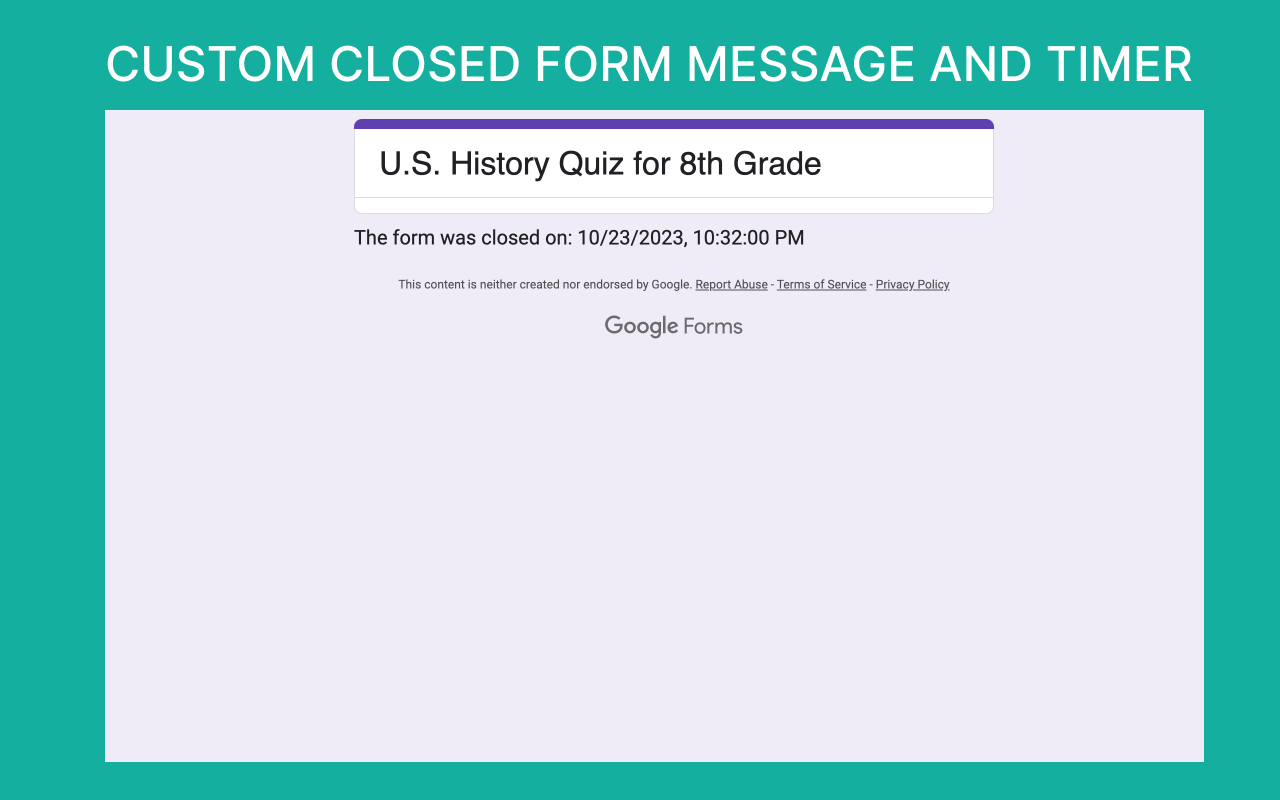
• Custom Closed Form Message: Provide informative closing messages, support contacts, or next steps once the deadline or response quota has passed.

5. 📊 BUILT-IN FORM RESPONSE MANAGER
• Review & Inspect Responses: Search, view, and review submitted responses directly inside your Google Forms™ sidebar.
• Edit Response URLs: Quickly retrieve and resend submission edit links to respondents without generating duplicate entries.
• Synchronized Response Limits: Automatically adjust and re-sync your response limits whenever you delete test, invalid, or duplicate submissions.
• Send Response Copies: Automatically email respondents a copy of their submitted answers for confirmation.

6. 🔗 SECURE CONTROLLED URL & QR CODE SHARING
• Dedicated Controlled URL: Runs via a secure preview link that enforces countdown timers, prevents timer bypasses, and protects form integrity.
• Instant QR Code Generator: Display or download a QR code for seamless mobile scanning in physical classrooms, lecture halls, and event check-ins.
• One-Click Distribution: Easily share your controlled form link across Google Classroom™, email, Canvas, Blackboard, Moodle, or messaging apps.

━━━━━━━━━━━━━━━━━━━━━━━━━━━━━━━━━━━━
🎯 PERFECT FOR EDUCATION & WORKPLACES
━━━━━━━━━━━━━━━━━━━━━━━━━━━━━━━━━━━━

• Teachers, Professors & Educators: Timed classroom quizzes, online exams, midterms, finals, standardized practice tests, student evaluations, and homework deadlines.
• Corporate Trainers & HR Recruiters: Timed candidate screening assessments, coding challenges, employee compliance tests, and staff training surveys.
• Event Planners & Clubs: Capped ticket registrations, limited workshop capacity, RSVP forms, event sign-ups, and volunteer shifts.
• Businesses & Service Providers: Fixed-hour appointment booking slots, consultation intake windows, and limited-seat service reservations.
• Researchers & Surveyors: Time-boxed feedback collection, speed polling, and quota-capped market research surveys (e.g., first 200 participants).

━━━━━━━━━━━━━━━━━━━━━━━━━━━━━━━━━━━━
🚀 QUICK SETUP IN 4 EASY STEPS
━━━━━━━━━━━━━━━━━━━━━━━━━━━━━━━━━━━━

1. Install Form Limit Timer from the Google Workspace Marketplace.
2. Open your Google Form™, click the Extensions puzzle icon > Form Limit Timer > Settings.
3. Configure your Quiz Duration (in minutes), Start/Stop schedule, Response Limits, and Custom Messages.
4. Copy your secure controlled link or QR code and share it with your students, candidates, or respondents!

━━━━━━━━━━━━━━━━━━━━━━━━━━━━━━━━━━━━
💳 LICENSING & PRICING
━━━━━━━━━━━━━━━━━━━━━━━━━━━━━━━━━━━━

• Free Trial Available: Test full timer, limit, schedule, and quiz features directly inside your Google Forms™.
• Flexible Premium Plans: Affordable 1-Month, 6-Month, and 1-Year plans for individual teachers and professionals.
• School & Domain Licensing: Bulk and domain-wide licensing available for schools, districts, and enterprise organizations.
• Learn more: https://everestwebdeals.co/en/form-limit-timer-subscription/

━━━━━━━━━━━━━━━━━━━━━━━━━━━━━━━━━━━━
🔑 LICENSE ACTIVATION & SUPPORT
━━━━━━━━━━━━━━━━━━━━━━━━━━━━━━━━━━━━

Purchased a license with a personal card or PayPal? Activate it on your school or workplace Google account in seconds:
1. Open your Google Form™ and launch Form Limit Timer.
2. Click on the "License" tab in the sidebar.
3. Paste your License Key from your confirmation email and click "Activate".

Helpful Resources & Documentation:
• Video Tutorials & Guides: https://everestwebdeals.co/en/form-timer/
• Contact Support: https://www.everestwebdeals.co/contact-us/
• Security & Privacy Center: https://everestwebdeals.co/en/security-privacy-center/
• Purchase Order Payment Guide: https://everestwebdeals.co/en/purchase-order-payment-guide/

━━━━━━━━━━━━━━━━━━━━━━━━━━━━━━━━━━━━
🔒 PRIVACY & AD-FREE GUARANTEE
━━━━━━━━━━━━━━━━━━━━━━━━━━━━━━━━━━━━

• 100% Ad-Free: Contains no third-party advertisements or tracking cookies.
• Student Data Privacy: Respondent submissions, quiz answers, and personal data are never collected, sold, or shared by Everest Web Deals. Only necessary form-level settings are processed to enforce timers and limits.

━━━━━━━━━━━━━━━━━━━━━━━━━━━━━━━━━━━━
⚖️ TRADEMARK ATTRIBUTION
━━━━━━━━━━━━━━━━━━━━━━━━━━━━━━━━━━━━

Google Forms™, Google Classroom™, and Google Workspace™ are trademarks of Google LLC.
Form Limit Timer is developed by Everest Web Deals LLC and is an independent add-on not affiliated with or endorsed by Google LLC.

The Form Limit timer is a unique add-on in the marketplace, specifically designed to enhance control over form submissions by enabling functionalities such as form stop, form start, form timer, and managing form response limits. The Form Limit timer secures your Google Forms preview URL by utilizing its own unique URL for each form preview. With the Form Limit timer, users can rest assured that their forms are accessible only within the intended timeframe, making it an indispensable tool for managing form responses effectively and securely. Form Eliminator, Eliminator.
Additional information
sell
PricingFree of charge trial
code
Developer
email
Support
lock
Privacy policy
description
Terms of service
flag
ReportFlag as inappropriate




Search
Clear search
Close search
Google apps
Main menu