
Google Workspace Marketplace


Form Link
Fill PDF forms from your spreadsheet data — one PDF per row, saved automatically.
应用详情更新日期:2026年7月20日
适用于:
没有评价
1


概览
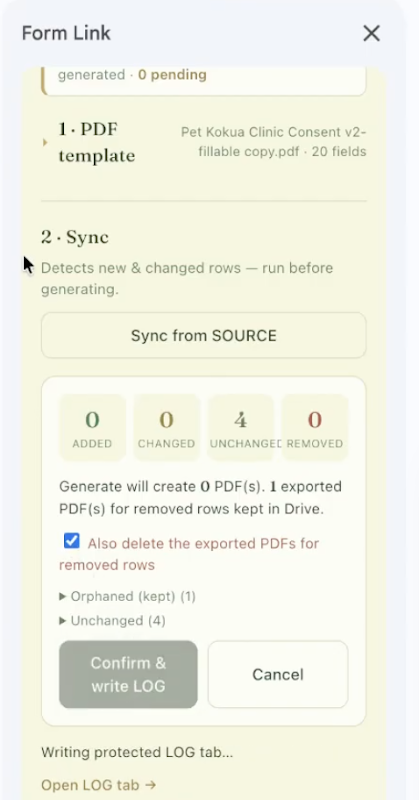
Form Link turns your spreadsheet into a PDF form factory. Map spreadsheet columns to the fields of any fillable PDF, then generate a filled PDF for every row — saved straight to your own Google Drive, with a link written back into your sheet.

How it works:
1. Open the Form Link sidebar in any Google Sheets spreadsheet.
2. Pick a fillable PDF template from your Drive.
3. Map each PDF field to a spreadsheet column (auto-matched where names line up).
4. Click Generate — Form Link creates a filled PDF per row in a "Form Link PDFs" folder in Google Drive and logs the link back into your sheet.

Built for teams that fill the same forms over and over — nonprofits, construction, insurance, property management, field services, and government.

Privacy first: all processing happens inside Google Apps Script. Your spreadsheet data, templates, and generated PDFs are never sent to any non-Google server. Form Link requests only per-file Drive access and current-spreadsheet access — it can't touch anything else in your Drive.

Google Sheets, Google Drive, and Google Apps Script are trademarks of Google LLC. Form Link is not affiliated with, endorsed by, or sponsored by Google LLC.
其他信息





搜索
清除搜索内容
关闭搜索框
Google 应用
主菜单