
Google Workspace Marketplace
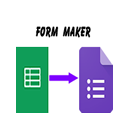

Form Maker
Create forms quickly. Enter the details in a spreadsheet, then press a button to create the form. It supports all question types (except form upload) and allows setting validation rules
Listing updated:২৬ আগস্ট, ২০২৫
Works with:
১৭ লা+


এক নজরে
Make forms and quizzes quickly and easily.

Form Maker will allow you to create forms, including quizzes, using the data in a spreadsheet. It will make the process of creating forms very much quicker and easier

It will cope with all the question types available in forms and allows you to add images and videos.

You can also edit and update questions from the spreadsheet.

add validation rules, and add feedback for quiz questions.

setup a question bank and select subsets of those questions to appear in your form.

import questions from an existing form to use in a new form and add existing questions to your question bank.

add Navigation rules to control which page appears next depending on the user's answers to multiple choice and drop-down list questions.

create options lists of up to 1,000 items from the data in your spreadsheet.

Make the options lists dynamic, updating hourly or on form submit.

Preserve form branching rules when options lists are automatically updated.

You can also use it to retrieve location information about images uploaded through a form. It will give you latitude, longitude and address data (if it was captured when the image was taken). It will also include a thumbnail of the image in your spreadsheet.

This is a fantastic Form Builder, Quiz Creator, Survey Maker, Form Creator, Quiz Maker,  Survey Creator, Form Importer, Quiz Builder, Form Maker, Survey Builder.

Combine it with other add-ons like, Form Mule, Yet Another Mail Merge, Flubaroo, Autocrat and SheetsIE to manage your data flows from form creation through to analysis and response.

Basic features are Free to use with limits on numbers of forms per month and numbers of questions per form.
Premium features with unlimited quota is available for professional users from $2.50 a month. We have also created versions to be used with Google Docs™ (Form&Quiz Maker) and Google Forms™ (FormMaker Question Bank). Each add is the same price - $2.50 a month or $30 for the year but you can purchase a license for all three together at a discounted price of $3.75 a month ($45 a year)
Additional information
sell
Pricingউপলভ্য নয়
code
Developer
email
সমর্থন
lock
গোপনীয়তা নীতি
description
পরিষেবার শর্তাদি
flag
রিপোর্ট করুনFlag as inappropriate






সার্চ করুন
সার্চ মুছুন
সার্চ বন্ধ করুন
Google অ্যাপ্লিকেশানগুলি
প্রধান মেনু