
Google Workspace Marketplace

FormConnect
The fastest way to share forms and presentations with QR codes and real-time notifications.
Fiche mise à jour le :3 mai 2026
Compatible avec :

132


Présentation
★ Simplify Form Management with FormConnect

FormConnect turns your Google Forms™ and Google Slides™ into powerful, automated workflows — making sharing, tracking, and collaboration effortless.

Stop manually sending links or checking responses. With FormConnect, everything is automated — from distribution to real-time updates.


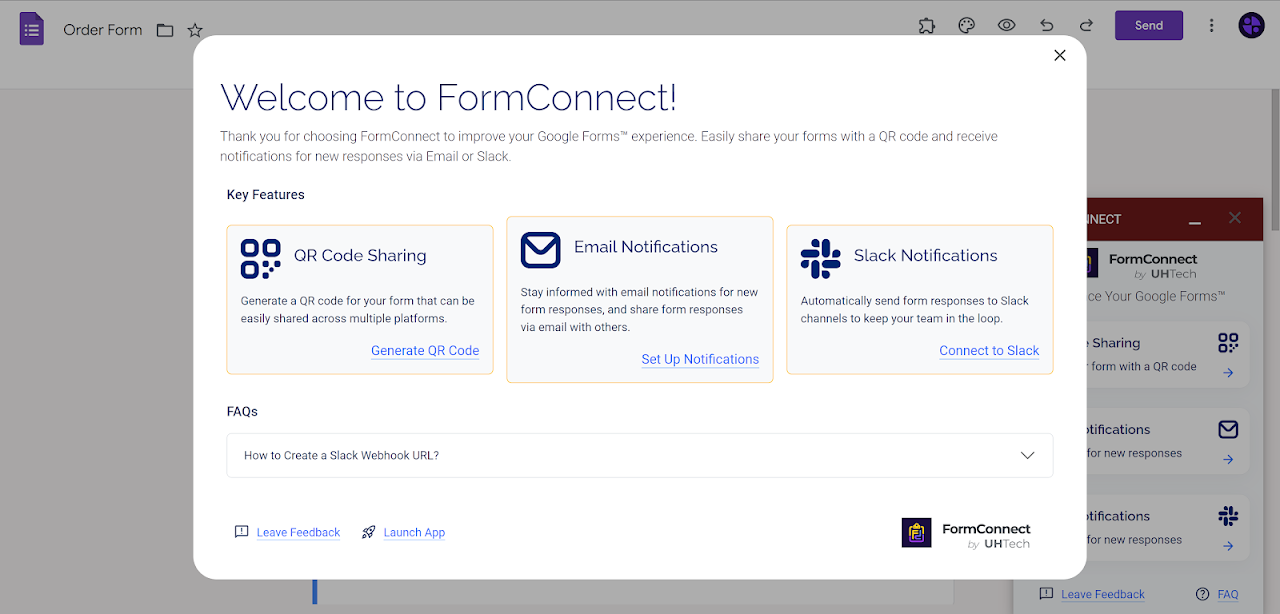
★ Key Features

Instant QR Code Sharing:
Generate customizable QR codes for your forms and presentations in seconds.
Perfect for events, classrooms, presentations, and offline access.

Real-Time Email Notifications:
Receive form responses instantly in your inbox.
Stay updated without opening your form dashboard.

Slack Notifications:
Send responses directly to your Slack channels.
Keep your team informed and react faster.


★ One-Click Social Sharing
Quickly share your form across platforms like Facebook, LinkedIn, WhatsApp, Telegram, and more.


★ Google Slides Integration
Insert QR codes directly into your presentations to boost engagement and collect responses in real time.


★ Use Cases

Lead Generation:
Share QR codes at events and get instant notifications when someone submits a form.

Education:
Let students scan and submit responses during lessons or presentations.

Customer Feedback:
Collect and monitor feedback in real time via email or Slack.

Team Workflows:
Automatically send form responses to your team for faster collaboration.


★ Why FormConnect?
No more manual sharing
No more missed responses
No more switching between tools
Everything you need to share and track forms — in one place.


★ Permissions & Security
FormConnect only accesses the permissions required to:
- Interact with your Google Forms™
- Display the add-on interface
- Send notifications (email or external integrations)

Your data is never shared with third parties.
Let's get started now.
Informations supplémentaires
sell
TarifsSans frais
code
Développeur
email
Assistance
lock
Règles de confidentialité
description
Conditions d'utilisation
flag
SignalerSignaler comme inappropriée





Recherche
Effacer la recherche
Fermer le champ de recherche
Applications Google
Menu principal