
Google Workspace Marketplace

FormConnect
The fastest way to share forms and presentations with QR codes and real-time notifications.
정보 업데이트:2026년 5월 3일
호환 기기:

132


개요
★ Simplify Form Management with FormConnect

FormConnect turns your Google Forms™ and Google Slides™ into powerful, automated workflows — making sharing, tracking, and collaboration effortless.

Stop manually sending links or checking responses. With FormConnect, everything is automated — from distribution to real-time updates.


★ Key Features

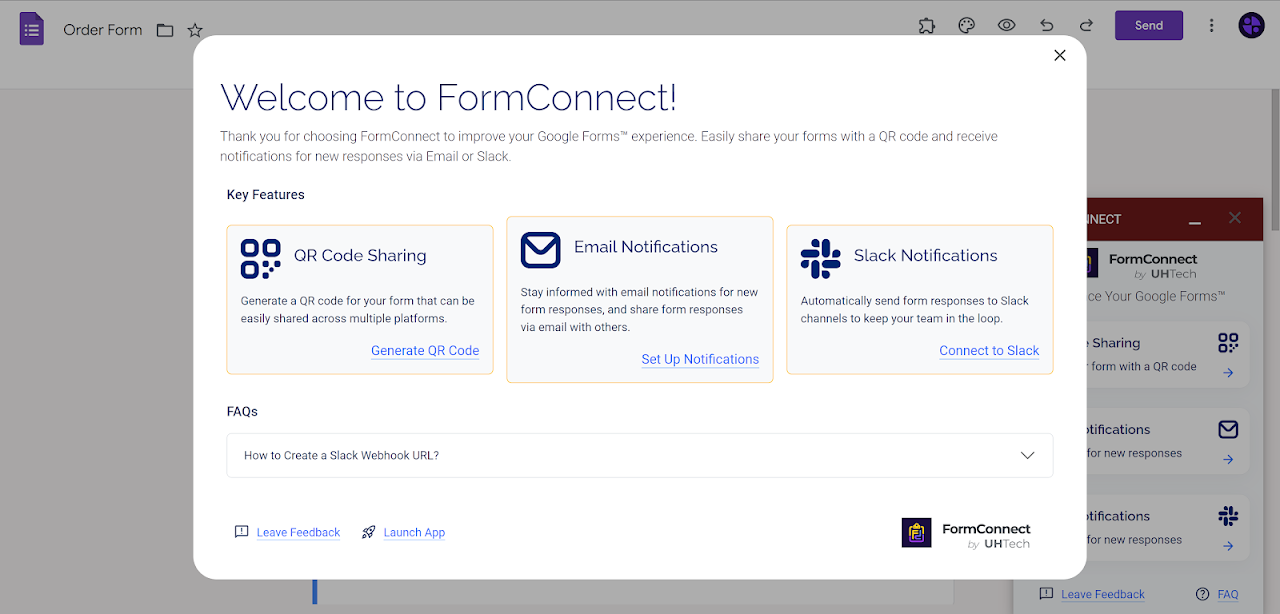
Instant QR Code Sharing:
Generate customizable QR codes for your forms and presentations in seconds.
Perfect for events, classrooms, presentations, and offline access.

Real-Time Email Notifications:
Receive form responses instantly in your inbox.
Stay updated without opening your form dashboard.

Slack Notifications:
Send responses directly to your Slack channels.
Keep your team informed and react faster.


★ One-Click Social Sharing
Quickly share your form across platforms like Facebook, LinkedIn, WhatsApp, Telegram, and more.


★ Google Slides Integration
Insert QR codes directly into your presentations to boost engagement and collect responses in real time.


★ Use Cases

Lead Generation:
Share QR codes at events and get instant notifications when someone submits a form.

Education:
Let students scan and submit responses during lessons or presentations.

Customer Feedback:
Collect and monitor feedback in real time via email or Slack.

Team Workflows:
Automatically send form responses to your team for faster collaboration.


★ Why FormConnect?
No more manual sharing
No more missed responses
No more switching between tools
Everything you need to share and track forms — in one place.


★ Permissions & Security
FormConnect only accesses the permissions required to:
- Interact with your Google Forms™
- Display the add-on interface
- Send notifications (email or external integrations)

Your data is never shared with third parties.
Let's get started now.
추가정보





검색
검색어 지우기
검색 닫기
Google 앱
기본 메뉴