
Google Workspace Marketplace


Forms Translator – Unified Responses (for Forms™)
Translate Google Forms™ into multiple languages and automatically unify all responses into one organized spreadsheet using a single reference language.
Eintrag aktualisiert:16. April 2026
Kompatibel mit:
15.280+


Überblick
🎁 Early Access
All features are currently free during early access.
A Pro plan with usage limits will be introduced soon.
Early users will receive discounted pricing when it launches.
⸻

🔒 Upcoming Changes

A free tier will remain available with usage limits.
Pro will unlock higher usage for frequent users.

Create multilingual Google Forms™ and review all responses in one place.

Forms™ Translator – Unified Responses helps teachers, school administrators, and educators create multilingual Google Forms™ while keeping response analysis simple and organized.

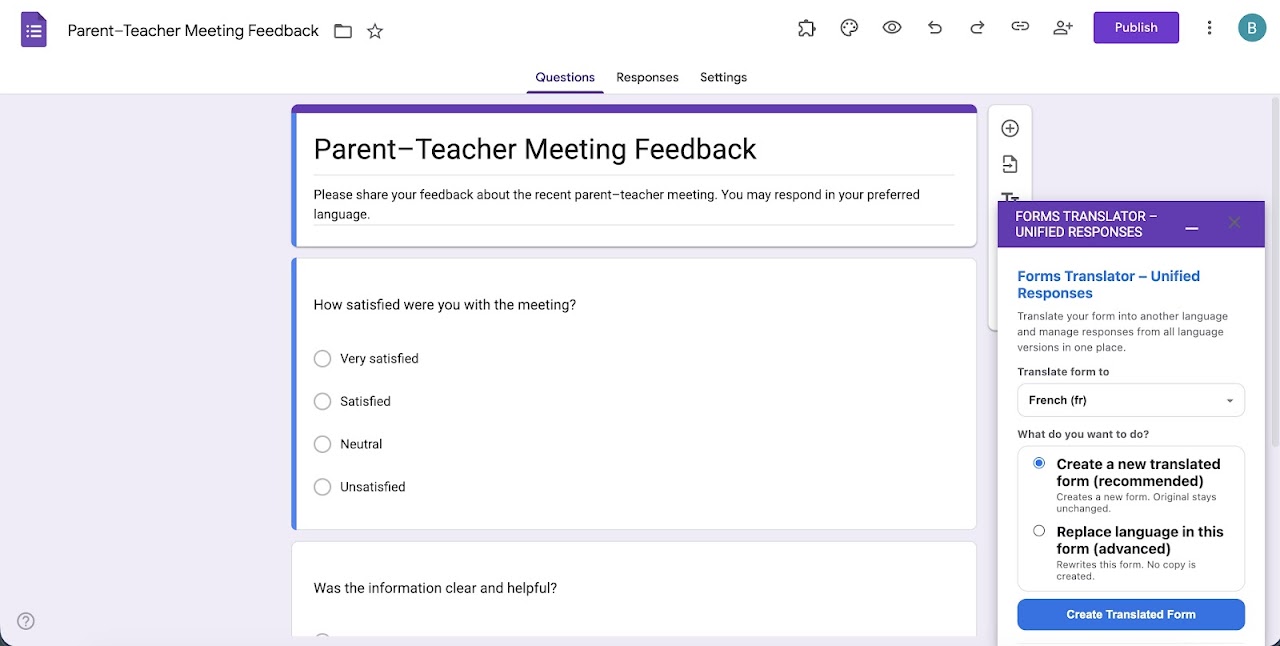
Instead of managing separate forms and response sheets for each language, this add-on lets you translate your form, collect responses in multiple languages, and automatically unify them into a single spreadsheet view using a reference language (English).

⸻

✨ Key Features

🔹 Translate Google Forms™
	• Instantly translate your Google Form™ into multiple languages
	• Supports common question types including text, multiple choice, checkboxes, grids, dates, and time
	• Create a new translated copy or update an existing form
        • Handles tricky translation cases (like ambiguous answer choices) to keep options accurate and distinct across languages

🔹 Unified Responses (One Sheet, One View)
	• Automatically brings responses from all translated forms into one unified sheet
	• Responses are shown using a single reference language (English) for easy comparison
	• Original responses remain unchanged in their original language

🔹 Built for Teachers & Administrators
	• Ideal for parent-teacher communication, school surveys, attendance forms, feedback forms, and announcements
	• No manual copying or spreadsheet cleanup required
	• Works directly inside Google Forms™

🔹 Safe & Privacy-Focused
	• No response data is stored outside your Google account
	• All processing happens within your Google Workspace
	• No advertising, tracking, or data selling

⸻

🧭 How It Works
	1. Open your Google Form™
	2. Open the Forms Translator™ - Unified Responses add on
	3. Translate the form into one or more languages
	4. Collect responses
	5. Click Generate Unified Responses to view everything in one place

⸻

🔎 Notes on Advanced Logic
• Forms using advanced section navigation (“Go to section based on answer”) should be reviewed after translation.
• Some advanced response validation rules may require manual review in the translated copy.

⸻


⚠️ Important: Response Spreadsheet Linking

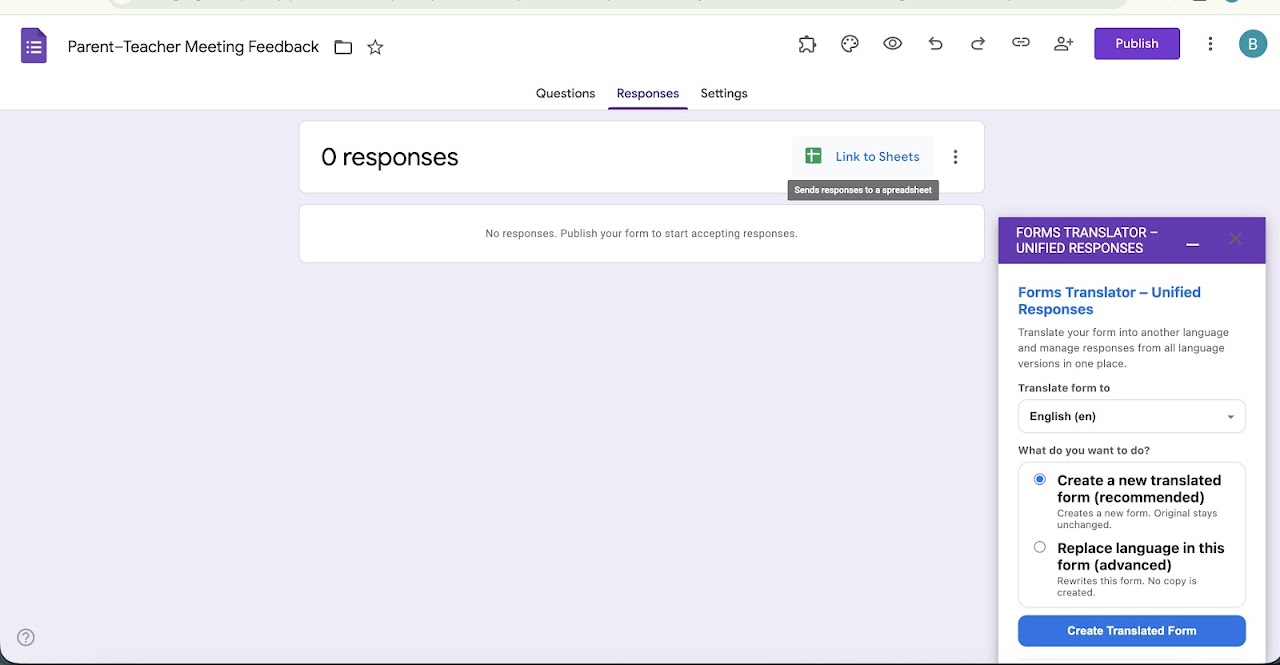
To unify responses across multiple languages, all translated forms must submit responses into a single spreadsheet managed by the add-on.

• If your form has no response spreadsheet yet, one will be created automatically.
• If your form is already linked to a response spreadsheet, the add-on may prompt you to link a new spreadsheet for multilingual unification.
• Your existing responses remain unchanged in the original spreadsheet.
• New responses will be collected in the unified spreadsheet going forward.
• You can switch response destinations anytime via:
Form → Responses → Link to Sheets™

Note: Due to Google’s file-permission model, unified responses must be generated by the Google account that originally linked the response spreadsheet through the add-on.

⸻

🎯 Who Is This For?
	• Teachers managing multilingual classrooms
	• School administrators communicating with parents from diverse backgrounds
	• Educational institutions running surveys or forms across languages
	• Anyone who wants multilingual Google Forms™ without messy spreadsheets

⸻

💡 Why Forms™ Translator – Unified Responses?

Most tools stop at translating forms.
Forms™ Translator – Unified Responses helps you actually manage and analyze multilingual responses — without messy spreadsheets or manual work.

⸻

🛡️ Google Workspace Compliant

Forms™ Translator – Unified Responses follows Google Workspace and Google API data-use policies and operates entirely within your Google account.

⸻Weitere Informationen
sell
PreiseKostenlos
code
Entwickler
Kein Händler
email
lock
Datenschutzerklärung
description
Nutzungsbedingungen
flag
MeldenAls unangemessen melden




Suche
Suche löschen
Suche schließen
Google-Apps
Hauptmenü