
Google Workspace Marketplace

Forms Translator – Unified Responses (for Forms™)
Translate Google Forms™ into multiple languages and automatically unify all responses into one organized spreadsheet using a single reference language.
דף האפליקציה עודכן בתאריך:16 באפריל 2026
האפליקציה פועלת עם:
+11K


סקירה כללית
🎁 Early Access
All features are currently free during early access.
A Pro plan with usage limits will be introduced soon.
Early users will receive discounted pricing when it launches.
⸻

🔒 Upcoming Changes

A free tier will remain available with usage limits.
Pro will unlock higher usage for frequent users.

Create multilingual Google Forms™ and review all responses in one place.

Forms™ Translator – Unified Responses helps teachers, school administrators, and educators create multilingual Google Forms™ while keeping response analysis simple and organized.

Instead of managing separate forms and response sheets for each language, this add-on lets you translate your form, collect responses in multiple languages, and automatically unify them into a single spreadsheet view using a reference language (English).

⸻

✨ Key Features

🔹 Translate Google Forms™
	• Instantly translate your Google Form™ into multiple languages
	• Supports common question types including text, multiple choice, checkboxes, grids, dates, and time
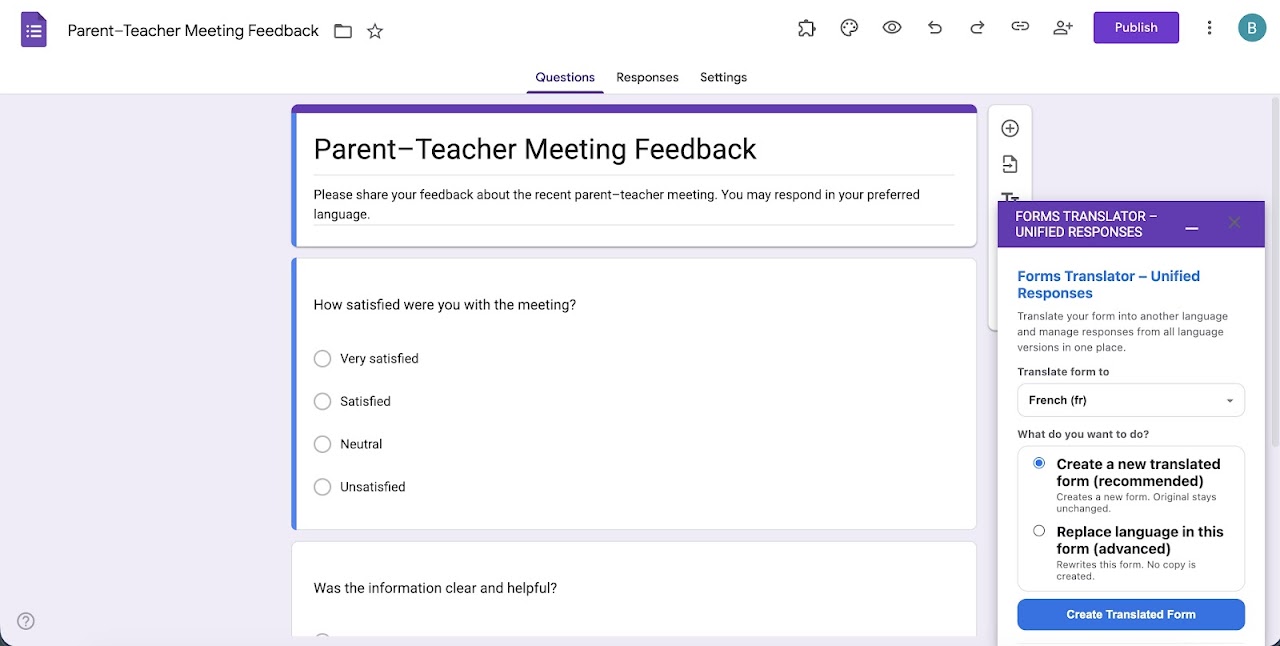
	• Create a new translated copy or update an existing form
        • Handles tricky translation cases (like ambiguous answer choices) to keep options accurate and distinct across languages

🔹 Unified Responses (One Sheet, One View)
	• Automatically brings responses from all translated forms into one unified sheet
	• Responses are shown using a single reference language (English) for easy comparison
	• Original responses remain unchanged in their original language

🔹 Built for Teachers & Administrators
	• Ideal for parent-teacher communication, school surveys, attendance forms, feedback forms, and announcements
	• No manual copying or spreadsheet cleanup required
	• Works directly inside Google Forms™

🔹 Safe & Privacy-Focused
	• No response data is stored outside your Google account
	• All processing happens within your Google Workspace
	• No advertising, tracking, or data selling

⸻

🧭 How It Works
	1. Open your Google Form™
	2. Open the Forms Translator™ - Unified Responses add on
	3. Translate the form into one or more languages
	4. Collect responses
	5. Click Generate Unified Responses to view everything in one place

⸻

🔎 Notes on Advanced Logic
• Forms using advanced section navigation (“Go to section based on answer”) should be reviewed after translation.
• Some advanced response validation rules may require manual review in the translated copy.

⸻


⚠️ Important: Response Spreadsheet Linking

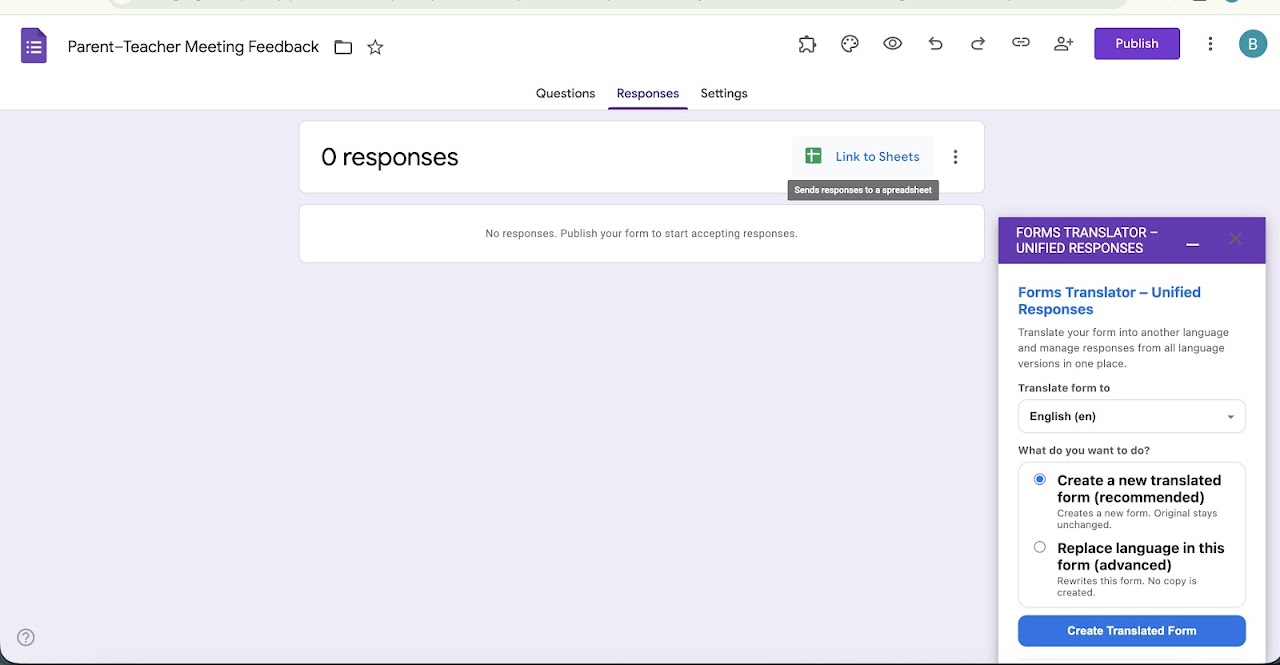
To unify responses across multiple languages, all translated forms must submit responses into a single spreadsheet managed by the add-on.

• If your form has no response spreadsheet yet, one will be created automatically.
• If your form is already linked to a response spreadsheet, the add-on may prompt you to link a new spreadsheet for multilingual unification.
• Your existing responses remain unchanged in the original spreadsheet.
• New responses will be collected in the unified spreadsheet going forward.
• You can switch response destinations anytime via:
Form → Responses → Link to Sheets™

Note: Due to Google’s file-permission model, unified responses must be generated by the Google account that originally linked the response spreadsheet through the add-on.

⸻

🎯 Who Is This For?
	• Teachers managing multilingual classrooms
	• School administrators communicating with parents from diverse backgrounds
	• Educational institutions running surveys or forms across languages
	• Anyone who wants multilingual Google Forms™ without messy spreadsheets

⸻

💡 Why Forms™ Translator – Unified Responses?

Most tools stop at translating forms.
Forms™ Translator – Unified Responses helps you actually manage and analyze multilingual responses — without messy spreadsheets or manual work.

⸻

🛡️ Google Workspace Compliant

Forms™ Translator – Unified Responses follows Google Workspace and Google API data-use policies and operates entirely within your Google account.

⸻מידע נוסף




חיפוש
ניקוי החיפוש
סגירת החיפוש
אפליקציות Google
התפריט הראשי