
Google Workspace Marketplace
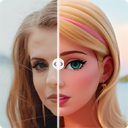

Photo to Cartoon - Cartoonizer for Photo
100% automatically cartoonize your photo. Just apply a cartoon filter to your picture, We helps you to get funny and creative photos in one click.
דף האפליקציה עודכן בתאריך:3 באפריל 2024
האפליקציה פועלת עם:
+37K


סקירה כללית
NOTE:  If you encountered issue such as:
➤ not being able to display the add-on's menu
➤ the add-on's sidebar appearing blank
➤ not being able to install the add-on
Most likely because you have multiple Google accounts logged into your browser. You need to Log out from all the accounts in your browser and only log in to the one you want to use with our add-on.

Turn Picture into Cartoon
Go from pic to cartoon in one click. Image cartoonizer is powered by artificial intelligence so you don't need any professional photo editing skills. You can convert any photo to cartoon in a flash.

Cartoonify your pet images
Who said your pets can't join in on the cartoonization fun? Cartoon Filters is here to transform your adorable pet picture to cartoons that will steal your heart. Get ready for a Disney-like experience where your furry friend becomes the star of the show!

Cartoon yourself
Ready to turn your selfies into stunning cartoons? We’ve got you covered. Our free online cartoonizer tool can instantly transform your portraits into cartoons to upgrade your aesthetic.

🔹Privacy Policy

Your data aren’t shared with anyone, including the add-on owner.
We complies with privacy laws (especially GDPR & California Privacy Act) to protect your data.
מידע נוסף


חיפוש
ניקוי החיפוש
סגירת החיפוש
אפליקציות Google
התפריט הראשי