
Google Workspace Marketplace


Foxit PDF Editor Cloud
Work with the powerful online PDF tools integrated with Google Drive.
Fiche mise à jour le :20 novembre 2026
Validation de sécurité indépendante
Compatible avec :

310 k+




Présentation
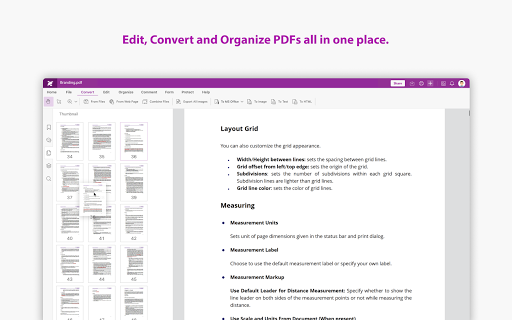
Try our online PDF service now! With a single install, Foxit PDF Editor Cloud integrates seamlessly with both Google Drive™ and Gmail™—eliminating the need to download, re-upload, or switch between apps.Select a PDF or other supported file directly from your Google Drive or open an email thread in Gmail to access Foxit tools from the contextual sidebar. Easily view, edit, comment, organize, convert to other formats, or combine multiple files into one PDF, all in one place.What You Can Do in Google Drive™ & Gmail™Contextual Gmail™ Sidebar – Automatically detects PDFs and supported attachments in your open email threads with a clean interface for quick file selection.One-Click Cloud Editing – Open files from Google Drive or Gmail attachments directly in Foxit PDF Editor Cloud in a new browser tab.Auto-Save to Foxit – Attachments and edits are securely saved to Foxit Cloud Storage for seamless access across devices.Seamless Authentication – View PDFs right away, or log in with your existing Foxit account (or register in seconds) to unlock full cloud capabilities.Free FeaturesView, add comments, and search text in a PDF file. Subscription Features Edit PDF documents like with a word processor. Organize PDF documents with page reorder, rotate, and delete features. Convert supported formats to PDF and vice versa, including Microsoft Excel, Word, PowerPoint, image, plain text, and HTML. Combine any supported files into one PDF, including files from Google Sheets™, Google Slides™, and Google Docs™. FeedbackWe are always glad to hear from you. Feel free to send us any comments or questions by going to Help -> Feedback.Google Drive™, Gmail™, Google Docs™, Google Sheets™, and Google Slides™ are trademarks of Google LLC. This product is not affiliated with, endorsed by, or sponsored by Google LLC.
Informations supplémentaires
sell
TarifsNon disponible
code
Développeur
Non-professionnel
email
Assistance
lock
Règles de confidentialité
description
Conditions d'utilisation
flag
SignalerSignaler comme inappropriée



Recherche
Effacer la recherche
Fermer le champ de recherche
Applications Google
Menu principal