
Google Workspace Marketplace


Freightbox
Shared inbox for logistics teams. AI sorts and drafts replies in Gmail; rules forward the emails that matter to your phone, and you answer from WhatsApp in one tap.
Gawa ng:
Na-update ang listing noong:Setyembre 11, 2026
Walang review
Walang user


Pangkalahatang-ideya
Freightbox turns a logistics team's Gmail into a shared, sorted inbox that answers itself, with a human deciding what gets sent.

SORTED FOR FREIGHT
Every inbound email is labelled in Gmail as To Respond, Shipments, Quotes, Documents, Exceptions, Billing or FYI, so the whole team sees what needs work without reading everything.

DRAFTS, NOT SENDS
When an email needs a reply, Freightbox drafts it using the thread and your knowledge base. Nothing is sent until a person approves it. Freightbox never sends email on its own.

RULES THAT ROUTE WORK
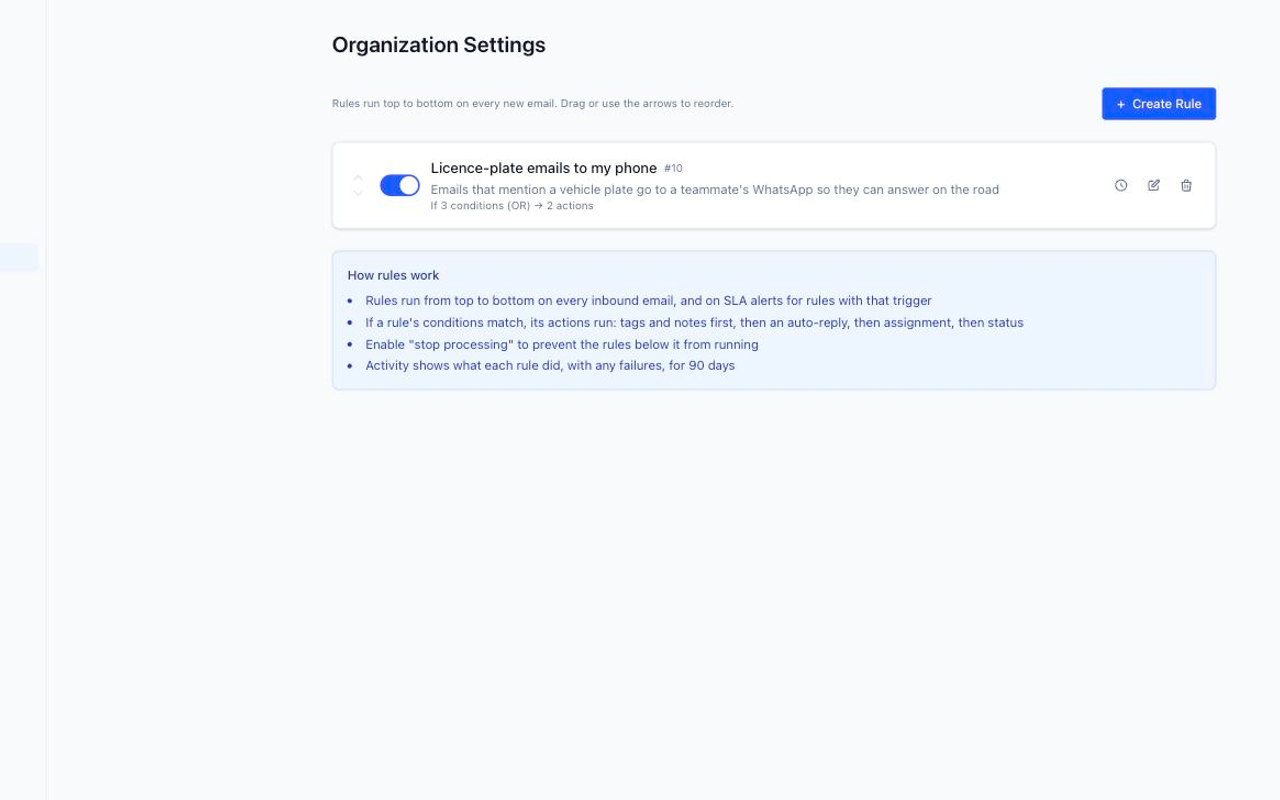
Tag, assign, set status, or send an automatic acknowledgement when an email matches: by sender, subject, mailbox, customer, or the AI label. Every rule keeps an activity log.

ANSWER FROM THE ROAD
Pair your phone and the emails your rules pick, such as a licence-plate question or a "where is my truck", reach you on WhatsApp. Type or speak the answer, tap Send, and the customer gets a proper email from your mailbox. Approve or reject AI drafts the same way.

BUILT FOR SMALL TEAMS
Shared mailboxes with per-member permissions, internal notes, customer records, and an audit trail of who did what.

Freightbox uses the Gmail permission to read and synchronize mail, manage labels and create drafts. It does not call Gmail send endpoints. Use of Google user data follows the Google API Services User Data Policy, including the Limited Use requirements. Details: https://app.getfreightbox.com/privacy and https://app.getfreightbox.com/security
Karagdagang impormasyon
sell
PagpepresyoLibreng trial
code
Developer
email
Suporta
lock
Patakaran sa privacy
description
Mga tuntunin ng serbisyo
flag




Search
I-clear ang paghahanap
Isara ang paghahanap
Mga app ng Google
Pangunahing menu