
Google Workspace Marketplace


Geek in the Sheets
AI assistant for Google Sheets™. Chat with Claude in a sidebar to write formulas, clean data, and edit your sheet for you. One-click undo. Free credits to start.
Listing updated:July 6, 2026
Works with:
71


Overview
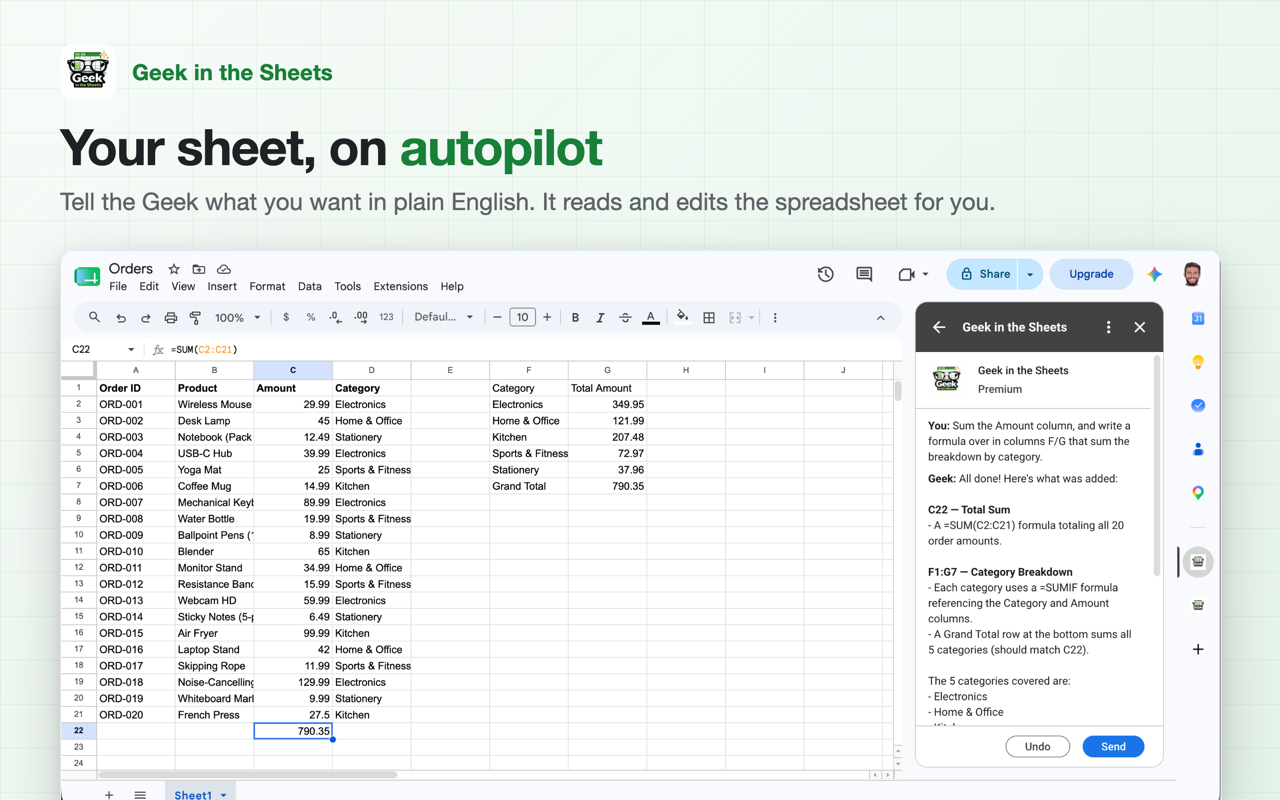
Geek in the Sheets puts an AI assistant in a sidebar right next to your spreadsheet. Tell it what you want in plain English and it does the work: writes the formula, cleans up the data, fills in the column. It's powered by Claude, and unlike a chatbot in another tab, it can actually read and edit your sheet.

THINGS PEOPLE USE IT FOR

- "Write a VLOOKUP that pulls the price from Sheet2" (it'll explain how the formula works, too)
- Clean up messy data: trim whitespace, fix capitalization, split names into columns
- Categorize or tag hundreds of rows in one pass
- Total things up by category, or summarize a table you didn't build
- Generate sample or placeholder data
- Explain what a formula someone else wrote actually does

If you can describe it, you can probably skip learning the formula syntax for it.

GETTING STARTED

1. Install, then open any spreadsheet
2. Click the Geek in the Sheets icon in the panel on the right side of Sheets
3. Grant access to the current spreadsheet
4. Type what you want done and hit Send

Asked for something you regret? Hit Undo and your sheet goes back to the way it was before the last change.

PRICING

You get 50 free credits when you install, enough to try it on real work. A typical task costs 1 to 10 credits. After that, either buy credits as you go (packages start at $1.99, no subscription required) or bring your own Anthropic API key and pay Anthropic directly for usage. Premium subscribers get unlimited use with their own key.

Geek in the Sheets is an AI formula generator, data cleanup tool, and spreadsheet automation assistant, right inside Google Sheets™.

PRIVACY

The add-on can only read the spreadsheet you grant it access to. It never touches the rest of your Drive. If you bring your own API key, it isn't stored on our servers.

Questions or something broken? https://geekinthesheets.app/support

Google Sheets™ and Google Workspace™ are trademarks of Google LLC.
Additional information
sell
PricingFree of charge trial
code
Developer
email
Support
lock
Privacy policy
description
Terms of service
flag
ReportFlag as inappropriate




Search
Clear search
Close search
Google apps
Main menu