
Google Workspace Marketplace


Maintenance Management with Sheets™
Plan interventions, track equipment, and manage maintenance in Google Sheets™. Simple CMMS for SMEs and field teams. Fast setup, real-time tracking.
Listing updated:20 iulie 2026
Works with:
3 K+





Prezentare generală
🛠 FIXEETS MAINTENANCE: SIMPLE CMMS FOR GOOGLE SHEETS™

Fixeets Maintenance is a maintenance management software compatible with Google Sheets™, designed to help teams plan, track, and optimize maintenance operations without complex CMMS tools.
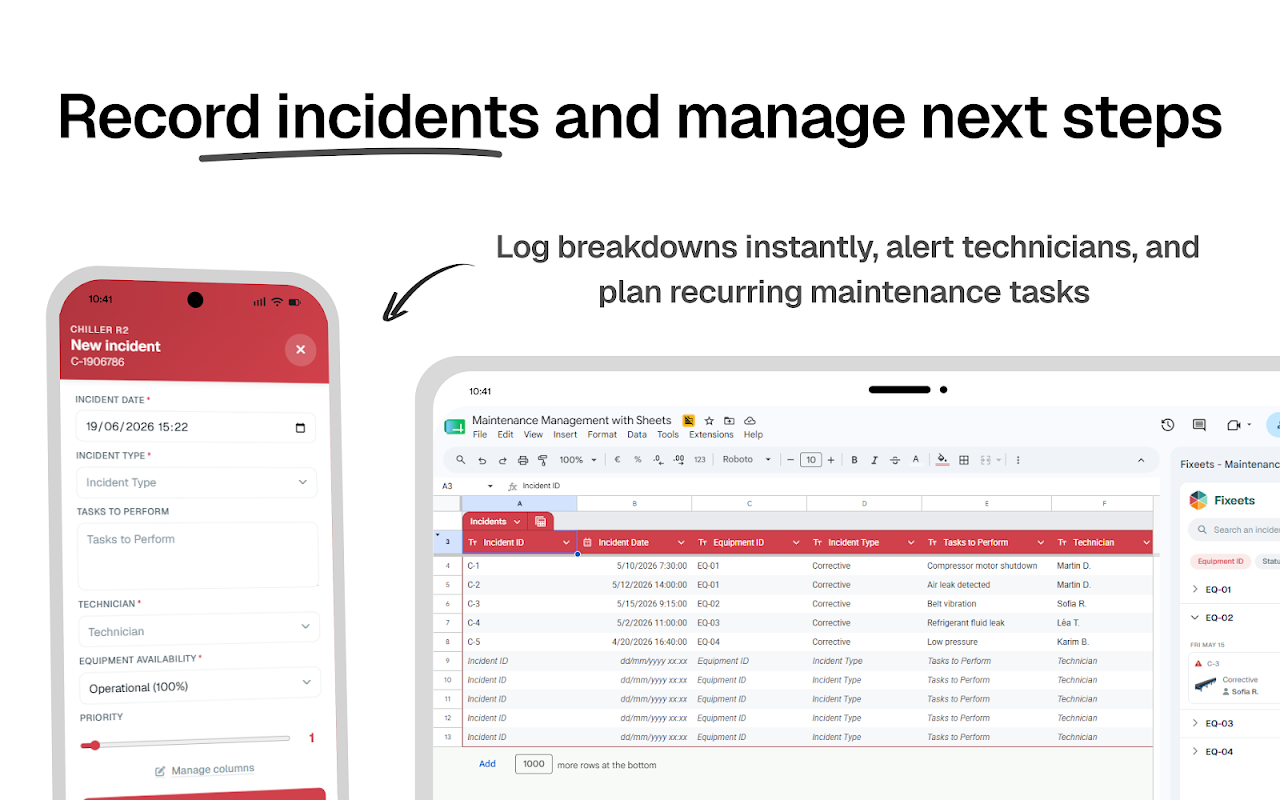
Schedule interventions, monitor equipment, and manage preventive and corrective maintenance directly inside your spreadsheet.
Built for SMEs, service teams, and field technicians, Fixeets transforms Google Sheets™ into a structured CMMS system with real-time visibility, clear workflows, and fast deployment.
✨ No complex CMMS to learn
⚙️ No heavy ERP setup
🚀 No migration required

Start in minutes and manage your entire maintenance workflow from a simple sidebar console.

⭐ WHY TEAMS CHOOSE FIXEETS
Many teams already use Google Sheets™ to track maintenance tasks. As operations grow, planning becomes difficult, visibility decreases, and intervention tracking becomes inconsistent.
Fixeets adds structure, scheduling, and real-time tracking without replacing your existing tools. You keep the flexibility of Sheets and gain the reliability of a dedicated CMMS.

✅ KEY BENEFITS
🧰 Manage equipment, interventions, and responsible users directly in Google Sheets™
📅 Plan preventive and corrective maintenance with structured scheduling
📊 Monitor KPIs such as MTBF, MTTR, uptime, and maintenance costs
📱 Track interventions in real time with mobile-friendly workflows
👥 Collaborate with technicians using shared workspace access
⚡ Get started instantly with automated workspace setup

⚙️ MAIN FEATURES
• Equipment, intervention, and technician management
• Preventive and corrective maintenance scheduling
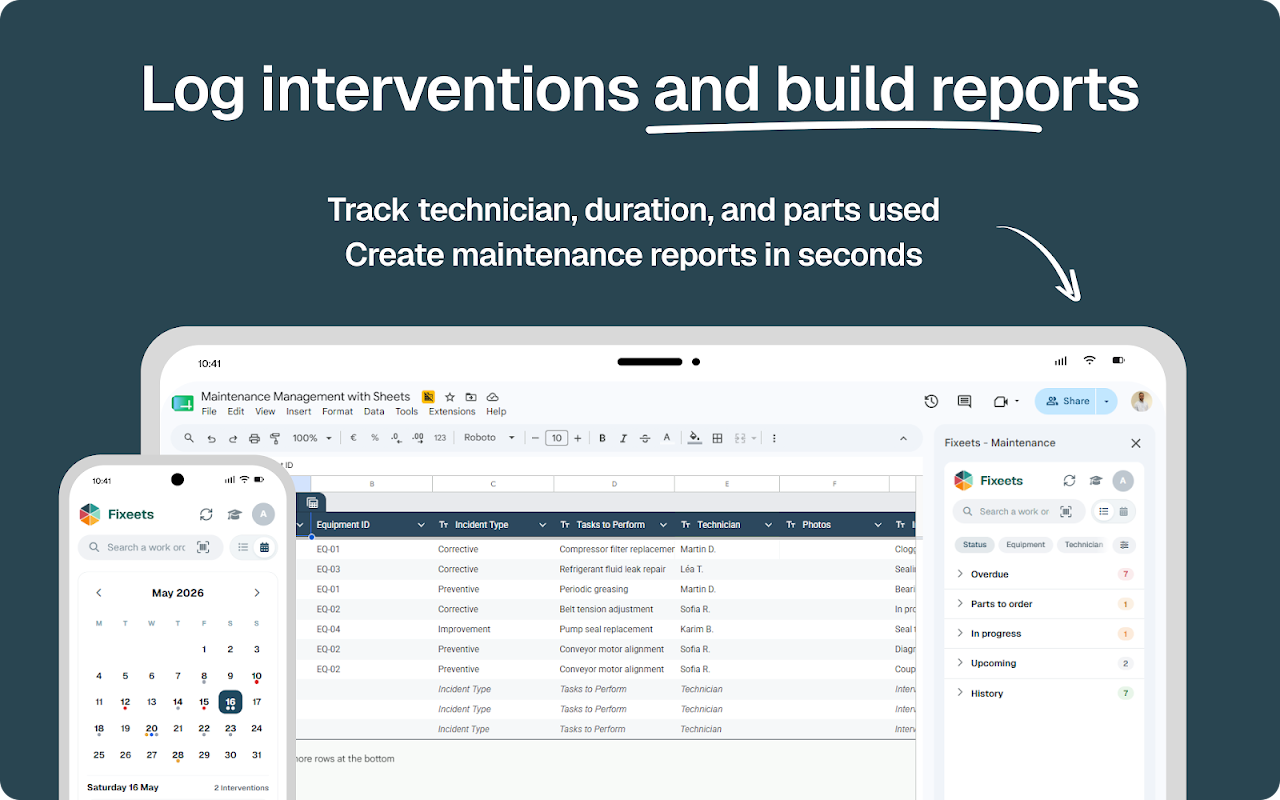
• Real-time status tracking and intervention history
• Maintenance analytics including MTBF, MTTR, and cost tracking
• Mobile access for field reporting and intervention updates

🚀 HOW TO GET STARTED
1️⃣ Click Install from Google Workspace Marketplace
2️⃣ Open Google Sheets™ and launch Fixeets from Extensions
3️⃣ Generate your maintenance workspace in one click
4️⃣ Add equipment, assign users, and schedule interventions
5️⃣ Track performance and monitor maintenance KPIs

💰 PRICING
• Standard – Free: essential maintenance tracking and planning
• Enterprise – Advanced features, customization, and mobile workflows
Simple subscription managed directly from the console.

👥 WHO USES FIXEETS
• SMEs managing equipment and maintenance operations
• Facility teams handling preventive maintenance
• Field technicians tracking interventions
• Service companies managing assets and repairs
• Growing teams moving beyond manual spreadsheets

❓ FREQUENTLY ASKED QUESTIONS
Can I manage maintenance directly in Google Sheets™?
Yes. Fixeets runs inside Google Sheets™ with a structured interface.
Does Fixeets support preventive maintenance planning?
Yes. You can schedule and track both preventive and corrective maintenance.
Is Fixeets a CMMS software?
Yes. Fixeets is a simple CMMS built for Google Sheets™. It is part of a broader suite including inventory, production, and order management for a lightweight ERP experience.

🤝 SUPPORT
Need help setting up your maintenance workflow?
📩 Contact our team: support@fixeets.com

🌐 LEARN MORE
👉 https://fixeets.com/maintenance-management
👉 https://fixeets.com/blog
Additional information
sell
PricingFree of charge with paid features
code
Developer
email
Asistență
lock
Politica de confidențialitate
description
Condiții de furnizare a serviciilor
flag
RaporteazăFlag as inappropriate





Căutare
Șterge căutarea
Închide căutarea
Aplicații Google
Meniu principal