
Google Workspace Marketplace


Hoogly
Build a culture people love. Hoogly replaces surveys with anonymous 1:1 conversations with Venn, our AI coach. We help your organization turn feedback into real action.
Ultimo aggiornamento scheda:4 marzo 2026
Compatibile con:
Nessuna recensione
3K+
Panoramica
Build culture, don't just measure it.

Most employee surveys feel like a one-way street: you share your thoughts and never hear back. Hoogly changes that by turning feedback into a real-time conversation. We partner with organizations to ensure every voice is heard and every insight leads to progress.

Meet Venn: Your AI Culture Coach
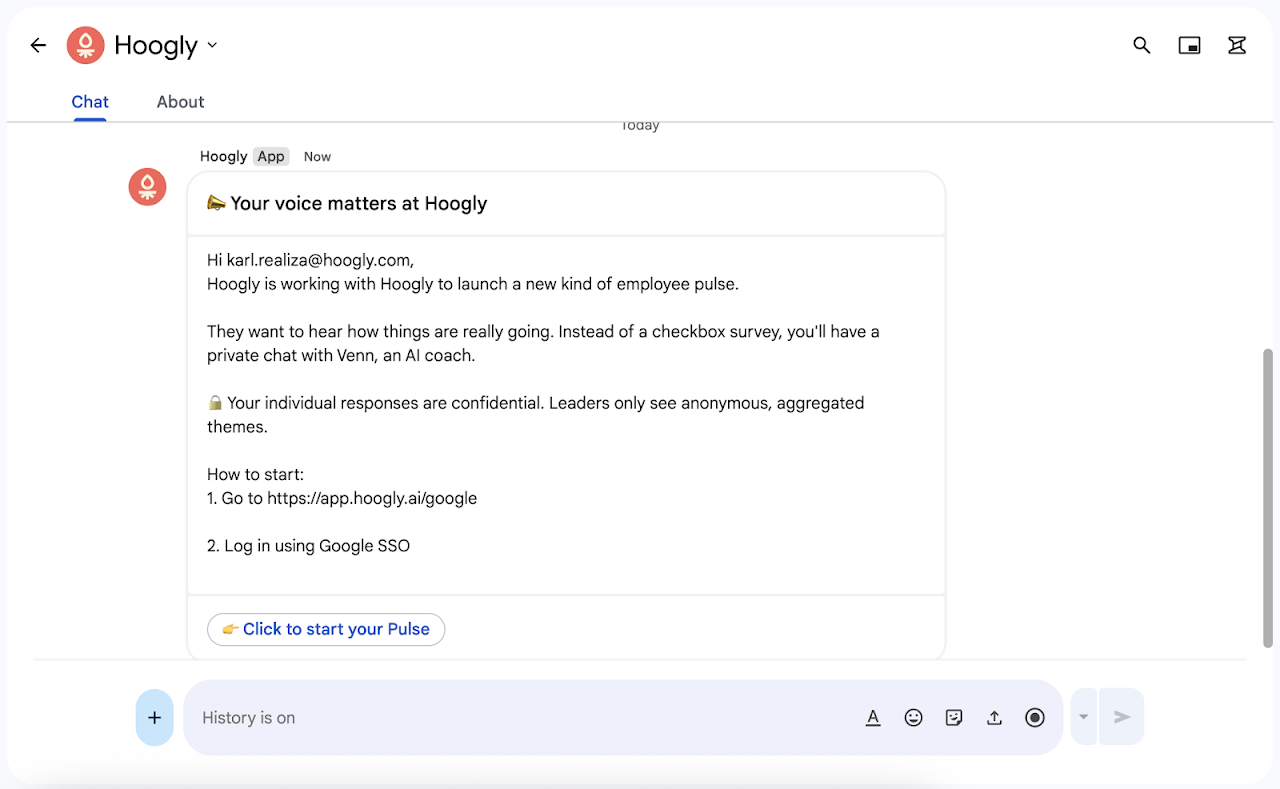
Instead of filling out clunky forms, users engage in private, 1:1 chats with Venn. Venn is designed to understand the "why" behind the employee experience, uncovering the themes that traditional surveys miss.

Privacy First, Always
Trust is our priority. Hoogly is an anonymous platform. We analyze feedback to provide leadership with high-level themes and clear action plans, but individual identities and specific comments are never shared with the employer.

How it Works:
Get Notified: Receive an invite here in Google Chat when a new Pulse is ready.
Chat with Venn: Spend 5 to 10 minutes sharing your honest experience.
See the Impact: Venn turns what you share into clear next steps for your leadership.

Ready to get started?
Log in to https://app.hoogly.ai/, or create an account at hoogly.ai.
Informazioni aggiuntive
sell
PrezziA pagamento
code
Sviluppatore
email
Assistenza
lock
Norme sulla privacy
description
Termini di servizio
flag
SegnalaSegnala come inappropriata


Ricerca
Cancella ricerca
Chiudi ricerca
App Google
Menu principale